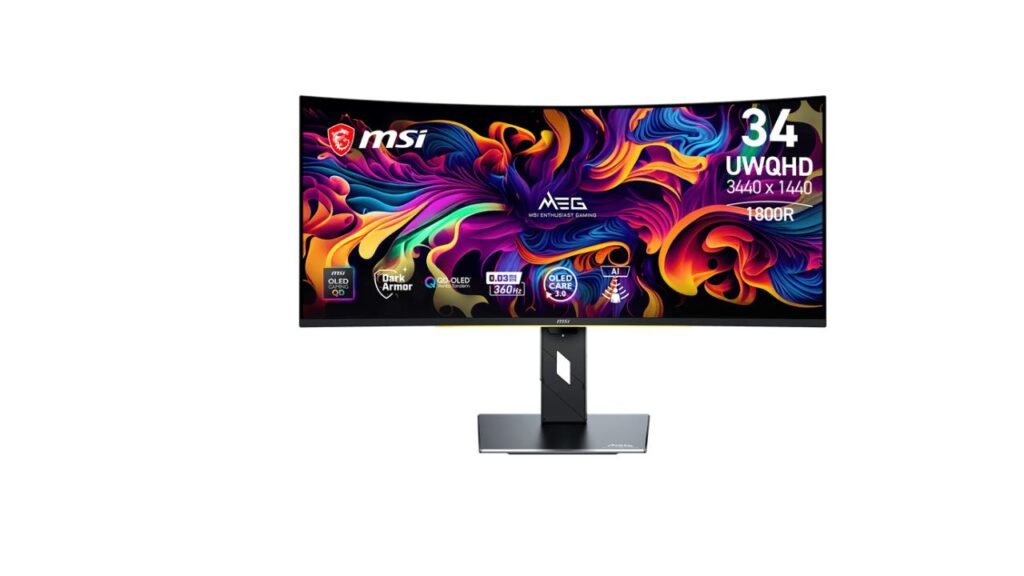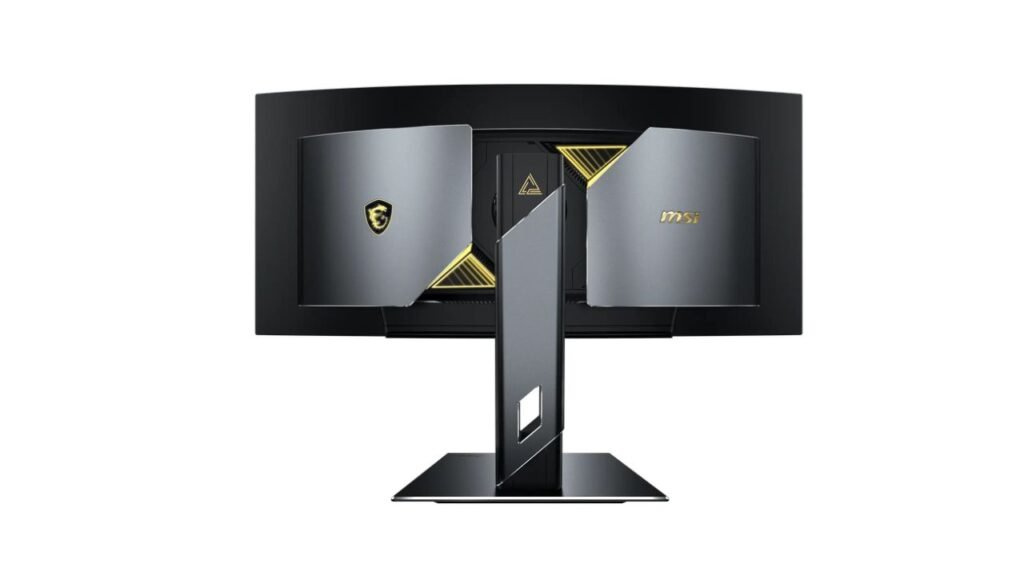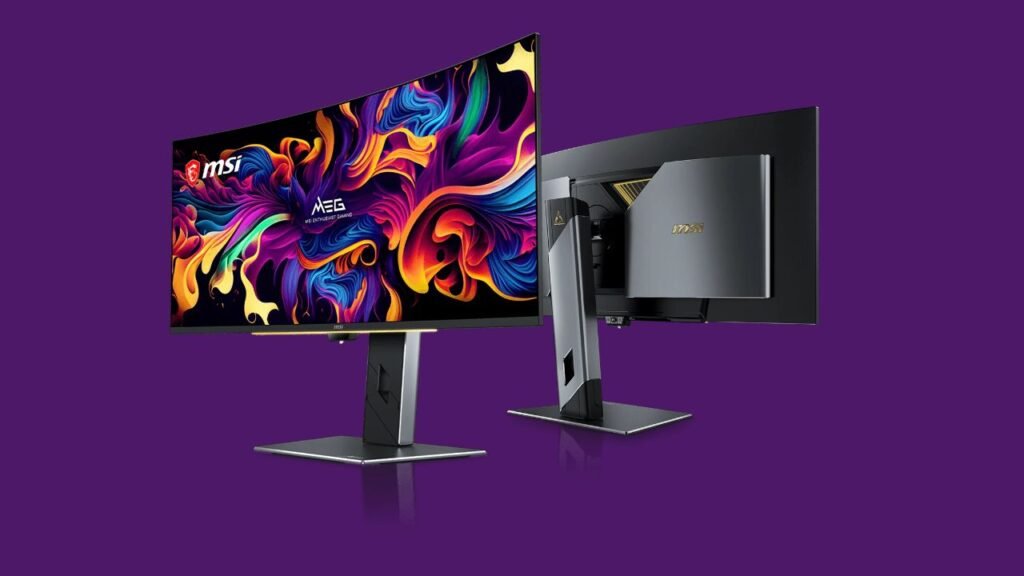
MSI has officially launched the MEG X, a 34-inch curved QD-OLED gaming monitor with an onboard AI processor. According to MSI, it is the world’s first gaming monitor powered by agentic AI. It pairs a 3440 x 1440 panel with a 360Hz refresh rate and a 5th-generation RGB Stripe QD-OLED panel. The monitor was shown at CES 2026 and again in early June, and MSI has now released the full specs. USD pricing and India availability are not confirmed yet.
What MSI has announced
The MEG X is built around what MSI calls “True AI Gaming.” An integrated AI processor drives several features, and MSI says its AI Robot Lite assistant is voice-oriented and helps users reach monitor and PC settings more easily.
The panel is a 34-inch UWQHD (3440 x 1440) curved QD-OLED. QD-OLED (quantum dot OLED) uses self-lit pixels with a quantum dot layer for deep blacks and strong colour. MSI says it uses Penta Tandem technology and an RGB Stripe sub-pixel layout. That layout is meant to improve text clarity and reduce the colour fringing that has affected OLED monitors in desktop use.
MSI MEG X key specs
| Spec | Published detail |
|---|---|
| Panel | 34″ curved QD-OLED, 5th gen, Penta Tandem, RGB Stripe |
| Resolution | 3440 x 1440 (UWQHD) |
| Refresh rate | 360Hz, FreeSync Premium Pro, G-SYNC Compatible |
| Response time | 0.03 ms GTG |
| Brightness | 300 nits typical, up to 1,300 nits peak (HDR) |
| Contrast | 1,500,000:1 |
| HDR | VESA DisplayHDR True Black 500 |
| Motion clarity | VESA ClearMR 18000 |
| Ports | DisplayPort 2.1a (UHBR20), 2x HDMI 2.1, USB-C with up to 98W PD |
| Extras | KVM, PiP, PbP, SpectrumBar+ RGB lighting |
| Stand | 110 mm height, -10° to 10° slant, ±30° swivel, -3° to 20° tilt |
| Price (USD) | Not confirmed yet |
| India availability | Not confirmed yet |
The AI features
The AI suite is the headline. MSI lists these functions:
- AI Super Resolution (AI SR): upscales lower-resolution content for a sharper image.
- AI Vision+: analyses the image pixel by pixel and brightens shadows without washing out highlights.
- AI Crosshair: changes the crosshair colour so it stays visible on any background.
- AI Scene: detects the type of content and switches to a suitable preset.
- AI Audio Scene: matches sound profiles to the active display mode, with custom EQ.
- AI Gauge: reads in-game health or energy bars, mirrors them in lighting, and flashes when they drop below 30%.
MSI also lists Glow Sync+ for ambient lighting that follows the screen, Echo Vision for showing audio channel direction in lighting zones, and Optix Scope+, a magnifier with square and circular zoom and a night mode.
How well any of this works in real games is not confirmed yet. Some features, such as AI Gauge, may depend on game support.
Burn-in care and DarkArmor Film
OLED Care 3.0 uses an NPU-powered AI Care Sensor to detect real human presence. When the user leaves the desk, the monitor can start power-saving or pixel refresh routines to reduce burn-in risk. MSI says detection runs locally and no data is stored.
The DarkArmor Film targets a known QD-OLED complaint: raised blacks and a purple or reddish tint under bright light. According to MSI, it can improve perceived black levels by up to 40%. It also raises surface hardness from 2H to 3H, which MSI says gives 2.5 times the scratch resistance of earlier implementations. These are manufacturer claims.
What it means in practice
These are expectations from the published specs, not test results.
Competitive gaming. A 360Hz refresh rate and 0.03 ms response time should give very fast, clean motion. The ClearMR 18000 rating also points to strong motion clarity. The 3440 x 1440 resolution is easier to drive than 4K, so high frame rates are more realistic.
HDR and movies. A 1,300-nit peak with DisplayHDR True Black 500 suggests brighter highlights than many OLED monitors offer. MSI’s Uniform Luminance feature gives 14 adjustable points on the HDR brightness curve, which could help reduce sudden brightness shifts.
Desktop and creative use. The RGB Stripe layout should help text look cleaner. MSI does not list colour gamut coverage in the supplied data, so colour accuracy is not confirmed yet.
Connectivity and ergonomics
The MEG X has one DisplayPort 2.1a input (UHBR20 bandwidth), two HDMI 2.1 ports and a USB-C port with up to 98W Power Delivery. That allows single-cable connection for compatible laptops. KVM support lets one keyboard and mouse control multiple systems. PiP and PbP show multiple sources on one screen.
The stand covers height, slant, swivel and tilt. Weight, VESA mount support and curve radius are not confirmed yet.
How it compares
The supplied data does not name a previous MEG model, so a generational comparison is not confirmed yet. Against typical ultrawide LCD gaming monitors, the MEG X should offer far deeper blacks and faster pixel response. LCDs may still lead on full-screen brightness and carry no burn-in risk. Against many 4K OLED monitors, it trades pixel count for higher refresh rate.
Pros and cons
Pros
- 360Hz and 0.03 ms GTG on a 34-inch curved QD-OLED
- 1,300-nit HDR peak with DisplayHDR True Black 500
- USB-C with up to 98W Power Delivery, plus KVM
- DisplayPort 2.1a (UHBR20) with two HDMI 2.1 ports
Cons
- 300 nits typical brightness is modest for bright rooms
- Many AI features are unproven and may be gimmicks for some users
- OLED burn-in remains a consideration despite the care sensor
- Price and India availability are not confirmed yet
Who should buy it, who should skip it
Buy it if you play fast competitive games, want ultrawide OLED contrast, and like the idea of laptop docking over USB-C.
Skip it if you want 4K resolution, work in a very bright room, or do not care about AI and RGB lighting extras. Wait if you need a confirmed price.
Our take
On paper, the MSI MEG X is a very well-equipped ultrawide QD-OLED. The 360Hz refresh rate, high HDR peak, DisplayPort 2.1a and 98W USB-C are strong. The AI features are the unknown, and we would treat them as bonuses until tested. We would wait for pricing and independent measurements of brightness, colour and burn-in behaviour.