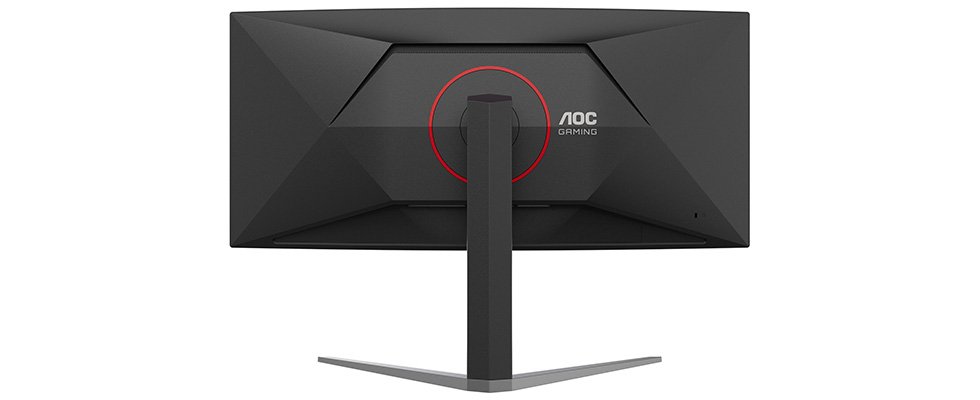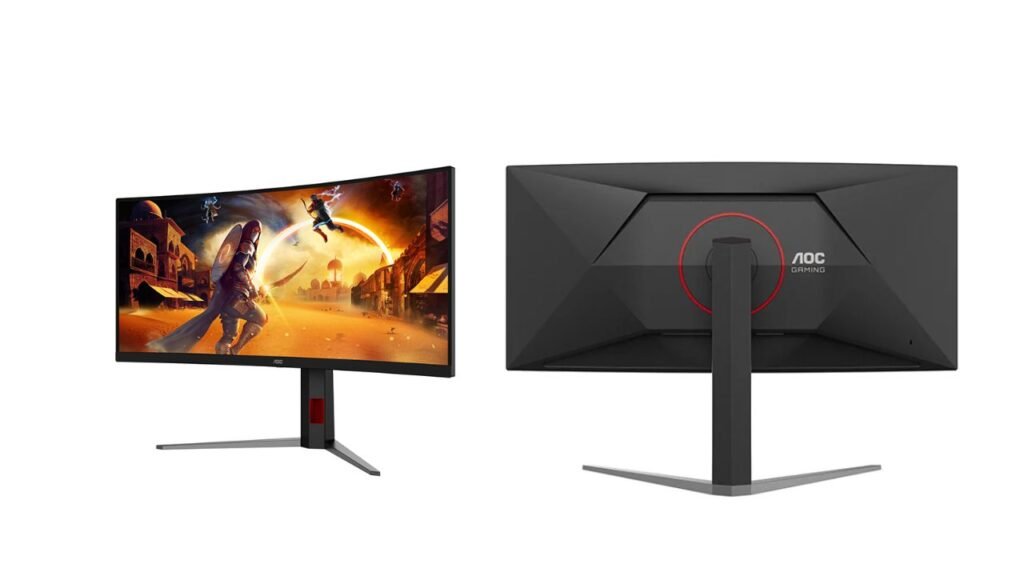
AOC has introduced the CU36G4Z, a 36-inch curved ultrawide gaming monitor with a 3440 x 1440 Fast VA panel. It runs at 240Hz natively and reaches 260Hz when overclocked. It offers 400 nits of brightness, DisplayHDR 400 and two HDMI 2.1 ports. It is aimed at gamers who want a large, immersive 1440p screen with strong contrast. USD price and India availability are not confirmed yet.
Key Specs
| Spec | Details |
|---|---|
| Panel | 36-inch curved VA (1500R), W-LED, matte 3H, Fast VA |
| Resolution | 3440 x 1440 (21:9), about 103 ppi |
| Refresh rate | 48Hz to 260Hz (240Hz native, 260Hz overclock) |
| Response time | 1 ms (GTG listed), 0.3 ms MPRT |
| Brightness | 400 nits typical, 450 nits peak |
| Contrast | 4000:1 static, 80,000,000:1 dynamic |
| Color | 10-bit (8-bit + FRC), 99% sRGB, 95% DCI-P3, Delta E < 2 |
| HDR | VESA DisplayHDR 400 |
| Sync | AMD FreeSync, Adaptive-Sync |
| Inputs | 2 x HDMI 2.1 (48Gbps), 1 x DisplayPort 1.4 (DSC) |
| Stand | Height 130 mm, swivel ±20°, tilt -5° to 23° |
| VESA | 100 x 100 mm |
| Average power | 35 W |
| Weight with stand | 9.45 kg |
| Price (USD) | Not confirmed yet |
| India price | Not confirmed yet |
What’s Different
AOC’s earlier model is not covered in the published data, so a generational comparison is not possible. Here is how it sits against the general category.
| Feature | CU36G4Z | Typical ultrawide gaming monitor (general) |
|---|---|---|
| Max refresh | 260Hz (overclock) | Often 144Hz to 240Hz |
| Static contrast | 4000:1 | VA often 3000:1 to 4000:1, IPS about 1000:1 |
| Size | 36 inches | Commonly 34 inches |
| USB ports | None listed | Often a USB hub |
The 260Hz overclock on a 36-inch ultrawide is the headline. Note that 240Hz is the native figure.
Performance in Real Use
Gaming. At 240Hz native and 260Hz overclocked, this suits fast shooters and racing games, if your PC can render those frame rates at 3440 x 1440. The spec sheet lists a 1 ms response time and 0.3 ms MPRT (a motion-blur measure, usually easier to reach than GTG, the time a pixel takes to change shades). Overdrive, Motion Blur Reduction Sync, Shadow Control, Crosshairs and a Frame Counter are listed. FreeSync is listed, but G-Sync Compatible is not confirmed yet. As a VA panel, we expect some dark-scene smearing, so real results may vary.
Color depth caveat. The spec sheet notes that 8-bit + FRC is supported at the lower refresh rate of 165Hz. At higher refresh rates, color depth may drop. This is not explained further, so treat it as not confirmed yet.
Work and creative use. The 36-inch screen gives plenty of room for side-by-side windows. With 99% sRGB, 95% DCI-P3 and a listed Delta E below 2, color should be good on paper. Picture-by-Picture and Picture-in-Picture help with multitasking.
Movies and HDR. VA contrast of 4000:1 should give deeper blacks than typical IPS. DisplayHDR 400 is the entry level of HDR, so with 450 nits peak we expect only a mild effect. The 80,000,000:1 dynamic contrast is a marketing figure, not a real-world measure.
Connectivity and Ergonomics
The monitor has two HDMI 2.1 ports at full 48Gbps and one DisplayPort 1.4 with DSC (compression that fits the signal into the cable). Which inputs support the full 260Hz is not confirmed yet. No USB ports or USB-C are listed, and no speakers are listed. An HDMI cable is in the box.
The stand is better than basic: 130 mm height adjustment, 20-degree swivel each way and tilt from -5 to 23 degrees. There is no portrait pivot, which makes sense on a curved ultrawide. It is removable with 100 x 100 mm VESA support. Eye comfort features include hardware-level Low Blue Light and Flicker-free technology.
Pros and Cons
Pros
- 240Hz native and 260Hz overclock at 3440 x 1440 is very smooth.
- VA contrast of 4000:1 beats typical IPS.
- Two full-bandwidth HDMI 2.1 ports.
- Height-adjustable stand with swivel.
Cons
- No USB hub, USB-C or speakers listed.
- 8-bit + FRC is noted only at 165Hz, so high-refresh color depth is unclear.
- DisplayHDR 400 gives limited HDR impact.
- Price, G-Sync Compatible status and which inputs reach 260Hz are not confirmed yet.
Who Should Buy It, Who Should Skip It
Buy it if you want a large curved ultrawide for fast games, value contrast over IPS-style color uniformity, and have a PC that can push very high frame rates.
Skip it if you need a USB hub, strong HDR, or you mainly play slower games where 144Hz is plenty.
Our Take
On paper, the CU36G4Z is a strong gaming ultrawide. The 240Hz native rate, 4000:1 contrast and full stand are good for the class, and the 260Hz overclock is a bonus. The weak points are the missing USB ports and the unclear color depth at high refresh. Based on the published specs, we expect it to suit fast-game players who want a big screen, but we have not tested it, and the response time and refresh claims remain to be verified.