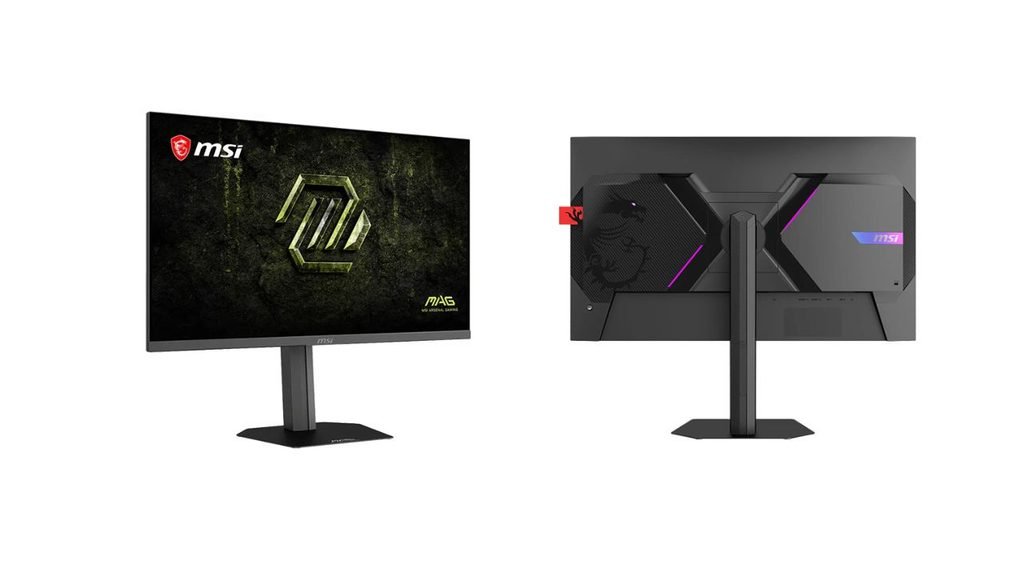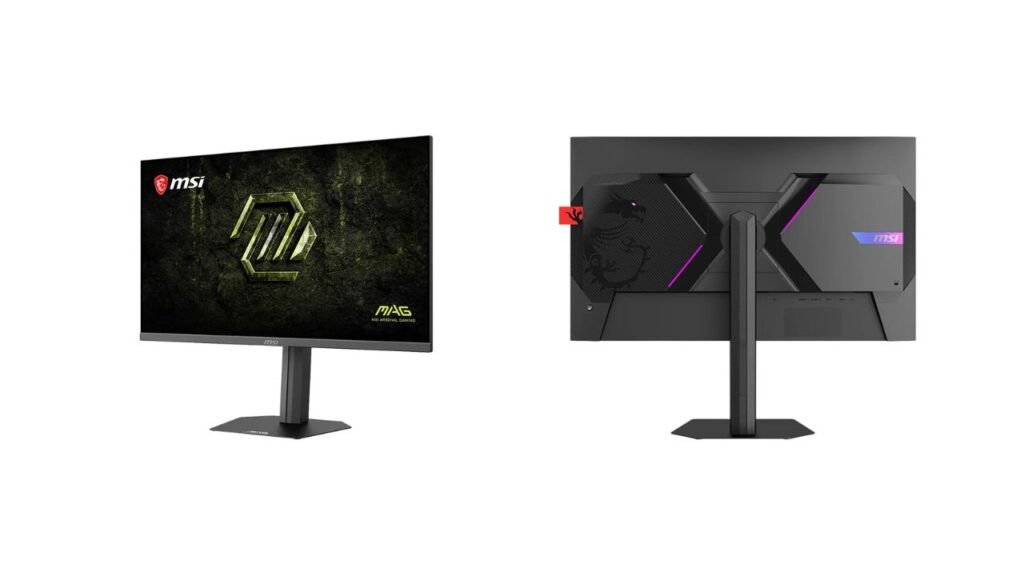
MSI has added the MAG 276QR42 to its MAG gaming line. It is a 27-inch 2560 x 1440 Rapid IPS monitor that reaches 425Hz when overclocked. It supports FreeSync Premium and G-Sync Compatible, and it comes with a fully adjustable stand. It is aimed at competitive players who want very high refresh rates without dropping to 1080p. USD price and India availability are not confirmed yet.
Key Specs
| Spec | Details |
|---|---|
| Panel | 27-inch Rapid IPS, W-LED, matte |
| Resolution | 2560 x 1440 (QHD), about 109 ppi |
| Refresh rate | 48Hz to 425Hz (overclock) |
| Response time | 0.5 ms (MPRT, per spec sheet), with SLMB |
| Brightness | 400 nits typical, 400 nits peak |
| Contrast | 1000:1 static, 1,000,000:1 dynamic |
| Color | 8-bit + FRC (10-bit), 127% sRGB, 97% Adobe RGB, 97% DCI-P3 |
| HDR | VESA DisplayHDR 400 |
| Sync | AMD FreeSync Premium, NVIDIA G-Sync Compatible |
| Inputs | 2 x HDMI 2.1, 1 x DisplayPort 1.4 (HBR3) |
| Other ports | 3.5mm audio out |
| Stand | Height 110 mm, tilt -5° to 20°, swivel ±30°, 90° pivot |
| VESA | 100 x 100 mm |
| Weight with stand | 5.2 kg |
| Price (USD) | Not confirmed yet |
| India price | Not confirmed yet |
What’s Different
MSI’s previous model is not covered in the published data, so a direct generational comparison is not possible. Here is how it sits against the general category.
| Feature | MAG 276QR42 | Typical 1440p gaming monitor (general) |
|---|---|---|
| Max refresh | 425Hz (overclock) | Often 144Hz to 240Hz |
| Stand | Height, tilt, swivel, pivot | Varies, often limited |
| HDR | DisplayHDR 400 | Often HDR10 only or none |
| USB ports | None listed | Often a USB hub |
The 425Hz figure is the headline. Note that it is an overclocked mode, so it is not the standard refresh rate.
Performance in Real Use
Competitive gaming. A frame lasts about 2.35 ms at 425Hz, against about 4.17 ms at 240Hz (our calculation, not an MSI claim). To benefit, your PC must render frames at those rates, which only a few esports titles on fast hardware can do. According to MSI, the monitor has a 0.5 ms response time with Super Low Motion Blur (SLMB), a feature that reduces blur on moving objects. The spec database lists this as MPRT, a motion-blur measure that is usually easier to reach than GTG (the time a pixel takes to change between two shades). GTG response time is not confirmed yet.
Gaming tools. MSI includes AI Navigator with AI Crosshair and AI Vision, plus Optix Scope, Aspect Ratio Options and Console Mode. FreeSync Premium and G-Sync Compatible help keep frame pacing smooth when the frame rate changes.
Color and creative work. The panel is 8-bit with FRC, which flickers between nearby shades to imitate a 10-bit image. Coverage is 127% sRGB, 97% Adobe RGB and 97% DCI-P3. These are wide on paper. Note that sRGB figures above 100% measure gamut volume, not accuracy. Delta E (color error) is not listed, so we cannot judge accuracy. MSI also lists Wide Color Gamut and Personalized Color options for saturation, 6-axis color and gamma.
HDR. The monitor is DisplayHDR 400 certified, according to MSI. That is the entry level of HDR. With 400 nits peak and 1000:1 static contrast, we expect only a mild HDR effect.
Connectivity and Ergonomics
The monitor has two HDMI 2.1 ports and one DisplayPort 1.4 (HBR3) input. A DisplayPort cable is in the box. Which inputs support the full 425Hz is not confirmed yet. No USB ports or USB-C input are listed, so it will not work as a hub.
The stand is a strong point. It offers 110 mm of height adjustment, tilt from -5 to 20 degrees, 30 degrees of swivel each way and a pivot in both directions for portrait use. It is removable and supports 100 x 100 mm VESA mounts. MSI also adds RGB LED accents on the rear (logo, X-mark and dragon’s eye) and a telescopic headphone hook. A Kensington lock slot is included. Low Blue Light and Flicker-free technology are listed for eye comfort. Power consumption in watts is not listed.
Pros and Cons
Pros
- 425Hz overclock gives very high smoothness at 1440p.
- Full ergonomic stand with height, swivel and pivot.
- Wide color coverage and DisplayHDR 400 certification.
- Two HDMI 2.1 ports suit consoles and PCs together.
Cons
- 1000:1 static contrast means average blacks.
- No USB hub or USB-C input is listed.
- 400 nits is modest for HDR, and the 0.5 ms figure is MPRT.
- Price, HDMI refresh limits and power use are not confirmed yet.
Who Should Buy It, Who Should Skip It
Buy it if you play fast shooters on a 1440p screen, have a PC that can push very high frame rates, and want a stand you do not need to replace.
Skip it if you want deep blacks, strong HDR, a USB hub, or you mainly play slower games where 144Hz is already plenty.
Our Take
On paper, the MAG 276QR42 is a well-rounded competitive monitor. The 425Hz overclock, wide color coverage and full stand are strong for a 27-inch 1440p IPS screen. The weak points are ordinary contrast and the lack of USB ports. Based on the published specs, we expect it to suit fast-game players with strong hardware, but we have not tested it, and the response time and refresh claims remain to be verified.