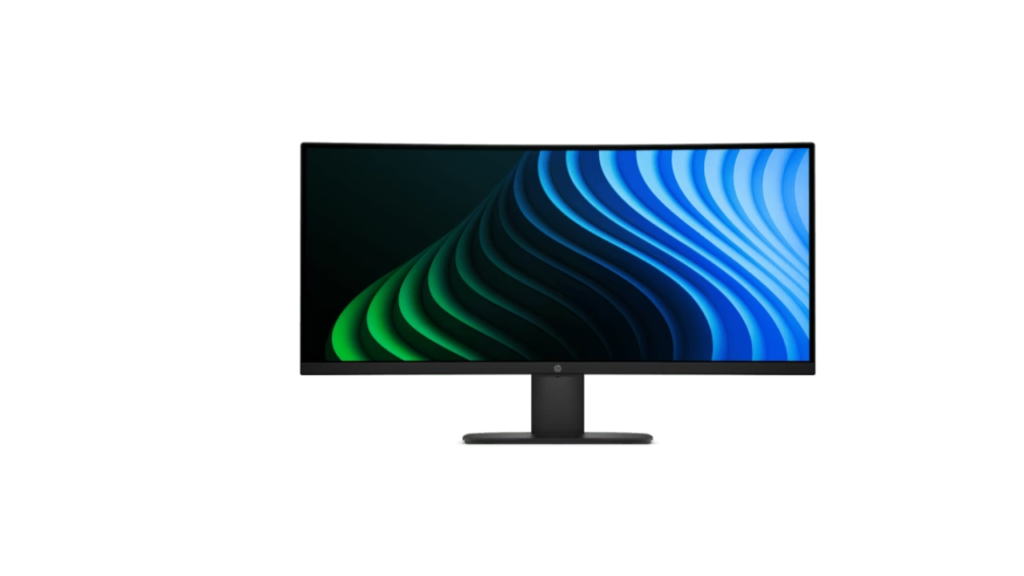
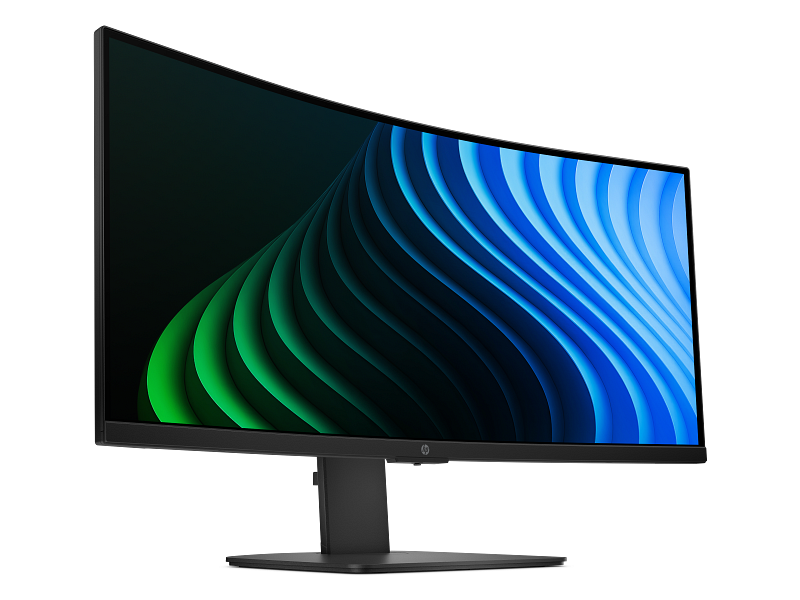
HP has launched the 334wp G2, a curved 34-inch ultrawide with a 3440 x 1440 VA panel, priced at $329. On paper, it combines up to 120Hz refresh, 90W USB-C charging and a built-in KVM switch. It is aimed at office users who want a single-cable desk. India price and availability are not confirmed yet.
Key specs
| Spec | Details |
|---|---|
| Model | HP 334wp G2 (also HP Series 3 Pro 34-inch WQHD USB-C Monitor, D81YBAA) |
| Panel | 34-inch curved VA, Edge LED, 1500R |
| Resolution | 3440 x 1440, 21:9, about 109 ppi |
| Refresh rate | 50Hz to 120Hz, Adaptive-Sync |
| Response time | 5ms to 14ms |
| Brightness / contrast | 300 nits, 3500:1 static |
| Color | 8-bit, 85% NTSC |
| USB-C | 90W power delivery, DP Alt Mode, 5 Gbps |
| Other ports | HDMI 2.0, DisplayPort 1.2, 3 x USB-A, USB-B upstream, 3.5mm out |
| Speakers | 2 x 5W |
| Price | $329 |
| India price | Not confirmed yet |
What’s new or different
HP’s earlier model and its specs are not confirmed in the published data, so a direct generational comparison is not possible. Here is how it sits against a typical office ultrawide instead.
| Feature | HP 334wp G2 | Typical office ultrawide (general) |
|---|---|---|
| Max refresh | 120Hz | Often 60Hz to 100Hz |
| USB-C power | 90W | Varies, often lower or absent |
| KVM switch | Yes | Only on some models |
| Brightness | 300 nits | Commonly in the 250 to 350 nit range |
The 120Hz ceiling and 90W USB-C are the standout points. The brightness is average for the category.
Performance in real use
Office work. This is the target use. At 3440 x 1440 on 34 inches, there is room for two documents side by side or a wide spreadsheet. A 109 ppi pixel density is sharp enough for text without needing display scaling tricks. A higher refresh rate also makes scrolling and window dragging feel smoother than on a 60Hz screen.
Gaming. It is not sold as a gaming monitor. Adaptive-Sync (which syncs the screen to the graphics card to reduce tearing) and Overdrive (which speeds up pixel transitions) are listed. However, the 5ms to 14ms response range is wide, and VA panels can show smearing in dark scenes. We expect casual gaming to be fine, but fast shooters would be better served by a dedicated gaming panel. Which inputs support the full 120Hz is not confirmed yet.
Creative work. The panel is 8-bit with 85% NTSC coverage. NTSC is an older color standard, and sRGB or DCI-P3 coverage is not listed, so we cannot judge color accuracy. Based on the published specs, it is fine for light editing but not a pick for color-critical work.
Movies. The VA panel’s 3500:1 static contrast should give deeper blacks than a typical IPS screen, and the 21:9 shape suits widescreen films. HDR support is not confirmed. At 300 nits, we expect a dim room to work best.
Connectivity and ergonomics
The USB-C port carries video, data and up to 90W of power. According to HP, this cuts desk clutter and helps companies roll out standard setups. The KVM switch (which lets one keyboard and mouse control two computers) is useful for a work laptop plus a personal PC.
The port count needs a caveat. The spec database lists two HDMI 2.0 ports, while the launch text mentions one HDMI 2.0 port. The exact number is not confirmed yet.
The stand offers 100mm of height adjustment, -5 to 23 degrees of tilt and 45 degrees of swivel each way. There is no portrait pivot. The stand is removable, and the monitor supports a 100 x 100 mm VESA mount. The monitor weighs 9.51 kg with the stand and has a Kensington lock slot.
Eye comfort features include hardware-level low blue light and flicker-free technology. The monitor is Eyesafe Certified and carries TÜV Rheinland certifications for both. According to HP, the enclosure uses at least 85% post-consumer recycled plastic. It is also ENERGY STAR certified and EPEAT Gold registered, with a three-year limited warranty.
Pros and cons
Pros
- 120Hz maximum refresh rate is high for an office ultrawide.
- 90W USB-C can power most laptops over one cable.
- Built-in KVM switch is useful for two-computer desks.
- Full ergonomic stand with height adjustment, plus VESA support.
Cons
- 300 nits of brightness is modest for bright rooms.
- 85% NTSC coverage and 8-bit color are not for color-critical work.
- The 5ms to 14ms response range may mean VA smearing in fast scenes.
- HDMI port count, HDR support and India pricing are not confirmed yet.
Who should buy it, who should skip it
Buy it if you work mostly in spreadsheets, documents and video calls, and want one cable to your laptop. It also suits anyone who switches between two computers.
Skip it if you edit photos or video professionally, game competitively, or work in a very bright room.
Our take
On paper, the HP 334wp G2 is a strong office monitor for $329. The 120Hz refresh rate, 90W USB-C and KVM switch are features usually found on pricier screens. The weak points are average brightness and modest color coverage. Based on the published specs, we expect it to suit productivity-focused buyers well, but we have not tested it, and real-world performance remains to be seen.