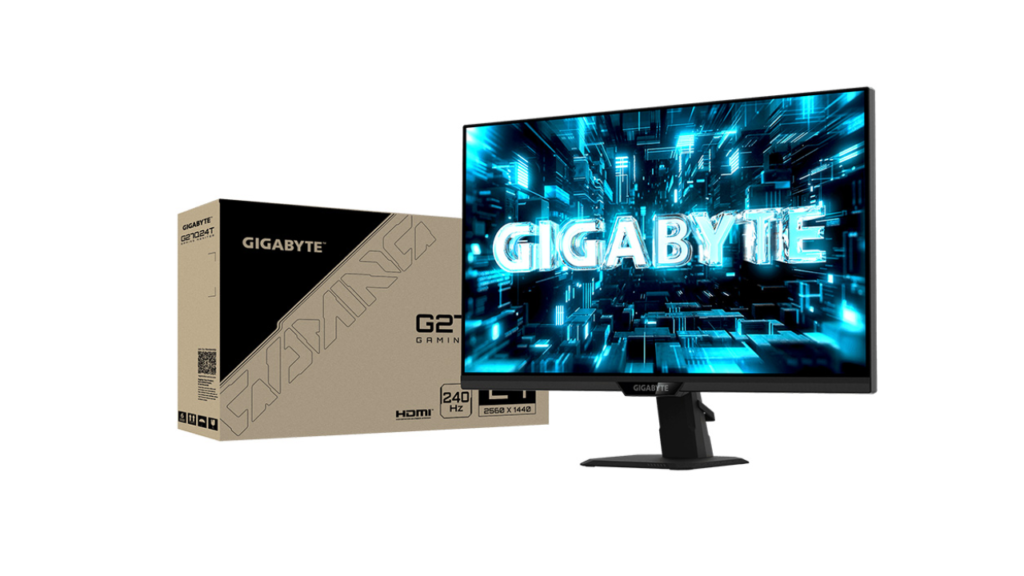
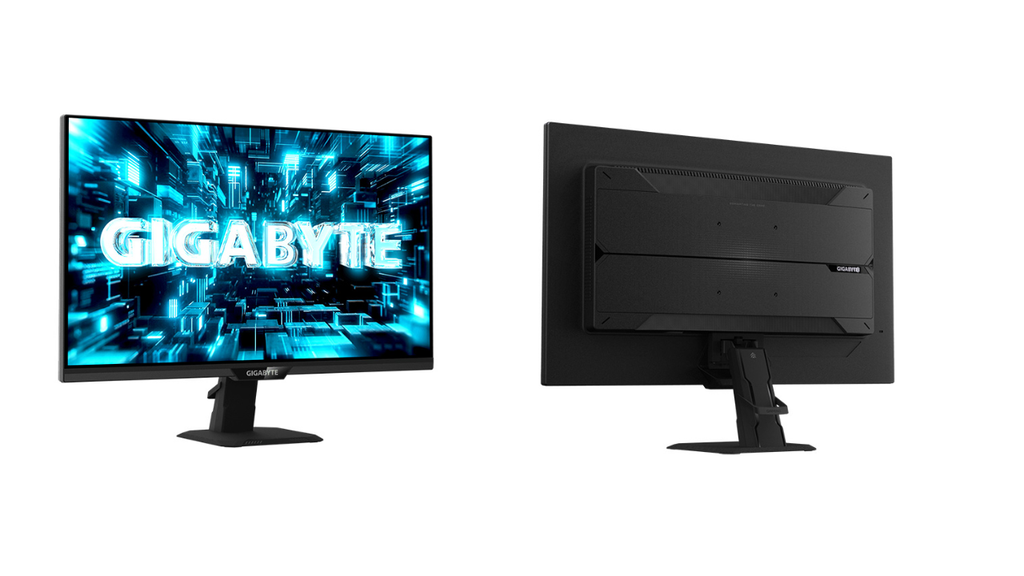
Gigabyte has introduced the G27Q24T, a 27-inch 2560 x 1440 gaming monitor with a SuperSpeed IPS panel and a refresh rate of up to 240Hz. According to Gigabyte, it delivers 1 ms GTG response, and it supports AMD FreeSync Premium and NVIDIA G-Sync Compatible. It is aimed at gamers who want a sharp, fast 1440p screen. USD price and India availability are not confirmed yet.
Key Specs
| Spec | Details |
|---|---|
| Panel | 27-inch SuperSpeed IPS, Edge LED, matte |
| Resolution | 2560 x 1440 (QHD), about 109 ppi |
| Refresh rate | 48Hz to 240Hz |
| Response time | 1 ms (GTG per Gigabyte’s claim; spec sheet lists MPRT) |
| Brightness | 400 nits typical |
| Static contrast | 1000:1 |
| Color | 8-bit, 90% DCI-P3 |
| HDR | HDR10 (listed as “HDR Ready”) |
| Sync | FreeSync Premium, G-Sync Compatible |
| Inputs | 2 x HDMI 2.1, 1 x DisplayPort 1.4 with DSC |
| Other ports | 3.5mm audio out, USB 2.0 (firmware updates only) |
| Stand | Tilt only (-5 to 20 degrees) |
| Average power | 15.5 W |
| Weight with stand | 4.35 kg |
| Price (USD) | Not confirmed yet |
| India price | Not confirmed yet |
What’s Different
Gigabyte’s earlier model is not covered in the published data, so a direct generational comparison is not possible. Here is how it sits against the typical 27-inch gaming monitor category.
| Feature | G27Q24T | Typical 1440p gaming monitor (general) |
|---|---|---|
| Max refresh | 240Hz | Often 144Hz to 180Hz |
| Resolution | 1440p | 1440p |
| HDMI | 2 x HDMI 2.1 | Varies |
| Height adjustment | No | Common on pricier models |
The 240Hz ceiling at 1440p is the standout point. The fixed stand is the compromise.
Performance in Real Use
Competitive gaming. The 240Hz refresh rate suits fast shooters, racing and action games. According to Gigabyte, Smart OD adjusts overdrive (a setting that speeds up pixel transitions) based on the current refresh rate. This is meant to reduce ghosting and overshoot, which is the faint trailing or halo effect seen on fast-moving objects. Aim Stabilizer Sync is a motion-clarity feature that works with variable refresh rate. Both claims are untested, and we expect real results to vary by game.
Gaming tools. Tactical Switch 2.0 lets players quickly change aspect ratio and resolution. AI Black Equalizer brightens dark areas without washing out the whole image. GameAssist adds crosshair and timer overlays.
Response time wording. Gigabyte’s launch text says 1 ms GTG, which is the time a pixel takes to move between two shades. The spec database lists 1 ms MPRT, a motion-blur measure that is usually easier to reach. We would treat the GTG figure as a manufacturer claim until independent tests exist.
Everyday and creative use. At 27 inches, 1440p gives about 109 ppi, which is sharp for text and games. The panel is 8-bit with 90% DCI-P3 coverage. That is good for casual editing, but sRGB coverage and color accuracy are not listed. Static contrast is 1000:1, typical for IPS, so blacks will not look as deep as on VA or OLED.
HDR. HDR10 is supported, but at 400 nits and 1000:1 contrast, we expect only a mild HDR effect. No DisplayHDR certification is listed.
Connectivity and Ergonomics
The monitor has two HDMI 2.1 ports and one DisplayPort 1.4 with DSC (Display Stream Compression, which squeezes the signal to fit the cable). A DisplayPort cable is in the box. Which inputs support the full 240Hz at 1440p is not confirmed yet.
The single USB 2.0 port is for firmware updates only, so it will not work as a hub. There is no USB-C input.
Ergonomics are basic. The stand tilts only, with 5 degrees forward and 20 degrees back. There is no height adjustment, swivel or pivot. The stand is removable, and the monitor supports a 100 x 100 mm VESA mount, so a monitor arm fixes this. A Kensington lock slot is included. Eye comfort features include Low Blue Light and Flicker-free technology.
Pros and Cons
Pros
- 240Hz at 1440p gives high smoothness without 4K demands.
- Two HDMI 2.1 ports suit consoles and PCs together.
- FreeSync Premium and G-Sync Compatible both supported.
- Low 15.5 W average power use.
Cons
- Stand only tilts, so a VESA arm may be needed.
- 1000:1 static contrast means average blacks.
- No USB hub or USB-C input.
- Price, HDMI refresh limits and DisplayHDR status are not confirmed yet.
Who Should Buy It, Who Should Skip It
Buy it if you play fast games on a 1440p screen and want 240Hz without paying for OLED. It also suits anyone who plans to use a monitor arm.
Skip it if you want a height-adjustable stand, USB connectivity, deep blacks or strong HDR.
Our Take
On paper, the G27Q24T is a focused gaming monitor. Its speed, resolution and sync support are strong for its class, and the 1 ms claim is promising if it holds up. The weak points are the basic stand and ordinary contrast. Based on the published specs, we expect it to suit competitive 1440p players well, but we have not tested it, and the response time claim remains to be verified.