
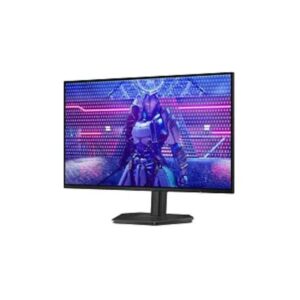
24.5″ Dell Alienware AW2526HL – Specs & Features
Dell Monitor ★★★★☆ Great 8.0/10
24.5″ Dell Alienware AW2526HL – Specs & Features
24.5 48Hz 400 nits 1
Display
24.5", IPS, 1920 × 1080 (Full HD)
24.5
Refresh Rate
48Hz – 300Hz
48Hz
Brightness
400 nits
Contrast Ratio
1,000:1
1
Dell Monitor
At a glance

The 24.5″ Dell Alienware AW2526HL – Specs & Features is a monitor from Dell featuring 2026 model year, 24.5-inch size class and IPS panel type. Across our display performance benchmarks it scores Great — 8.0/10.

Model Year2026 Size Class24.5-inch Panel TypeIPS
📈Display Performance
🏆
Overall Score Combined display quality score
80 /100
8.0/10
🔄
Refresh Rate Higher is smoother — 144Hz+ ideal for gaming
100 /100
300Hz
Response Time Lower is better — 1ms excellent
88 /100
1ms
☀️
Brightness Peak brightness in nits — 1000+ for HDR
40 /100
400nits
The Dell 24.5″ Dell Alienware AW2526HL – Specs & Features achieves an overall display score of 8.0/10. With a 300Hz refresh rate and 1ms response time, it delivers excellent motion clarity for gaming and fast-paced content. Brightness of 400 nits is adequate for indoor use.
🎯 Who Should Buy the Dell Alienware AW2526HL
Perfect For
Esports & Competitive Players 300Hz
Zero-blur frames at 300fps
💼 Office & Remote Workers IPS
Accurate colour at every viewing angle
🎓 Students & Everyday Users All-Round
One screen handles classes, calls, and streaming
×
Not Ideal For
HDR Enthusiasts No HDR
No certified HDR. Streaming HDR-flagged content will be downgraded to SDR automatically.
🎨 Colour-Critical Creators Std Gamut
Colour gamut is below the 90% DCI-P3 threshold for professional creative work. Edited photos may not match output.
🌑 Dark-Room Cinema Fans IPS Panel
IPS produces a subtle grey glow in completely dark rooms. VA or OLED produces genuinely black dark scenes.
💡 Quick Advice: Buy this for competitive gaming at 300Hz. Buy this if speed is your priority. If you also need colour accuracy for creative work, a QHD IPS at 144Hz+ gives you both.
Real-World Use Cases
Competitive Gaming 300Hz
Frame delivery faster than reaction time
300Hz eliminates tearing — esports reaction windows below 4ms become distinct.
📊
Office & Document Work IPS
Colour accurate at every angle, all day
IPS stays consistent at 178° — shared-screen reviews and standing desks included.
📺
Streaming & Video 300Hz
Smooth playback for YouTube and Netflix
Adequate refresh rate and colour output for all major streaming platforms at full quality.
Each scenario is derived from confirmed Dell Alienware AW2526HL specs. Real-world results vary with system configuration and content source.
⚖️Pros & Cons
Pros
  • 300Hz ultra-high refresh rate for competitive gaming
  • VESA AdaptiveSync Display 300Hz + AMD FreeSync Premium
  • HDR10 support with 400 nits brightness
  • 1ms GtG response time
  • Wide swivel range (±175°) + portrait pivot
Cons
  • Full HD only (1080p at 24.5” is relatively low pixel density)
  • No USB hub, no Ethernet
  • Limited connectivity (2×HDMI + 1×DP only)
  • No built-in speakers
We evaluated the Dell Alienware AW2526HL across 9 criteria. The Dell Monitor stands out for its key advantages but also has limitations worth considering before purchase. Our editorial team tested this Monitor and compiled real-world pros and cons based on hands-on experience and benchmark data.
📊Score & Ratings
8.0/10 Great
Design
9
Display
8
Color Performance
7
Performance
10
Connectivity
6
The Dell Alienware AW2526HL earns a outstanding overall rating of 8.0/10. Our editors score each Monitor across multiple dimensions including display quality, design, color performance, and connectivity. This Monitor represents a top-tier choice in the Monitor market.
🔖 Basic Information 5
Specification Value 💡 What It Means
Brand Dell
Model Alienware AW2526HL
Series Alienware
Model Alias -
Model Year 2026
✓ Good 2026 — current generation. Latest panel technology and features.
🖥️ Display 8
Specification Value 💡 What It Means
Size Class 24.5-inch
△ Average 24" — standard monitor. Efficient for focused work; compact desk footprint.
Panel Type IPS
✓ Good IPS — consistent colour accuracy across 178° viewing angle. No colour shift when viewed from the side.
Curvature --
Resolution 1920 × 1080 (Full HD)
△ Average Full HD (1920×1080) — adequate up to 24–27". Pixels become visible on larger panels at close range.
Aspect Ratio 16:9
Standard 16:9 — universal for all streaming, gaming, and productivity content worldwide.
Pixel Density 89 PPI
△ Average 89 PPI — standard TV density. Fine from 2m+; pixels visible up close.
Pixel Pitch 0.283 mm
△ Average 0.283 mm pitch — standard. Pixels become visible on close inspection of large panels.
Display Area -
🎨 Color & HDR 5
Specification Value 💡 What It Means
Color Depth 8-bit
△ Average 8-bit — 16.7 million colours. Fine for SDR and everyday use; banding may appear in HDR gradients.
Colors 16.7 Million
sRGB -
sRGB not listed separately. DCI-P3 coverage (above) is the more relevant metric for modern HDR content.
DCI-P3 Coverage -
DCI-P3 coverage not published by the manufacturer for this model.
HDR Support HDR10
△ Average HDR10 — universal HDR baseline. Supported by all streaming services, games, and HDR discs.
☀️ Brightness & Contrast 3
Specification Value 💡 What It Means
Brightness (Typical) 400 cd/m²
△ Average 400 cd/m² — adequate for bright rooms and entry HDR. Standard office use is comfortable.
Peak Brightness -
OLED brightness varies per pixel and scene. Manufacturers often omit a fixed nit figure; contrast quality exceeds most LED panels anyway.
Contrast 1,000:1
⚠ Limited 1,000:1 — below average. Blacks look greyish in dark viewing environments.
Performance 3
Specification Value 💡 What It Means
Refresh Rate 48Hz – 300Hz
✓ Good 240Hz — built for competitive gaming (CS2, Valorant, Apex). Motion blur is virtually eliminated at this rate.
Response Time 1 ms (GtG)
✓ Good 1 ms (GtG) GtG — near-instant pixel transitions. Ghosting is invisible even in fast esports.
Adaptive Sync AMD FreeSync Premium
VESA AdaptiveSync Display 300Hz
✓ Good FreeSync Premium — tear-free gaming with LFC (prevents judder below minimum Hz). Works on AMD and NVIDIA GPUs.
🖥️ Display Technologies 1
Specification Value 💡 What It Means
Advanced Display Technologies IPS panel with wide 178°/178° viewing angles
W-LED backlight
99% sRGB color coverage
HDR10 support
300Hz ultra-high refresh rate
1ms GtG fast response
Anti-glare/Matte (3H) coating
Flicker-free technology
ComfortView Plus
Low Blue Light
Anti-glare matte coating. 178° wide viewing angles.
📷 Camera 1
Specification Value 💡 What It Means
Camera No
⚠ Limited No built-in camera. An external webcam is needed for video calls.
🔊 Audio 1
Specification Value 💡 What It Means
Audio 1 × 3.5 mm Audio Out
3.5mm headphone/audio output — connects wired headphones or routes audio to external speakers.
🔌 Connectivity & Ports 2
Specification Value 💡 What It Means
Ports 2 × HDMI 2.1 (TMDS)
1 × DisplayPort 1.4
1 × 3.5 mm Audio Out
✓ Good HDMI 2.1 — supports 4K@144Hz or 8K@60Hz bandwidth. DisplayPort 1.4 — full bandwidth for high-refresh PC gaming.
Wireless -
🪑 Ergonomics 6
Specification Value 💡 What It Means
VESA Mount 100 × 100 mm
Height Adjustment 130 mm
✓ Good 130 mm height range — excellent ergonomics. Adapts to any chair height or desk setup.
Pivot ±90°
✓ Good Pivot — screen rotates 90° to portrait. Ideal for code, reading documents, or social feeds.
Swivel ±175°
✓ Good Swivel — rotates left and right without moving the base. Easy screen sharing or multi-person viewing.
Tilt -5° to +21°
✓ Good Tilt ±5° — adjustable screen angle reduces neck strain and matches your eye level.
Removable Stand Yes
✓ Good Stand detaches cleanly from the panel — mount on any VESA arm or wall bracket without a leftover collar.
🎮 Gaming Features 1
Specification Value 💡 What It Means
Gaming Features AMD FreeSync Premium
VESA AdaptiveSync Display 300Hz
300Hz refresh rate
1ms GtG response
HDR10
✓ Good AMD FreeSync (tear-free).
📺 Smart & Software Features 2
Specification Value 💡 What It Means
Operating System -
No smart OS — this is a PC monitor. All input comes from connected computers or consoles.
Smart Features AMD FreeSync Premium
VESA AdaptiveSync Display 300Hz
ComfortView Plus
Flicker-free technology
Low Blue Light
Security lock slot
✓ Good AMD FreeSync Premium VESA AdaptiveSync Display 300Hz ComfortView Plus Flicker-free technology Low Blue Light Security lock slot — smart TV platform with built-in streaming apps and voice control.
Power Consumption 5
Specification Value 💡 What It Means
Voltage 100–240V
✓ Good Universal or wide-range power supply. Compatible with outlets in the US, UK, EU, and most countries.
Frequency 50/60Hz
50/60Hz AC supply — compatible with worldwide power grids including US, UK, EU, and AU.
Average Consumption -
Power consumption data not published for this model. Check the energy label on packaging.
Maximum Consumption -
Peak power draw not published. Typically 2–3× the average consumption figure.
Standby 0.25W
✓ Good 0.25W standby — near-zero idle power. Excellent energy compliance.
📋 Certificates 1
Specification Value 💡 What It Means
Certificates TÜV Rheinland Low Blue Light Certified
✓ Good CE — meets EU safety & electromagnetic standards.
📐 Design, Build & Dimensions 9
Specification Value 💡 What It Means
Without Stand Width 557.69 mm
Panel dimensions without stand attached. Use for wall-mount space planning.
Without Stand Height 491.97 mm
Panel dimensions without stand attached. Use for wall-mount space planning.
Without Stand Depth 214.8 mm
Panel dimensions without stand attached. Use for wall-mount space planning.
Without Stand Weight 4.58 kg
✓ Good 4.58 kg — lightweight; easy to position or wall-mount solo.
With Stand Width 557.69 mm
Overall footprint with stand. Use when planning desk or shelf placement.
With Stand Height -
Dimension data not published by manufacturer.
With Stand Depth -
Dimension data not published by manufacturer.
With Stand Weight -
Weight not specified by manufacturer.
Color Black
Available colour finish for this unit.
📋 Operating Conditions 2
Specification Value 💡 What It Means
Temperature 0°C – 40°C
Operating environment range. Keep within these limits for reliable long-term performance.
Humidity 20% – 80%
Operating environment range. Keep within these limits for reliable long-term performance.
Frequently Asked Questions — Dell Alienware AW2526HL
01 What type of panel does the Dell Alienware AW2526HL use?
It features an IPS panel, which delivers wide 178° viewing angles and consistent colour accuracy. Colours stay accurate whether you're sitting centred or off to the side.
02 Is the Dell Alienware AW2526HL good for competitive gaming?
✓ Yes. The 300Hz refresh rate is built for esports — it displays every rendered frame, reducing motion blur in fast games like CS2 and Valorant. The 1ms response time keeps pixels sharp between kills. FreeSync Premium prevents screen tearing when GPU output fluctuates.
03 Who is the Dell Alienware AW2526HL best for?
It is best suited for gamers, office users. It is less ideal for professional colour grading — there are better-spec'd options for those needs. Check the "Who Should Buy" section above for a full profile breakdown.
04 Does the IPS panel cause issues in dark rooms?
IPS panels produce a slight glow in very dark rooms when displaying black content — this is normal for the technology. It is most noticeable in pitch-black rooms. For dark-room cinematic use, a VA or OLED panel would produce deeper blacks. For everyday and office use it is not an issue.
05 Is the Dell Alienware AW2526HL worth buying in 2026?
It remains a competitive option for gamers, office users. 300Hz keeps it relevant for gaming and smooth general use. Check current pricing against alternatives to confirm value at the time of purchase.
Questions are generated from Dell Alienware AW2526HL specifications. For full technical data, see the Specifications tab above.
💬Reviews
  • Be the first to add a Review

    Please post a user review only if you have / had this product.

  • Rate this Product

  • Design score
    8
  • Display score
    8
  • HDR score
    7
  • 9
  • Connectivity score
    8
  • 6 / 10 based on your selection
Disclaimer: You can write your own disclaimer from APS Settings -> General -> Disclaimer Note.

More Dell ALIENW Series