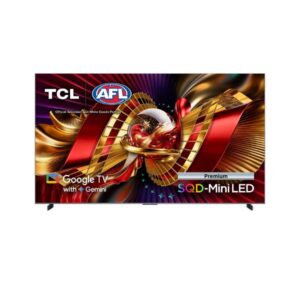
64.5″ TCL 65C8L – Full Specifications
⚖️
Pros & Cons
Pros
- SQD-Mini LED backlight improved local contrast and brightness control over standard LED
- Dolby Vision support scene-by-scene HDR tone mapping for richer, more accurate colour
- Variable Refresh Rate (VRR) support reduces screen tearing during gaming
- HDMI 2.1 ports supports higher bandwidth for 4K/120Hz and next-gen consoles
- 4GB RAM smoother smart TV navigation and app switching
Cons
- Stand offers no swivel, tilt or height adjustment
- Onboard storage capacity not specified
📊
Score & Ratings
8.4/10
Great
The tcl 65C8L earns a strong overall score of 8.4/10. Our editors evaluate each TV across display quality, colour accuracy, motion performance, and connectivity.
🔖
Basic Information
5
| Specification | Value | 💡 What It Means |
|---|---|---|
| Brand | TCL | |
| Model | 65C8L | |
| Series | C8L / QM8L | |
| Model Alias | 65C8L | |
| Model Year | 2026 |
✓ Good 2026 — current generation. Latest panel technology and features.
|
🖥️
Display Overview
9
| Specification | Value | 💡 What It Means |
|---|---|---|
| Size Class | 64.5 in (inches) |
✓ Good 64" — living-room TV scale. Ideal for sofa viewing at 2–3.5m.
|
| Resolution | 3840 x 2160 pixelsUltra HD (UHD) / 4K / 2160p |
✓ Good 4K UHD (3840×2160) — four times 1080p. Pin-sharp text, exceptional photo and video detail at any screen size.
|
| Aspect Ratio | 16:9 |
Standard 16:9 — universal for all streaming, gaming, and productivity content worldwide.
|
| Panel Type | HVA |
✓ Good VA — higher native contrast than IPS. Dark scenes look genuinely black; ideal for movies in dim rooms.
|
| Panel Bit Depth | 10 bits |
✓ Good 10-bit — 1.07 billion colours. Eliminates colour banding in HDR skies, skin tones and gradients.
|
| Colors | 1.07 billion colors / 30-bit | |
| Backlight | SQD-Mini LED |
✓ Good Mini-LED — thousands of local dimming zones. High brightness combined with deep blacks for true HDR.
|
| Viewing Angle | 178° / 178° |
✓ Good 178° / 178° — consistent colour from virtually any position. Ideal for group viewing and shared screen use.
|
📏
Screen Dimensions
5
| Specification | Value | 💡 What It Means |
|---|---|---|
| Screen Width | 1428.48 mm (millimeters) |
Active display area in millimetres.
|
| Screen Height | 803.52 mm (millimeters) |
Active display area in millimetres.
|
| Screen-to-Body Ratio | 93.07 % (percent) |
✓ Good 93.07 % (percent) — slim bezels. Clean modern look with minimal frame.
|
| Pixel Pitch | 0.372 mm (millimeters) |
△ Average 0.372 mm (millimeters) pitch — standard. Pixels become visible on close inspection of large panels.
|
| Pixel Density | 68 ppi (pixels per inch) |
⚠ Limited 68 PPI — low pixel density. Best viewed from a distance; not for close-up work.
|
🖥️
Display Performance
6
| Specification | Value | 💡 What It Means |
|---|---|---|
| Peak Brightness | 5000 cd/m² |
✓ Good 5000 cd/m² — extreme peak brightness. Beats direct sunlight glare; HDR highlights are spectacular.
|
| HDR Support | Dolby Vision IQDolby VisionHDR10+ GamingHDR10+HDR10HLG |
✓ Good Dolby Vision IQ — best HDR standard. Adapts tone-mapping to ambient room brightness automatically.
|
🎮
Motion & Gaming
7
| Specification | Value | 💡 What It Means |
|---|---|---|
| Max Refresh Rate | 48 Hz - 144 Hz (hertz) |
✓ Good 144Hz — clear upgrade over 60Hz. Games feel noticeably more fluid in every genre.
|
| Variable Refresh Rate (VRR) | Variable Refresh Rate (VRR) |
✓ Good Variable Refresh Rate — GPU and display sync together. Eliminates screen tearing and reduces stutter in games.
|
| AMD FreeSync | AMD FreeSync Premium Pro |
✓ Good FreeSync Premium Pro — AMD's top tier: tear-free + Low Framerate Compensation + HDR support.
|
| ALLM | Auto Low Latency Mode (ALLM) |
✓ Good Auto Low Latency Mode — TV switches to Game Mode automatically when a console is detected. No manual setting needed.
|
🖥️
Display Technologies
1
| Specification | Value | 💡 What It Means |
|---|---|---|
| Advanced Display Technologies | Precise Dimming SeriesLocal dimming zones - 2040WHVA 2.0 Ultra PanelAnti-reflective ZeroBorder Panel |
Local dimming (per-zone HDR contrast). Quantum Dot (wider colour gamut).
|
📺
Smart TV & Processor
8
| Specification | Value | 💡 What It Means |
|---|---|---|
| Operating System | Google TV |
✓ Good Google TV — Play Store apps, Google Assistant, and Chromecast built in.
|
| Processor | TSR AIPQ Processor |
TSR AIPQ Processor — dedicated display processor manages smart features, AI upscaling, and HDR tone-mapping.
|
| SoC | MediaTek 9655+ |
MediaTek 9655+ — dedicated display processor manages smart features, AI upscaling, and HDR tone-mapping.
|
| CPU | ARM Cortex-A73, 4 cores, 1800 MHz (megahertz) | |
| GPU | ARM Mali-G57 MC1, 1 core(s) | |
| RAM | 4 GB (gigabytes) | |
| Smart Features | AlexaArt GalleryEnergy-saving ModeFar-Field Voice interactionGoogle AssistantGoogle Cast |
✓ Good Alexa
Art Gallery
Energy-saving Mode
Far-Field Voice interaction
Google Assistant
Google Cast — software features including OSD controls and display calibration tools.
|
🔊
Audio System
4
| Specification | Value | 💡 What It Means |
|---|
🔌
Connectivity & Ports
2
| Specification | Value | 💡 What It Means |
|---|---|---|
| Ports | 1× USB 2.0 (Type-A · downstream)1× USB 3.0 (Type-A · downstream)1× Ethernet RJ454× HDMI 2.11× Satellite In (F-type female)1× Optical Audio Out1× Antenna (RF)1× CI+ 1.4Auto Low Latency Mode (ALLM)Enhanced Audio Return Channel (eARC)HDMI CEC (T-Link)High-bandwidth Digital Content Protection (HDCP) 2.3High Frame Rate (HFR)Variable Refresh Rate (VRR) |
✓ Good HDMI 2.1 — supports 4K@144Hz or 8K@60Hz bandwidth. Ethernet port — wired network for stable 4K streaming.
|
| Wireless | LAN / EthernetWi-Fi 6Wi-Fi DirectDLNABluetooth 5.4 |
✓ Good Wi-Fi 6 — fast wireless, excellent in busy environments. Bluetooth 5 (wireless headphones and keyboards).
|
📡
Network & Tuner
1
| Specification | Value | 💡 What It Means |
|---|---|---|
| TV Tuner | Analog (NTSC/PAL/SECAM)DVB-TDVB-T2DVB-CDVB-SDVB-S2 |
✓ Good Built-in tuner — receives DVB-T2 (UK/EU digital terrestrial), DVB-S2 (satellite), DVB-C (cable) without a separate receiver.
|
📐
Design, Build & Dimensions
9
| Specification | Value | 💡 What It Means |
|---|---|---|
| Without Stand Width | 1434 mm (millimeters) |
Panel dimensions without stand attached. Use for wall-mount space planning.
|
| Without Stand Height | 860 mm (millimeters) |
Panel dimensions without stand attached. Use for wall-mount space planning.
|
| Without Stand Depth | 56 mm (millimeters) |
Panel dimensions without stand attached. Use for wall-mount space planning.
|
| Without Stand Weight | 21.1 kg (kilograms) |
△ Average 21.1 kg (kilograms) — heavy; two people recommended for wall mounting.
|
| With Stand Width | 1434 mm (millimeters) |
Overall footprint with stand. Use when planning desk or shelf placement.
|
| With Stand Height | 824 mm (millimeters) |
Overall footprint with stand. Use when planning desk or shelf placement.
|
| With Stand Depth | 368 mm (millimeters) |
Overall footprint with stand. Use when planning desk or shelf placement.
|
| With Stand Weight | 23.1 kg (kilograms) |
△ Average 23.1 kg (kilograms) — heavy; two people recommended for wall mounting.
|
| Color | Black |
Available colour finish for this unit.
|
🪑
Mount & Ergonomics
3
| Specification | Value | 💡 What It Means |
|---|---|---|
| VESA Mount | 300 x 300 mm |
✓ Good Wall-mount compatible — use the listed VESA pattern with a TV-rated bracket sized for this screen and weight.
|
| Wall Mount Support | Yes | |
| Adjustments | Height adjustment: NoLandscape/portrait pivot: NoLeft/right swivel: NoForward/backward tilt: No, Cable management |
✓ Good Full ergonomic adjustment: height, swivel, pivot (portrait mode). Set the display to your exact posture to reduce eye and neck strain.
|
⚡
Power Consumption
5
| Specification | Value | 💡 What It Means |
|---|---|---|
| Voltage | 100 V - 120 V (volts)220 V - 240 V (volts) |
✓ Good Universal or wide-range power supply. Compatible with outlets in the US, UK, EU, and most countries.
|
| Frequency | 50 Hz - 60 Hz (hertz) |
50/60Hz AC supply — compatible with worldwide power grids including US, UK, EU, and AU.
|
| Average Consumption | 67 W (watts) |
✓ Good 67 W (watts) — efficient for a display of this size and capability.
|
| Maximum Consumption | 300 W (watts) | |
| Standby | 0.5 W (watts) |
✓ Good 0.5 W (watts) standby — near-zero idle power. Excellent energy compliance.
|
🎮
Gaming & AI Features
1
| Specification | Value | 💡 What It Means |
|---|---|---|
| Gaming & AI Features | AI Gaming with Game BarAI Motion with enhanced MEMCAMD FreeSync Premium ProGame Accelerator 288Superwide Gameview |
✓ Good AMD FreeSync (tear-free).
|
🖼️
Picture Technologies
1
| Specification | Value | 💡 What It Means |
|---|---|---|
| Picture Technologies | AI 4K upscalingAI ArtAI Cinema (AI Depth / AI Image Quality / AI Sound Quality)AI Clarity with AISR 2.0AI Color with Color Purification 2.0AI ContrastAI HDRAI OfficeAI SceneAmbient Light SensorApple AirPlay 2Filmmaker modeIMAX EnhancedMulti View 2.0Super Quantum Dot (Super QLED) technology |
✓ Good AI 4K upscaling (lower-res content enhanced to near-4K). AI image quality optimisation (automatic scene-aware enhancement).
|
❓
Frequently Asked Questions
01 What type of panel does the tcl 65C8L use? ›
The tcl 65C8L uses a VA (HVA) panel. VA panels produce deeper blacks and higher native contrast than IPS — best for movie watching in dim rooms. Viewing angles are narrower than IPS but colour stays consistent straight-on.
02 Can the tcl 65C8L handle gaming? ›
✓ Yes — the 144Hz refresh rate makes fast-paced titles noticeably smoother than 60Hz. Fast camera pans and character movement stay sharp.
03 Does the tcl 65C8L support Dolby Vision? ›
✓ Yes. Dolby Vision adjusts brightness metadata scene-by-scene, so explosions look bright and dark space scenes look genuinely dark — all automatically. Netflix, Disney+, and Apple TV+ content benefit directly. This is a significant step up from basic HDR10.
04 Who is the tcl 65C8L best for? ›
It is best suited for gamers, movie fans. It is less ideal for professional colour grading — there are better-spec'd options for those needs. Check the "Who Should Buy" section above for a full profile breakdown.
05 Can the tcl 65C8L be used as a PC monitor? ›
Technically yes, but TVs are optimised for viewing distances of 2–4 metres. As a desk monitor the pixel density may feel lower than a dedicated PC monitor of similar size. Input lag in Game Mode is typically acceptable for console gaming but check the spec for PC gaming use.
💬