
Skip to content
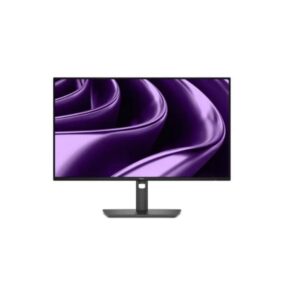
Dell Dell P2426HE – Specs & Features Monitor
RATED
Great
7.4/10

23.8″ Dell P2426HE – Specs & Features

Smaller desk setups, the Dell P2426HE is a 23.8-inch 1920 x 1080 (Full HD) IPS monitor for laptop-led office setups.

23.8″ · 16:9 · MODEL YEAR 2026
DellMonitor
Dell Monitor
Display
23.8", IPS, 1920 × 1080 (Full HD)
23.8
Refresh Rate
48Hz – 120Hz
48Hz
Brightness
300 nits
Contrast Ratio
1,500:1
1

Overview

Smaller desk setups, the Dell P2426HE is a 23.8-inch 1920 x 1080 (Full HD) IPS monitor for laptop-led office setups. Its 92 PPI pixel density, 300 cd/m² typical brightness and 1,500:1 contrast define the everyday image in practical terms. Motion is rated at 5 ms (GtG). The useful part is single-cable charging, Ethernet and a flexible stand. Usb-c supplies up to 100w, ethernet is built in, the usb hub reduces desk clutter. The trade-offs are clear: there is no published HDR tier; speakers are not included. Compared with the P2726HE, the choice rests on the published size, resolution, stand or hub differences. Buy it if one-cable laptop docking and an adjustable stand are priorities; skip it if you need higher pixel density or meaningful HDR.

BrandDellPanel TypeIPSResolution1920 x 1080 (Full HD)Refresh Rate48Hz - 120Hz

Key Highlights

  • 1920 x 1080 (Full HD) at 23.8-inch gives 92 PPI for a practical but visibly coarser desktop image.
  • The 48Hz - 120Hz range makes Dell P2426HE smoother than a standard 60 Hz office screen.
  • USB-C with 100W charging turns the monitor into a practical laptop connection point.
  • A 150 mm height range, ±45° swivel and ±90° pivot give the stand useful adjustment.
  • P2726HE and P2426HE share the 120 Hz USB-C hub concept; the 23.8-inch model is sharper at 92 PPI, while the 27-inch model gives more physical workspace.

Who Should Buy the Dell P2426HE

+ Best For
Buyers wanting the higher 120 Hz refresh over the P2426E's 100 Hz
Single-cable laptop docking via the 100W USB-C hub
Standard 16:9 content and video calls
× Not Ideal For
Buyers wanting 16:10's extra vertical space
the P2426E sibling offers that
HDR or wide-gamut colour work
Anyone on a tight budget
the hub features add cost

Display Performance

Refresh Rate 48-120 Hz the fastest in the P24-P27 hub family
Response Time Standard IPS fine for office use
Brightness Check sheet typical for the class
Contrast Check sheet standard IPS figure
Colour Gamut Standard sRGB no wide-gamut claim
HDR Not listed none claimed

Gaming Performance

Refresh Rate48-120 Hzahead of the 16:10 P2426E sibling's 100 Hz
Response TimeStandard IPSfine for office motion
VRR / Adaptive SyncNot listednone
GPU Requirementminimal - this is a productivity hub monitor, not a gaming one

HDR & Brightness Reality

The Dell P2426HE has no published HDR tier, so its 300 cd/m² brightness and 1,500:1 contrast should be judged as SDR hardware. Not fully published is the more relevant colour figure for daily work. There is no stated peak-brightness reserve, local dimming system or HDR certification to justify buying it for highlight impact. Treat any HDR signal acceptance from a source device as compatibility, not evidence of an HDR-grade image.

Connectivity & Ports

USB-C100W upstream with DP Alt Modea real single-cable laptop dock
HDMIHDMI inputfor a second machine
DisplayPortDisplayPort inputalternate video connection
USB HubPresentfor peripherals through the dock

Desk Fit & Ergonomics

Size / Footprint23.8-inch; 538.64 mm wide; 50.03 mm deepCheck the published depth before placing it on a shallow desk.
StandRemovableFull height, swivel and pivot adjustment supports shared or long-session desks.
VESA Mount100 × 100 mmA compatible arm can free desk space or solve stand limitations.
Tilt-5° to +21°Enough for basic vertical angle correction.
Height Adjust150 mmUseful range for eye-level alignment.
Swivel / Pivot±45° / ±90°Flexible for shared seating and portrait work.

Real-World Use Cases

Docked laptop work
USB-C video, charging and Ethernet create a single-cable desk.
Shared office stations
Full stand adjustment makes Dell P2426HE easier to fit for different users.
Document-heavy tasks
1920 x 1080 (Full HD) at 92 PPI determines how much text fits comfortably.
Multi-monitor desks
DisplayPort and MST support depend on the exact listed outputs for this model.

Pros & Cons

Pros
  • 1920 x 1080 (Full HD) resolution at 23.8-inch delivers 92 PPI for this desk size.
  • 48Hz 120Hz motion is smoother than 60 Hz.
  • 1,500:1 contrast gives predictable everyday image depth.
  • The adjustable stand supports better desk ergonomics.
  • USB-C with 100W charging reduces laptop cabling.
Cons
  • 16:9 aspect ratio gives less vertical space than the 16:10 P2426E sibling
  • No HDR tier is published
  • Premium price for a 23.8-inch monitor, even with the USB-C hub
  • No built-in speakers

Score & Ratings

7.4/10 Great
Design
8
Display
7
Color Performance
7
Performance
7
Connectivity
9
Model Information 7
Specification Value
Brand Dell
Series Pro
Model P2426HE
Model Alias Dell Pro P 24 USB-C Hub Monitor
Full Product Name Dell P2426HE
Model Year 2026
Available Colors Dark Gray
Display & Panel 5
Specification Value What It Means
Screen Size 23.8-inch
Aspect Ratio 16:9
Display Area 92.31%
Panel Type IPS IPS - broad viewing angles suit shared desks, while 1,500:1 contrast limits dark-room depth.
Panel Technology
IPS panel with wide 178°/178° viewing anglesEdge LED backlight99% sRGB color coverageAnti-glare/Matte (3H) coatingFlicker-free technologyComfortView Plus (Low Blue Light)
Resolution & Pixel Details 3
Specification Value What It Means
Native Resolution 1920 × 1080 (Full HD)
Pixel Density 92 PPI 92 PPI - 92 PPI is coarse enough that close seating reveals pixels.
Pixel Pitch 0.275 mm
Picture Quality & Color 2
Specification Value
Panel Bit Depth 8-bit
Display Colors 16.7 Million
Refresh Rate, Response & Gaming 1
Specification Value
Refresh Rate Range 48Hz – 120Hz
Ports & Connectivity 9
Specification Value
HDMI Ports
1× HDMI 1.4
HDMI Version HDMI 1.4
DisplayPort Input 1× DisplayPort 1.4
DisplayPort Output 1× DisplayPort 1.4
DisplayPort Version DisplayPort 1.4
USB-C Video Input 1× USB-C
DisplayPort Alt Mode Yes
HDCP Support Yes
HDCP Version HDCP 1.4
Audio, Camera, Network & Smart Features 1
Specification Value
Built-In Camera No
Ergonomics & Stand 5
Specification Value What It Means
VESA Mount 100 × 100 mm
VESA Size 100 × 100 mm
Removable Stand Yes
Height Adjustment 150 mm 150 mm - 150 mm means the screen can be brought closer to eye level.
Height Range 150 mm
Dimensions, Weight & Design 2
Specification Value
Weight With Stand 5.2 kg
Weight Without Stand 3.45 kg
Power & Operating Conditions 6
Specification Value
Power Input 100–240V
AC Frequency 50/60Hz
Typical Power Consumption 13.8W
Average Power Consumption 13.8W
Maximum Power Consumption 215W
Sleep Consumption 0.3W
Certifications, Standards & Licenses 7
Specification Value
Energy Star ENERGY STAR
EPEAT EPEAT Climate+
EPEAT Climate+ EPEAT Climate+
TCO Certified TCO Certified Displays
TCO Certified Edge TCO Certified Edge
TÜV Eye Comfort TÜV Eye Comfort - 4 star
RoHS RoHS

Frequently Asked Questions

01 What does 92 PPI mean on the Dell P2426HE? +
At 23.8-inch, 92 PPI makes text visibly less dense at close range. Viewing distance and operating-system scaling still affect perceived sharpness.
02 How flexible is the Dell P2426HE stand for a full working day? +
It provides 150 mm height adjustment, ±45° swivel, ±90° pivot and -5° to +21° tilt. That is a strong ergonomic set.
03 Where does the Dell P2426HE differ from the P2726HE? +
Both belong to a closely related family, but the published size, resolution, stand or hub details are not automatically identical. Compare those fields directly rather than choosing by suffix alone.
04 What is the biggest image limitation of the Dell P2426HE? +
There is no published HDR tier or peak-brightness figure. The sheet does not replace independent response, calibration or uniformity testing.
05 Which published specification should buyers verify on the Dell P2426HE? +
The source dimensions appear to swap panel-only and assembled depth/weight fields; verify physical measurements before mounting or desk planning. This is a source-data warning, not a replacement measurement.

Reviews

NO REVIEWS YET Own this display? Your rating helps calibrate the score for everyone.
DISPLAYINPUT · INDEPENDENT · SPEC-BASED · NO SPONSORED PLACEMENT SHEET № P2426HE