
MSI Pro Max 271PHW E14 vs MSI Pro Max 271QPHW E14 Comparison
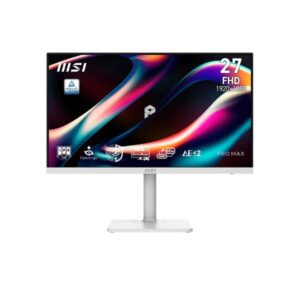
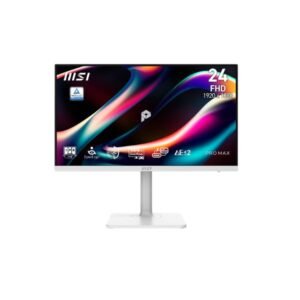
The MSI Pro Max 271QPHW E14 is the better overall monitor because it combines a larger 27-inch QHD display with higher brightness, stronger contrast, and wider color coverage while keeping the same 144Hz refresh rate and USB-C 65W connectivity. The smaller Pro Max 271PHW E14 still offers excellent ergonomics, including a slightly greater height-adjustment range, and can be a better fit for compact desks. For most productivity and creative users, the extra screen space and sharper QHD image make the 271QPHW E14 more capable. Choose the MSI Pro Max 271QPHW E14 for sharper visuals and more workspace. Choose the 271PHW E14 if you prefer a smaller display and slightly more compact setup.
The MSI Pro Max 271QPHW E14 has a clear advantage with its 2560×1440 QHD resolution and 108 PPI pixel density, compared with 1920×1080 and 92 PPI on the 271PHW E14. The higher resolution provides more usable desktop space and sharper text, which is especially helpful for spreadsheets, multitasking, coding, and detailed creative work.
The 271QPHW E14 gives you a larger 27-inch canvas without increasing the physical width of the monitor compared with the 23.8-inch model by much. It also reaches 300 nits brightness and a 1500:1 contrast ratio, while the 271PHW E14 is rated at 250 nits and 1000:1. The result is a more spacious and stronger-looking image.
Both monitors use IPS panels and support 144Hz, but the 271QPHW E14 has wider listed color coverage, reaching 93% DCI-P3 and 121% sRGB versus 86% DCI-P3 and 111% sRGB on the 271PHW E14. That makes the larger QHD model the more appealing option for users who want richer colors alongside higher resolution.
Both models include USB-C with 65W power delivery, DisplayPort, USB-A ports, KVM support, built-in speakers, and full ergonomic adjustment. The 271QPHW E14 adds a second HDMI input plus Picture-by-Picture and Picture-in-Picture modes, giving it more flexibility for multi-device setups and multitasking.
| Specification | ||
|---|---|---|
| Overview | ||
| Rating | 6.8 / 10 | 7.0 / 10 |
| Brand | MSI | MSI |
| Category | Monitor | Monitor |
| Model Information | ||
| Brand | MSI | MSI |
| Series | Pro | Pro |
| Model | Pro Max 271PHW E14 | Pro Max 271QPHW E14 |
| Model Alias | -- | Pro Max 271QPHWE14 |
| Full Product Name | MSI Pro Max 271PHW E14 | MSI Pro Max 271QPHW E14 |
| Model Year | 2026 | 2026 |
| Monitor Type | Business / Professional Monitor | Business / Professional Monitor |
| Monitor Category | Productivity Monitor | Productivity Monitor |
| Market Position | Mainstream / Professional | Mainstream / Professional |
| Primary Use | Office, Productivity & Creative Work | Office, Productivity & Creative Work |
| Region / Variant | Global (regional SKU suffixes may vary, e.g. US/EU/APAC) | Global (regional SKU suffixes may vary, e.g. US/EU/APAC) |
| Launch Status | Announced 2026 (per manufacturer model-year data) | Announced 2026 (per manufacturer model-year data) |
| Available Colors | White | White |
| Warranty | 3 years standard limited warranty (MSI global policy; exact term/region may vary by country - see msi.com/page/warranty) | 3 years standard limited warranty (MSI global policy; exact term/region may vary by country - see msi.com/page/warranty) |
| Burn-In Warranty | Not applicable (non-OLED panel) | Not applicable (non-OLED panel) |
| Display & Panel | ||
| Screen Size | 23.8 in | 27 in |
| Exact Diagonal | 604 mm (23.78 in) | 685.8 mm (27.00 in) |
| Screen Format | 16:9 | 16:9 |
| Aspect Ratio | 16:9 | 16:9 |
| Active Display Width | 527.04 mm (20.75 in) | 597.888 mm (23.54 in) |
| Active Display Height | 296.46 mm (11.67 in) | 336.312 mm (13.24 in) |
| Display Area | 70.27 % | 90.43 % |
| Panel Type? | IPS | IPS |
| Panel Technology | IPS | IPS |
| Backlight Type? | W-LED | W-LED |
| 3D Support | No | No |
| Screen Coating | Anti-glare/Matte / Response time - 1 ms (MPRT - Motion Picture Response Time) | Anti-glare/Matte |
| Resolution & Pixel Details | ||
| Native Resolution | 1920 x 1080 pixels / Full HD / 1080p | 2560 x 1440 pixels / Quad HD (QHD) / 1440p |
| Pixel Density | 92 ppi / 36 ppcm | 108 ppi / 42 ppcm |
| Pixel Pitch | 0.275 mm (0.01 in) | 0.233 mm (0.01 in) |
| Picture Quality & Color | ||
| Panel Bit Depth | 8 bits (6 bits + FRC) | 8 bits (6 bits + FRC) |
| FRC | Yes | Yes |
| Display Colors | 16777216 colors / 24 bits | 16777216 colors / 24 bits |
| Typical Brightness | 250 cd/m² | 300 cd/m² |
| Static Contrast Ratio | 1000 : 1 | 1500 : 1 |
| Horizontal Viewing Angle | 178 ° | 178 ° |
| Vertical Viewing Angle | 178 ° | 178 ° |
| sRGB Coverage | 111 % | 121 % |
| DCI-P3 Coverage | 86 % | 93 % |
| Adobe RGB Coverage | 86 % | 87 % |
| Refresh Rate, Response & Gaming | ||
| Native Refresh Rate | 144 Hz | 144 Hz |
| Refresh Rate Range | 48 Hz - 144 Hz | 48 Hz - 144 Hz |
| Minimum Response Time | 4 ms | -- |
| Adaptive-Sync? | Yes | Yes |
| Picture-by-Picture | -- | Yes |
| Picture-in-Picture | -- | Yes |
| Ports & Connectivity | ||
| HDMI Ports | 1 | 2 |
| HDMI Version | 2.0 | 2.0 |
| HDMI Bandwidth | 52.85 k Hz - 158.54 k Hz | 72 k Hz - 216 k Hz |
| DisplayPort Input | 1 | 1 |
| DisplayPort Version | 1.2 | 1.2 |
| USB-C Video Input | Yes | Yes |
| DisplayPort Alt Mode | Yes | Yes |
| USB-C Data Speed | 5 Gbps (USB 3.2 Gen 1) | 5 Gbps (USB 3.2 Gen 1) |
| USB-C Power Delivery | 65 W | 65 W |
| USB-A Ports | 2 | 2 |
| USB-B Upstream | Yes | Yes |
| KVM Switch | Yes | Yes |
| Audio Output | 3.5 mm | 3.5 mm |
| Headphone Output | 3.5 mm Audio Out | 3.5 mm Audio Out |
| Audio, Camera, Network & Smart Features | ||
| Built-In Speakers | 2 x 3 W | 2 x 3 W |
| Built-In Camera | No | No |
| Ergonomics & Stand | ||
| VESA Mount | Yes | Yes |
| VESA Size | 75 x 75 mm | 75 x 75 mm |
| Removable Stand | Yes | Yes |
| Height Adjustment | Yes | Yes |
| Height Adjustment Range | 130 mm (5.12 in) | 110 mm (4.33 in) |
| Tilt Adjustment | Yes | Yes |
| Forward Tilt | 5 ° | 5 ° |
| Backward Tilt | 20 ° | 20 ° |
| Swivel Adjustment | Yes | Yes |
| Left Swivel | 30 ° | 30 ° |
| Right Swivel | 30 ° | 30 ° |
| Left Pivot | 90 ° | 90 ° |
| Right Pivot | 90 ° | 90 ° |
| Portrait Mode | Yes | Yes |
| Security Lock | Yes | Yes |
| Anti-Theft Lock | Kensington Lock | Kensington Lock |
| Dimensions, Weight & Design | ||
| Dimensions With Stand | 613.49 mm x 401.37 mm x 200.81 mm | 613.49 mm x 401.72 mm x 200.81 mm |
| Dimensions Without Stand | 613.49 mm x 362.45 mm x 63.81 mm | 613.49 mm x 362.45 mm x 63.81 mm |
| Weight With Stand | 6.4 kg (14.11 lbs) | 6.4 kg (14.11 lbs) |
| Stand Depth | 200.81 mm (7.91 in) | 200.81 mm (7.91 in) |
| Power & Operating Conditions | ||
| Power Input | 100–240V | -- |
| 110V Input Range | 100 V - 120 V | 100 V - 120 V |
| 220V Input Range | 220 V - 240 V | 220 V - 240 V |
| AC Frequency | 50 Hz - 60 Hz | 50 Hz - 60 Hz |
| Average Power Consumption | 18 W | -- |
| Sleep Consumption | 0.5 W | 0.5 W |
| Off Consumption | 0.5 W | -- |
| Operating Temperature | 0 °C - 40 °C / 32 °F - 104 °F | 0 °C - 40 °C / 32 °F - 104 °F |
| Operating Humidity | 10 % - 85 % | 10 % - 85 % |
| Operating Altitude | 5000 m / 16404.2 ft | 5000 m / 16404.2 ft |
| Storage Temperature | -20 °C - 600 °C / -4 °F - 1112 °F | -20 °C - 600 °C / -4 °F - 1112 °F |
| Storage Humidity | 10 % - 90 % | 10 % - 90 % |
| Storage Altitude | 12192 m / 40000 ft | 12192 m / 40000 ft |
| Eye Care, Protection & Additional Features | ||
| Flicker-Free | Yes | Yes |
| Low Blue Light | Yes | Yes |
| Eye Comfort Mode | Yes | Yes |
| Desktop Control Software | Yes | -- |
| Monitor Management Software | Yes | -- |
| Screen Split | -- | Yes |
| Anti-Theft Slot | Yes (Kensington lock slot) | Yes (Kensington lock slot) |
| Additional Monitor Features | Eye-Q Check; MSI Eyes Ergo+; MSI M-Mate App; MSI Power Link; Overdrive; Spira Lume (Circular Polarizer) | Circular Polarization technology; Eye-Q Check; Eyes Ergo+; HDR Ready; MSI M-Mate Mode |
| Certifications, Standards & Licenses | ||
| Energy Star | Yes | Yes |
| TÜV Flicker-Free | Yes | Yes |
| TÜV Low Blue Light | Yes | Yes |
| CE | Yes | -- |
| FCC | Yes | Yes |
| FCC-B | Yes | Yes |
| WEEE | Yes | Yes |
| Included Accessories | ||
| HDMI Cable | HDMI cable | HDMI cable |
| USB-C Cable | USB Type-C cable | USB Type-C cable |
| USB Upstream Cable | USB Type-B to Type-A cable | USB Type-B to Type-A cable |
| Packaging Information | ||
| Package Weight | 10 kg (22.05 lbs) | 10.1 kg (22.27 lbs) |
Methodology: The verdict and comparison notes on this page are written by an editor after reviewing the full specification table below; they are not generated by an automated scoring formula. Conclusions are based on manufacturer-listed specifications only - no benchmark testing, measured brightness or hands-on use is claimed unless stated. Missing values are left blank rather than estimated. Report an error.
Updated: August 2026
Frequently Asked Questions
The MSI Pro Max 271QPHW E14 is better for productivity because its 27-inch QHD panel provides more workspace and sharper text while retaining 144Hz performance and USB-C 65W charging.
Yes. The 271QPHW E14 uses 2560×1440 resolution at 108 PPI, while the 271PHW E14 uses 1920×1080 at 92 PPI, resulting in clearer text and finer detail.
The Pro Max 271QPHW E14 has the advantage, with 93% DCI-P3 and 121% sRGB coverage compared with 86% DCI-P3 and 111% sRGB on the 271PHW E14.
Yes. Both offer USB-C, DisplayPort, USB-A, and KVM, but the 271QPHW E14 adds a second HDMI port as well as Picture-in-Picture and Picture-by-Picture support.
Yes. Its 23.8-inch size can be preferable on a compact desk, and it offers a 130mm height-adjustment range compared with 110mm on the 271QPHW E14.