
Dell U3225QE vs Dell U2725QE Comparison
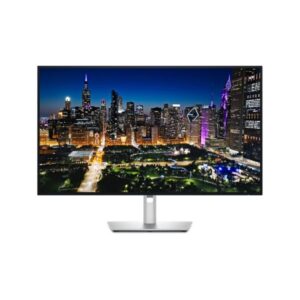
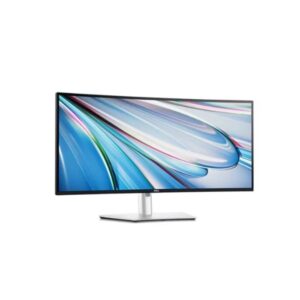
Do you want 4K at 140 ppi on a big screen or at 163 ppi on a compact one? That question frames the Dell U3225QE vs Dell U2725QE, which otherwise share the same recipe: IPS, 3840 × 2160, 48 to 120 Hz, 450 nits, 3000:1 contrast, 99% DCI-P3, Thunderbolt 4, five USB-A ports, 2.5 Gb Ethernet, a KVM and a 150 mm stand with swivel and pivot. The 31.5-inch U3225QE weighs 9.34 kg, while the 27-inch U2725QE weighs 7.06 kg and quotes 140 W of USB-C power delivery for charging a laptop.
| Specification | ||
|---|---|---|
| Overview | ||
| Rating | 8.4 / 10 | 8.6 / 10 |
| Brand | Dell | Dell |
| Category | Monitor | Monitor |
| Model Information | ||
| Brand | Dell | Dell |
| Series | UltraSharp | UltraSharp |
| Model | U3225QE | U2725QE |
| Model Alias | UltraSharp U3225QE | UltraSharp U2725QE |
| Full Product Name | Dell U3225QE | Dell U2725QE |
| Model Year | 2025 | 2025 |
| Available Colors | Black and Silver | Black and Silver |
| Display & Panel | ||
| Screen Size | 31.5 in | 27 in |
| Exact Diagonal | 800.1 mm (31.50 in) | 684.7 mm (26.96 in) |
| Aspect Ratio | 16:9 | 16:9 |
| Active Display Width | 697.31 mm (27.45 in) | 596.736 mm (23.49 in) |
| Active Display Height | 392.23 mm (15.44 in) | 335.664 mm (13.22 in) |
| Screen-to-Body Ratio | 93.46% | 92.52% |
| Panel Type? | IPS | IPS |
| Panel Technology | IPS Black technology | Local dimming zones - 8 | IPS Black technology | Local dimming zones - 8 |
| Backlight Type? | Edge LED (Local Dimming) | Edge LED (Local Dimming) |
| 3D Support | No | No |
| Screen Coating | Anti-glare / Matte (3H) | Anti-glare / Matte (3H) |
| Resolution & Pixel Details | ||
| Native Resolution | 3840 x 2160 pixels | 3840 x 2160 pixels |
| Pixel Density | 140 PPI | 163 PPI |
| Pixel Pitch | 0.182 mm (millimeters) | 0.155 mm (millimeters) |
| Picture Quality & Color | ||
| Panel Bit Depth | 10 bits | 10 bits |
| FRC | No | Yes |
| Display Colors | 1073.7 million colors (30 bits) | 1073.7 million colors (30 bits) |
| Typical Brightness | 450 cd/m² | 450 cd/m² |
| Static Contrast Ratio | 3000 : 1 | 3000 : 1 |
| Horizontal Viewing Angle | 178 ° | 178 ° |
| Vertical Viewing Angle | 178 ° | 178 ° |
| HDR Support? | Display / HDR 600 | Display / HDR 600 |
| sRGB Coverage | 100% | 100% |
| DCI-P3 Coverage | 99% | 99% |
| Refresh Rate, Response & Gaming | ||
| Refresh Rate Range | 48 Hz - 120 Hz | 48 Hz - 120 Hz |
| Minimum Response Time | 5 ms | 5 ms |
| Ports & Connectivity | ||
| HDMI Ports | 1 | 1 |
| HDMI Version | 2.1 | 2.1 |
| DisplayPort Input | 1 | 1 |
| DisplayPort Output | 1× DisplayPort 1.4 | 1× DisplayPort 1.4 |
| DisplayPort Version | 1.4 | 1.4 |
| USB-C Video Input | 1× USB-C | 1× USB-C |
| DisplayPort Alt Mode | Yes | Yes |
| Display Stream Compression | Yes | Yes |
| HDCP Support | Yes | Yes |
| HDCP Version | 2.2 | 2.2 |
| USB-A Ports | 5 | 5 |
| USB-B Upstream | 1 | 1 |
| Audio Output | 3.5 mm | 3.5 mm |
| Audio, Camera, Network & Smart Features | ||
| Built-In Camera | No | No |
| Ergonomics & Stand | ||
| VESA Mount | 100 x 100 mm | 100 x 100 mm |
| VESA Size | 100 x 100 mm | 100 x 100 mm |
| Removable Stand | Yes | Yes |
| Height Adjustment | 150 mm | 150 mm |
| Height Adjustment Range | 150 mm (5.91 in) | 150 mm (5.91 in) |
| Tilt Adjustment | Yes | Yes |
| Forward Tilt | 5 ° | 5 ° |
| Backward Tilt | 21 ° | 21 ° |
| Swivel Adjustment | Yes | Yes |
| Left Swivel | 30 ° | 30 ° |
| Right Swivel | 30 ° | 30 ° |
| Pivot Adjustment | Yes | Yes |
| Left Pivot | 90 ° | 90 ° |
| Right Pivot | 90 ° | 90 ° |
| Dimensions, Weight & Design | ||
| Dimensions With Stand | 713.2 × 468.94 × 215 mm | 612.44 × 385.68 × 189 mm |
| Dimensions Without Stand | 713.2 × 410.34 × 57.5 mm | 612.44 × 353.51 × 55.6 mm |
| Weight With Stand | 9.34 kg (20.59 lbs) | 7.06 kg (15.56 lbs) |
| Weight Without Stand | 6.52 kg (14.37 lbs) | 5.22 kg (11.51 lbs) |
| Stand Width | 287.5 mm (11.32 in) | 272.8 mm (10.74 in) |
| Stand Depth | 215 mm (8.46 in) | 189 mm (7.44 in) |
| Security Lock Slot | Yes | Yes |
| Power & Operating Conditions | ||
| Power Input | 100–240V | 100–240V |
| 110V Input Range | 100 V - 120 V | 100 V - 120 V |
| 220V Input Range | 220 V - 240 V | 220 V - 240 V |
| AC Frequency | 50 Hz - 60 Hz | 50 Hz - 60 Hz |
| Average Power Consumption | 30.5 W | 30.5 W |
| Maximum Power Consumption | 335 W | 335 W |
| Sleep Consumption | 0.3 W | 0.3 W |
| Off Consumption | 0.3 W | 0.3 W |
| Operating Temperature | 0 °C - 40 °C (32 °F - 104 °F) | 0 °C - 40 °C (32 °F - 104 °F) |
| Operating Humidity | 10% – 80% | 10% – 80% |
| Operating Altitude | 5000 m | 5000 m |
| Storage Temperature | -20 °C - 60 °C (-4 °F - 140 °F) | -20 °C - 60 °C (-4 °F - 140 °F) |
| Storage Humidity | 5% - 90% | 5% - 90% |
| Storage Altitude | 12192 m | 12192 m |
| Eye Care, Protection & Additional Features | ||
| Flicker-Free | Yes | Yes |
| Low Blue Light | Yes | Yes |
| ComfortView Plus | Yes | Yes |
| Additional Monitor Features |
|
|
| Certifications, Standards & Licenses | ||
| Energy Star | Yes | Yes |
| EPEAT | EPEAT Gold | EPEAT Gold |
| TCO Certified | TCO Certified Edge | TCO Certified Edge |
| TCO Certified Edge | TCO Certified Edge | TCO Certified Edge |
| VESA DisplayHDR? | Display / HDR 600 | Display / HDR 600 |
| RoHS | Yes | Yes |
| FCC | Yes | Yes |
| Included Accessories | ||
| DisplayPort Cable | Yes | Yes |
The U3225QE gives you a larger 4K workspace for editing and spreadsheets. The U2725QE shrinks it to 27 inches with sharper 163 ppi and a lighter body, plus stated 140 W charging. The deciding factor is desk space against screen size.
- 31.5 inches for more workspace
- Same 4K, 120 Hz and 450 nits
- Thunderbolt 4 with 2.5 Gb Ethernet
- 163 ppi against 140 ppi
- 7.06 kg against 9.34 kg
- Thunderbolt 4 at 140 W charging
| Use case | Better pick | Why |
|---|---|---|
| Multitasking windows | Dell U3225QE | 31.5 inches of 4K space |
| Text sharpness | Dell U2725QE | 163 ppi against 140 ppi |
| Small desks | Dell U2725QE | 27 inches and 7.06 kg |
| Laptop charging | Dell U2725QE | 140 W Thunderbolt 4 listed |
| Colour work | Tie | Both 99% DCI-P3 and 450 nits |
Methodology: The verdict and comparison notes on this page were written and checked by an editor working from the full specification table below. Conclusions are based on manufacturer-listed specifications only - no benchmark testing, measured brightness or hands-on use is claimed unless stated. Missing values are left blank rather than estimated. Report an error.
Updated: October 2026