
Skip to content
Dell Dell Alienware AW3226DM – Full Specifications Monitor
RATED
Great
8.0/10

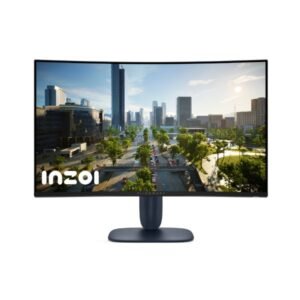
31.5″ Dell Alienware AW3226DM – Full Specifications

The Dell Alienware AW3226DM combines a 31.5-inch 1500R QHD VA panel with a 240 Hz ceiling, making high-refresh curved gaming its strongest specification.

31.5″ · 16:9 · MODEL YEAR 2026
DellMonitor
Dell Monitor
Display
31.5-inch, VA, 2560 x 1440 pixels
31.5
Refresh Rate
48 Hz - 240 Hz
48 Hz
Brightness
400 cd/m²
400 cd
Contrast Ratio
3000 : 1
3000

Overview

The Dell Alienware AW3226DM combines a 31.5-inch 1500R QHD VA panel with a 240 Hz ceiling, making high-refresh curved gaming its strongest specification. It pairs 1 ms minimum, 2 ms average and 4 ms maximum response figures with AMD FreeSync and VESA AdaptiveSync Display 240 support. The panel is rated at 400 cd/m² typical brightness, 450 cd/m² peak brightness, 3000:1 contrast and 95% DCI-P3 coverage. DisplayHDR 400 and HDR10 provide defined HDR support, although this remains an entry-level certification tier. Connectivity is unusually broad, including two HDMI 2.1 inputs, DisplayPort 1.4 with DSC, two USB-C connections and USB-A. The stand offers 110 mm height adjustment and tilt, but no swivel or portrait pivot. Buy it for 240 Hz QHD gaming and flexible ports; skip it if full stand movement or 4K sharpness matters more.

BrandDellPanel TypeVAResolution2560 x 1440Refresh Rate48 Hz - 240 Hz

Key Highlights

  • The 240 Hz QHD panel targets high-frame-rate competitive gaming on a large screen
  • A 1500R curve adds immersion without being as aggressive as a 1000R design
  • 400 cd/m² typical and 450 cd/m² peak brightness support DisplayHDR 400
  • 95% DCI-P3 coverage and 10-bit output through FRC broaden colour reproduction
  • Two USB-C ports, USB-A, HDMI 2.1 and DisplayPort 1.4 create a versatile connection set
  • AlienFX lighting and Alienware Command Center add platform-specific control

Who Should Buy the Dell Alienware AW3226DM

+ Best For
Competitive players wanting a large curved QHD panel capable of 240 Hz
Mixed PC and console desks needing two HDMI 2.1 inputs plus DisplayPort
Users who can benefit from USB-C and USB-A peripheral connectivity
× Not Ideal For
Portrait or swivel-dependent workspaces, because the stand supports neither movement
Buyers seeking 4K detail on a 31.5-inch screen
HDR enthusiasts expecting a tier above DisplayHDR 400
Laptop users needing high-wattage USB-C charging, because the listed USB-C power is 15 W

Display Performance

Refresh Rate 48 Hz - 240 Hz provides substantial motion headroom for competitive QHD gaming
Response Time 1 ms minimum; 2 ms average; 4 ms maximum the full range gives a clearer picture than a single headline figure
Brightness 400 cd/m² typical; 450 cd/m² peak supports visible HDR highlights within the DisplayHDR 400 class
Contrast 3000 : 1 the VA panel is specified for stronger dark-scene depth than lower-contrast LCDs
Colour Gamut 95% DCI-P3 covers a broad cinema-oriented colour space
HDR DisplayHDR 400 and HDR10 confirms basic certified HDR support rather than premium local-dimming performance

Gaming Performance

Refresh Rate48 Hz - 240 Hzsupports very fluid competitive play when the GPU can deliver enough QHD frames
Response Time1 ms minimum; 2 ms average; 4 ms maximumpublished transition figures indicate fast operation with some variation
VRR / Adaptive SyncAMD FreeSync and VESA AdaptiveSync Display 240helps keep motion tear-free across changing frame rates
GPU RequirementQHD at up to 240 Hzthe highest refresh rates demand a high-performance graphics card

HDR & Brightness Reality

DisplayHDR 400 and HDR10 are explicitly supported, with 400 cd/m² typical and 450 cd/m² peak brightness. That gives the Alienware AW3226DM a defined HDR baseline, while its 3000:1 VA contrast should help darker scenes retain depth. However, no local-dimming system is listed, so the certification should be viewed as entry-level HDR rather than a guarantee of intense highlights or OLED-like black control.

Connectivity & Ports

HDMI2 x HDMI 2.1 with FRLsupports modern consoles and high-bandwidth video sources
DisplayPort1 x DisplayPort 1.4 with DSCprovides the primary high-refresh PC connection

Desk Fit & Ergonomics

VESA Mount100 x 100 mmsupports a compatible arm or wall mount
Tilt-5° to +20°covers basic forward and backward adjustment

Real-World Use Cases

Competitive QHD Gaming
The 240 Hz ceiling and adaptive-sync standards suit fast multiplayer titles
Console Gaming
Two HDMI 2.1 inputs support modern consoles and another high-bandwidth source
Curved Single-Display Setup
The 31.5-inch 1500R panel creates an immersive central gaming screen
Multi-Device Desk
USB-C, USB-A, HDMI and DisplayPort accommodate several connected devices
HDR Gaming and Media
DisplayHDR 400, HDR10 and 450 cd/m² peak brightness provide basic HDR capability

Pros & Cons

Pros
  • Fast 240 Hz QHD performance with adaptive-sync support
  • DisplayHDR 400, HDR10 and 450 cd/m² peak brightness
  • Broad 95% DCI-P3 colour coverage
  • Two HDMI 2.1 ports, DisplayPort 1.4 and USB connectivity
  • Height adjustment and standard VESA mounting
Cons
  • No swivel or portrait pivot on the included stand
  • USB-C power is limited to 15 W
  • DisplayHDR 400 is an entry-level HDR tier
  • 93 PPI is only moderately sharp for a 31.5-inch display
  • No built-in speaker system is listed

Score & Ratings

8.0/10 Great
Design
8
Display
8
Color Performance
7
Performance
9
Connectivity
8
Model Information 6
Specification Value
Brand Dell
Model Alienware AW3226DM
Model Alias AW3226DM
Full Product Name Dell Alienware AW3226DM
Model Year 2026
Available Colors Interstellar Indigo
Display & Panel 8
Specification Value
Screen Size 31.5 in
Radius of Curvature 1500R
Aspect Ratio 16:9
Display Area 92.64%
Panel Type VA
Panel Technology VA
Backlight Type W-LED
Screen Coating Anti-glare/Matte (3H)
Resolution & Pixel Details 3
Specification Value
Native Resolution 2560 × 1440
Pixel Density 93 PPI
Pixel Pitch 0.272 mm
Picture Quality & Color 3
Specification Value
Panel Bit Depth 10 bits (8 bits + FRC)
FRC Yes
Display Colors 1073741824 colors
Refresh Rate, Response & Gaming 1
Specification Value
Refresh Rate Range 48 Hz - 240 Hz
Ports & Connectivity 8
Specification Value
HDMI Ports
2× HDMI 2.1
HDMI Version HDMI 2.1
DisplayPort Input 1× DisplayPort 1.4
DisplayPort Version DisplayPort 1.4
USB-C Video Input 1× USB-C
Display Stream Compression Yes
HDCP Support Yes
HDCP Version HDCP 2.2
Audio, Camera, Network & Smart Features 1
Specification Value
Built-In Camera No
Ergonomics & Stand 5
Specification Value
VESA Mount 100 × 100 mm
VESA Size 100 × 100 mm
Removable Stand Yes
Height Adjustment 110 mm
Height Range 110 mm
Dimensions, Weight & Design 1
Specification Value
Weight Without Stand 6.58 kg
Power & Operating Conditions 6
Specification Value
Power Input 100 V - 120 V / 220 V - 240 V
AC Frequency 50 Hz - 60 Hz
Typical Power Consumption 33 W
Average Power Consumption 33 W
Maximum Power Consumption 90 W
Sleep Consumption 0.3 W
Certifications, Standards & Licenses 5
Specification Value
VESA DisplayHDR
DisplayHDR 400
VESA AdaptiveSync VESA AdaptiveSync Display 240
RoHS RoHS
CE Yes
FCC FCC

Frequently Asked Questions

01 Can the Dell Alienware AW3226DM run at 240 Hz in QHD? +
✓ Yes. Its published refresh range is 48 Hz - 240 Hz at 2560 x 1440.
02 What HDR formats does it support? +
DisplayHDR 400 and HDR10 are listed.
03 Does it have USB-C? +
✓ Yes. Two USB-C connections are listed, each with 15 W power capability.
04 Can the stand swivel or pivot? +
No. It provides 110 mm height adjustment and -5° to +20° tilt only.
05 What is the published input lag? +
The source lists 3.9 ms input lag.

Reviews

NO REVIEWS YET Own this display? Your rating helps calibrate the score for everyone.
DISPLAYINPUT · INDEPENDENT · SPEC-BASED · NO SPONSORED PLACEMENT SHEET № ALIENWARE AW3226DM