
Dell Alienware AW2726DM vs MSI MAG 272QPW QD-OLED X24 Comparison
Dell Alienware AW2726DM vs MSI MAG 272QPW QD-OLED X24 compares two monitors with different strengths for picture quality, motion, and everyday use. Dell Alienware AW2726DM is specified with 26.5-inch / QD-OLED / QHD, while MSI MAG 272QPW QD-OLED X24 uses 26.5-inch / QD-OLED / QHD / Self-emissive (no backlight — OLED). The listed refresh rate is 48Hz – 240Hz on Dell Alienware AW2726DM and 240 Hz on MSI MAG 272QPW QD-OLED X24. Both list 99% DCI-P3 coverage. MSI MAG 272QPW QD-OLED X24’s clearest advantages are USB-C video connectivity. The better choice depends on which of those differences matters most in your setup.
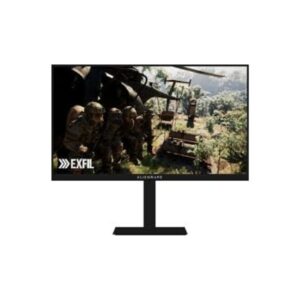
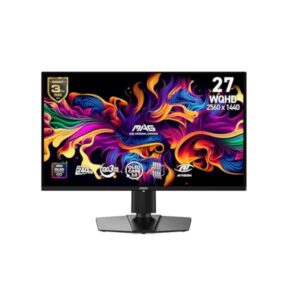
| Specification | ||
|---|---|---|
| Overview | ||
| Rating | 8.6 / 10 | 8.4 / 10 |
| Brand | Dell | MSI |
| Category | Monitor | Monitor |
| Model Information | ||
| Brand | Dell | MSI |
| Series | Alienware | MAG |
| Model | AW2726DM | MAG 272QPW QD-OLED X24 |
| Full Product Name | Dell Alienware AW2726DM | MSI MAG 272QPW QD-OLED X24 |
| Model Year | 2026 | 2025 |
| Monitor Type | -- | Gaming Monitor |
| Market Position | -- | Mainstream Gaming |
| Primary Use | -- | Competitive & Immersive Gaming |
| Region / Variant | -- | Global (regional SKU suffixes may vary, e.g. US / EU / APAC) |
| Launch Status | -- | Available (2025 model-year, per manufacturer data) |
| Available Colors | Black | Black |
| Warranty | -- | 3 years standard limited warranty (MSI global policy; exact term / region may vary by country - see msi.com / page / warranty) |
| Panel Warranty | -- | 3 years |
| Burn-In Warranty | -- | 3 years OLED burn-in coverage (MSI's OLED panel guarantee, backed by MSI OLED Care) |
| Display & Panel | ||
| Screen Size | 26.5-inch | 26.5 in |
| Exact Diagonal | -- | 673.1 mm (26.50 in) |
| Aspect Ratio | 16:9 | 16:9 |
| Active Display Width | -- | 590.42 mm (23.24 in) |
| Active Display Height | -- | 333.72 mm (13.14 in) |
| Display Area | -- | 90.07 % (percent) |
| Panel Type? | QD-OLED | QD-OLED (Samsung) |
| Panel Technology | QD-OLED panel (deep blacks + rich colors) Display / HDR 400 True Black 240Hz Adaptive Sync +FreeSync 0.03 ms ultra-fast response 10-bit color (1.07B colors) Anti-glare coating +Low Blue Light |
OLED |
| Panel Manufacturer | -- | Samsung |
| OLED Technology | -- | QD-OLED |
| OLED Generation | -- | 3rd Gen QD-OLED |
| Backlight Type? | -- | Self-emissive (no backlight — OLED) |
| Self-Emissive Display | -- | Yes |
| Quantum Dot | -- | Yes |
| 3D Support | -- | No |
| Screen Coating | -- | Anti-glare / Matte (3H) |
| Resolution & Pixel Details | ||
| Native Resolution | 2560 × 1440 (QHD) | 2560 x 1440 pixels / Quad HD (QHD) / 1440p |
| Pixel Density | 110 PPI | 110 ppi / 43 ppcm |
| Pixel Pitch | 0.233 mm | 0.229 mm (millimeters) |
| Picture Quality & Color | ||
| Panel Bit Depth | 10-bit | 10 bits |
| FRC | -- | No |
| Display Colors | 1.07 Billion | 1073741824 colors / 30 bits |
| Typical Brightness | -- | 200 cd/m² |
| Peak Brightness | -- | 400 cd/m² |
| Static Contrast Ratio | -- | 1500000 : 1 |
| Horizontal Viewing Angle | -- | 178 ° |
| Vertical Viewing Angle | -- | 178 ° |
| HDR Support? | -- | Display / HDR 400 True Black |
| sRGB Coverage | -- | 138 % |
| DCI-P3 Coverage | -- | 99% |
| Adobe RGB Coverage | -- | 98 % |
| Refresh Rate, Response & Gaming | ||
| Native Refresh Rate | -- | 240 Hz |
| Refresh Rate Range | 48Hz – 240Hz | 48 Hz - 240 Hz |
| Minimum Response Time | -- | 0.03 ms |
| Adaptive-Sync? | -- | VESA Adaptive Sync |
| Crosshair | -- | Yes |
| AI Gaming Features | -- | Yes |
| Console Mode | -- | Yes |
| Picture-by-Picture | -- | Yes |
| Picture-in-Picture | -- | Yes |
| Ports & Connectivity | ||
| HDMI Ports | 2×HDMI 2.1 |
2 |
| HDMI Version | HDMI 2.1 | 2.1 |
| HDMI Bandwidth | -- | 30 k Hz - 390 k Hz |
| HDMI FRL | -- | Yes |
| HDMI CEC | -- | Yes |
| DisplayPort Input | 1× DisplayPort 1.4 | 1 |
| DisplayPort Version | DisplayPort 1.4 | 1.4 |
| DisplayPort Bandwidth | -- | HBR3 |
| USB-C Video Input | -- | Yes |
| DisplayPort Alt Mode | -- | Yes |
| USB-C Power Delivery | -- | 15W |
| Audio Output | -- | 3.5 mm |
| Headphone Output | -- | 3.5 mm Audio Out |
| Audio, Camera, Network & Smart Features | ||
| Built-In Camera | No | No |
| Ergonomics & Stand | ||
| VESA Mount | 100 × 100 mm | 100 x 100 mm |
| VESA Size | 100 × 100 mm | 100 x 100 mm |
| Removable Stand | Yes | Yes |
| Height Adjustment | 130 mm | 110 mm |
| Height Range | 130 mm | -- |
| Height Adjustment Range | -- | 110 mm (4.33 in) |
| Tilt Adjustment | -- | Yes |
| Forward Tilt | -- | 5 ° |
| Backward Tilt | -- | 20 ° |
| Swivel Adjustment | -- | Yes |
| Left Swivel | -- | 30 ° |
| Right Swivel | -- | 30 ° |
| Left Pivot | -- | 90 ° |
| Right Pivot | -- | 90 ° |
| Portrait Mode | -- | Yes |
| Security Lock | -- | Yes |
| Anti-Theft Lock | -- | Kensington Lock |
| Dimensions, Weight & Design | ||
| Dimensions With Stand | -- | 611.6 mm x 423 mm x 241.9 mm (W x H x D) |
| Dimensions Without Stand | -- | 611.6 mm x 357.7 mm x 55.76 mm (W x H x D) |
| Weight With Stand | 9 kg | 5.7 kg (12.57 lbs) |
| Stand Depth | -- | 241.9 mm (9.52 in) |
| Power & Operating Conditions | ||
| Power Input | 100–240V | 100–240V |
| 110V Input Range | -- | 100 V - 120 V |
| 220V Input Range | -- | 220 V - 240 V |
| AC Frequency | 50/60Hz | 50 Hz - 60 Hz |
| Typical Power Consumption | 25W | -- |
| Average Power Consumption | 25W | -- |
| Maximum Power Consumption | 80W | -- |
| Sleep Consumption | 0.3W | 0.5 W |
| Off Consumption | -- | 0.3 W |
| Operating Temperature | -- | 0 °C - 40 °C / 32 °F - 104 °F |
| Operating Humidity | -- | 10 % - 85 % |
| Operating Altitude | -- | 3657.6 m / 12000 ft |
| Storage Temperature | -- | -25 °C - 55 °C / -13 °F - 131 °F |
| Storage Humidity | -- | 5 % - 93 % |
| Storage Altitude | -- | 12192 m / 40000 ft |
| Eye Care, Protection & Additional Features | ||
| Flicker-Free | -- | Yes |
| Low Blue Light | -- | Yes |
| OLED Protection | -- | Yes |
| OLED Care | -- | Yes |
| Burn-In Protection | -- | Yes (MSI OLED Care) |
| Thermal Management | -- | Yes |
| Custom Heatsink | -- | Yes |
| Graphene Cooling Film | -- | Yes |
| Desktop Control Software | -- | Yes |
| Monitor Management Software | -- | Yes |
| OSD Software | -- | Yes |
| On-Screen Display | -- | Yes |
| Screen Split | -- | Yes |
| AI Visual | -- | Yes |
| Anti-Theft Slot | -- | Yes (Kensington lock slot) |
| Additional Monitor Features | -- | 5-way Joystick Navigator; AI Vision; Aspect Ratio Options; Gaming Intelligence App; HDR Ready; Optix Scope; Other certifications: CCC; CEL |
| Certifications, Standards & Licenses | ||
| TÜV Flicker-Free | -- | Yes |
| TÜV Low Blue Light | -- | Yes |
| VESA DisplayHDR? | -- | Display / HDR 400 True Black |
| ClearMR | -- | 13000 |
| RoHS | Ro HS | Yes |
| CE | Yes | Yes |
| FCC | FCC | Yes |
| UL | -- | Yes |
| Included Accessories | ||
| DisplayPort Cable | -- | DisplayPort 1.4 cable |
| Packaging Information | ||
| Package Dimensions | -- | 820 mm x 513 mm x 169 mm (W x H x D) |
| Package Width | -- | 820 mm (32.28 in) |
| Package Height | -- | 513 mm (20.20 in) |
| Package Depth | -- | 169 mm (6.65 in) |
| Package Weight | -- | 9.4 kg (20.72 lbs) |
Methodology: The verdict and comparison notes on this page were written and checked by an editor working from the full specification table below. Conclusions are based on manufacturer-listed specifications only - no benchmark testing, measured brightness or hands-on use is claimed unless stated. Missing values are left blank rather than estimated. Report an error.
Updated: September 2026