
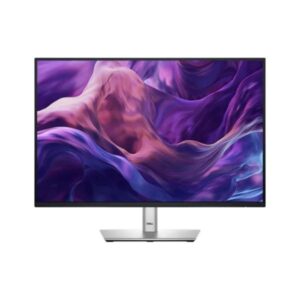
Display
24.07 in, IPS, 1920 x 1200 pixels
24.07
Refresh Rate
48 Hz - 100 Hz
48 Hz
Brightness
300 cd/m²
300 cd
Contrast Ratio
1500 : 1
1500
Overview
At its core, the Dell P2425E uses an IPS panel offering 1920 x 1200 pixels and a 48 Hz - 100 Hz refresh range. Response time is quoted at 5 ms GtG. For picture quality, expect 300 cd/m² typical brightness, 1500 : 1 contrast and 99% sRGB coverage. On connectivity, you get 1x HDMI 1.4, 1x DisplayPort 1.4, 3x USB-A, 1x USB-B upstream.
BrandDellPanel TypeIPSResolution1920 x 1200 pixelsRefresh Rate48 Hz - 100 Hz
Key Highlights
- Dell P2425E speed | 48 Hz - 100 Hz refresh with 5 ms GtG response
- Dell P2425E hub | 1 USB-B upstream and 3 USB-A downstream ports
- Dell P2425E image | 300 cd/m² brightness and 1500 : 1 contrast
Who Should Buy the Dell P2425E
+ Best For
Primary-use buyers
a 24.07-inch 16:10 USB-C hub monitor for laptop-led office setups
Spec-conscious shoppers
Its 1920 x 1200 IPS panel provides more vertical room than Full HD, while 90 W USB-C, Ethernet and DisplayPort output turn it into a capable desk dock
Desk planners
The 150 mm stand supports portrait pivot, ±45° swivel and -5° to +21° tilt
× Not Ideal For
HDR-first buyers
P2425E has no published HDR tier
Feature-maximisers
The 100 Hz panel remains office-focused, no HDR or speakers are listed, and 94 PPI is useful rather than especially fine
Wrong-sibling shoppers
Against the Dell P2425, the P2425E keeps the same 16:10 panel but replaces the basic Type-B hub with laptop charging, networking and MST
Display Performance
Refresh Rate
48 Hz - 100 Hz
Standard refresh range
Response Time
5 ms GtG
Manufacturer-published transition time
Brightness
300 cd/m²
Typical brightness as specified; peak figure not published
Contrast
1500 : 1
Standard panel black depth
Colour Gamut
99% sRGB
Standard game and web colour
Gaming Performance
Refresh Rate48 Hz - 100 HzMatch frame rate to the monitor’s useful range
Response Time5 ms (GtG)Published claim without independent testing
GPU Requirement1920 x 1200 pixels up to 100 HzEntry-to-mid-range GPU is generally sufficient
HDR & Brightness Reality
HDR is absent from the P2425E specification. With 300 cd/m² typical brightness and 1500 : 1 native contrast, the panel is better judged on ordinary desktop work than on highlight intensity. There is no published local dimming or HDR peak, so enabling an HDR signal would not create extra hardware capability. Its value lies elsewhere, particularly in the features stated for this exact model.
Connectivity & Ports
HDMI1x HDMI 1.4Published port count and version
DisplayPort1x DisplayPort 1.4Primary high-refresh PC connection
USB-CNot publishedNo one-cable laptop or charging function
USB Hub1x USB-B upstream / 3x USB-A downstreamPeripherals can run through the screen
Audio OutNot listedCheck before buying if you need audio from the monitor
Desk Fit & Ergonomics
Size / Footprint531.8 × 364 × 181.75 mmCheck desk width and depth before purchase
StandRemovable: YesA separate arm can replace the supplied base
VESA Mount100 x 100 mmUse a matching arm or wall mount
Tilt-5 ° to +21 °Covers the published forward and backward range
Height Adjust150 mm (5.91 in)Supports eye-level positioning
Swivel / Pivot±45 ° / ±90 °Supports shared angles and portrait rotation
Real-World Use Cases
a 24.07-inch 16:10 USB-C hub monitor for laptop-led office setups
Its 1920 x 1200 IPS panel provides more vertical room than Full HD, while 90 W USB-C, Ethernet and DisplayPort output turn it into a capable desk dock
USB-C handles 90 W charging and upstream data; three USB-A ports, a 15 W downstream Type-C, RJ45, HDMI and DisplayPort in/out complete the hub
Against the Dell P2425, the P2425E keeps the same 16:10 panel but replaces the basic Type-B hub with laptop charging, networking and MST
Pros & Cons
Pros
- 48 Hz 100 Hz refresh range with 5 ms GtG response supports fast-paced use
- Built-in USB hub adds convenient peripheral connectivity
- Stand offers 150 mm (5.91 in) height adjustment, swivel, pivot
- 99% sRGB coverage is published for the panel
Cons
- No listed built-in speakers
Score & Ratings
7.4/10
Great
Model Information
6
| Specification | Value |
|---|---|
| Brand | Dell |
| Model | P2425E |
| Full Product Name | Dell P2425E |
| Model Year | 2024 |
| Available Colors | Black and Silver |
| Warranty | 3-Year Basic Hardware Service with Advanced Exchange |
Display & Panel
10
| Specification | Value | What It Means |
|---|---|---|
| Screen Size | 24.07 in | |
| Exact Diagonal | 611.3 mm (24.07 in) | |
| Aspect Ratio | 16:10 | |
| Active Display Width | 518.4 mm (20.41 in) | |
| Active Display Height | 324 mm (12.76 in) | |
| Screen-to-Body Ratio | 91.89% | |
| Panel Type | IPS | IPS affects viewing angles, black depth and color consistency — each panel technology trades these off differently. |
| Backlight Type | W-LED | |
| 3D Support | No | |
| Screen Coating | Anti-glare/Matte (3H) |
Resolution & Pixel Details
3
| Specification | Value | What It Means |
|---|---|---|
| Native Resolution | 1920 x 1200 pixels | |
| Pixel Density | 94 ppi | 94 ppi indicates how much scaling may be needed in the operating system for comfortable reading. |
| Pixel Pitch | 0.27 mm (0.01 in) |
Picture Quality & Color
8
| Specification | Value | What It Means |
|---|---|---|
| Panel Bit Depth | 8 bits | |
| FRC | No | |
| Display Colors | 16.8 million colors (24 bits) | |
| Typical Brightness | 300 cd/m² | |
| Static Contrast Ratio | 1500 : 1 | |
| Horizontal Viewing Angle | 178 ° | |
| Vertical Viewing Angle | 178 ° | |
| sRGB Coverage | 99% | 99% indicates how much of that color space the panel can reproduce, which affects color accuracy for photo/video work. |
Refresh Rate, Response & Gaming
2
| Specification | Value |
|---|---|
| Refresh Rate Range | 48 Hz - 100 Hz |
| Minimum Response Time | 5 ms |
Ports & Connectivity
10
| Specification | Value |
|---|---|
| HDMI Ports | 1 |
| HDMI Version | 1.4 |
| DisplayPort Input | 1 |
| DisplayPort Output | 1× DisplayPort 1.4 |
| DisplayPort Version | 1.4 |
| USB-C Video Input | 1× USB-C |
| HDCP Support | Yes |
| HDCP Version | 1.4 |
| USB-A Ports | 3 |
| USB-B Upstream | 1 |
Audio, Camera, Network & Smart Features
1
| Specification | Value |
|---|---|
| Built-In Camera | No |
Ergonomics & Stand
14
| Specification | Value | What It Means |
|---|---|---|
| VESA Mount | Yes | |
| VESA Size | 100 x 100 mm | |
| Removable Stand | Yes | |
| Height Adjustment | Yes | 150 mm (5.91 in) of travel allows the screen to be raised or lowered for a comfortable eye-level position. |
| Height Adjustment Range | 150 mm (5.91 in) | |
| Tilt Adjustment | Yes | |
| Forward Tilt | 5 ° | |
| Backward Tilt | 21 ° | |
| Swivel Adjustment | Yes | |
| Left Swivel | 45 ° | |
| Right Swivel | 45 ° | |
| Pivot Adjustment | Yes | |
| Left Pivot | 90 ° | |
| Right Pivot | 90 ° |
Dimensions, Weight & Design
4
| Specification | Value |
|---|---|
| Dimensions With Stand | 531.8 × 364 × 181.75 mm |
| Dimensions Without Stand | 531.8 × 343.7 × 50.03 mm |
| Weight Without Stand | 3.51 kg (7.74 lbs) |
| Stand Depth | 181.75 mm (7.16 in) |
Power & Operating Conditions
14
| Specification | Value |
|---|---|
| Power Input | 100–240V |
| 110V Input Range | 100 V - 120 V |
| 220V Input Range | 220 V - 240 V |
| AC Frequency | 50 Hz - 60 Hz |
| Average Power Consumption | 15.2 W |
| Maximum Power Consumption | 190 W |
| Sleep Consumption | 0.3 W |
| Off Consumption | 0.3 W |
| Operating Temperature | 0 °C - 40 °C (32 °F - 104 °F) |
| Operating Humidity | 10% - 80% |
| Operating Altitude | 5000 m |
| Storage Temperature | -20 °C - 60 °C (-4 °F - 140 °F) |
| Storage Humidity | 5% - 90% |
| Storage Altitude | 12192 m |
Eye Care, Protection & Additional Features
4
| Specification | Value |
|---|---|
| Flicker-Free | Yes |
| Low Blue Light | Yes |
| ComfortView Plus | Yes |
| Additional Monitor Features | 3-sided bezelless design; Dell Display Manager with Easy Arrange; Anti-theft stand lock slot - Kensington |
Certifications, Standards & Licenses
7
| Specification | Value |
|---|---|
| Energy Star | ENERGY STAR |
| EPEAT | EPEAT Climate+ |
| EPEAT Climate+ | EPEAT Climate+ |
| TCO Certified | TCO Certified Edge |
| TCO Certified Edge | TCO Certified Edge |
| TÜV Eye Comfort | TÜV Eye Comfort - 4 star |
| RoHS | Yes |
Included Accessories
1
| Specification | Value |
|---|---|
| DisplayPort Cable | Yes |
Frequently Asked Questions
01 What does the P2425E's 1920 x 1200 panel mean at 24.07-inch? +
The sheet gives 94 PPI, which is the practical sharpness figure. Its 1920 x 1200 IPS panel provides more vertical room than Full HD, while 90 W USB-C, Ethernet and DisplayPort output turn it into a capable desk dock.
02 How should buyers read the P2425E's 48 Hz - 100 Hz specification? +
That is the exact published refresh range for this monitor. Source hardware must expose the matching mode; no different range should be assumed.
03 Which connections make the P2425E useful on a real desk? +
USB-C handles 90 W charging and upstream data; three USB-A ports, a 15 W downstream Type-C, RJ45, HDMI and DisplayPort in/out complete the hub. Check USB-C roles carefully because downstream data ports are not automatically laptop video inputs.
04 What is the biggest compromise in the P2425E specification? +
The 100 Hz panel remains office-focused, no HDR or speakers are listed, and 94 PPI is useful rather than especially fine. That limitation matters more than any generic feature badge.
05 How does the P2425E differ from its closest sibling? +
Against the Dell P2425, the P2425E keeps the same 16:10 panel but replaces the basic Type-B hub with laptop charging, networking and MST. The choice should follow that concrete difference rather than the shared branding.
Reviews
DISPLAYINPUT · INDEPENDENT · SPEC-BASED · NO SPONSORED PLACEMENT
SHEET № P2425E

