
64.5″ Samsung QN65S95F – Full Specifications
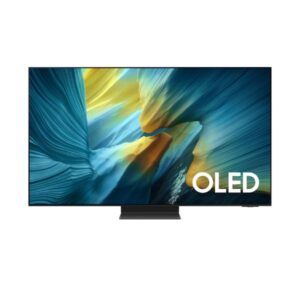
The Samsung QN65S95F is a 64.5-inch 4K UHD TV designed for home entertainment. It features a QD-OLED panel for perfect blacks and exceptional contrast. The TV is suitable for everyday home use and includes Tizen (One UI) smart platform. However, it may not be ideal for expensive. It scores Great — 8.8/10 across our display performance benchmarks.
- QD-OLED panel produces perfect blacks with an infinite contrast ratio, eliminating backlight bleed entirely.
Scores and analysis are based on DisplayInput – Monitor & TV Specs Comparison's display benchmark methodology across 6 verified specifications. Data sourced from samsung's official specifications and independent lab measurements.
Display Performance
OLED/QD-OLED panels run lower typical brightness by design — peak brightness is the relevant HDR metric.
Who Should Buy the samsung QN65S95F
Real-World Use Cases
Pros & Cons
- Excellent OLED picture quality (deep blacks, high contrast)
- Very high brightness for HDR (great highlights)
- Strong gaming features (120–165Hz, VRR, low input lag)
- Expensive
- No Dolby Vision support
- Risk of OLED burn-in (long-term static content)
Score & Ratings
| Specification | Value | 💡 What It Means |
|---|---|---|
| Brand | Samsung | |
| Model | QN65S95F | |
| Series | S95F | |
| Model Alias | QN65S95FAFXZA | |
| Model Year | 2025 |
✓ Good 2025 — current generation. Latest panel technology and features.
|
| Specification | Value | 💡 What It Means |
|---|---|---|
| Size Class | 64.5-inch |
✓ Good 64" — living-room TV scale. Ideal for sofa viewing at 2–3.5m.
|
| Resolution | 3840 × 2160 (4K UHD) |
✓ Good 4K UHD (3840×2160) — four times 1080p. Pin-sharp text, exceptional photo and video detail at any screen size.
|
| Aspect Ratio | 16:9 |
Standard 16:9 — universal for all streaming, gaming, and productivity content worldwide.
|
| Panel Type | QD-OLED |
✓ Good QD-OLED — quantum-dot layer over OLED. Best-in-class colour gamut with perfect blacks. No blooming.
|
| Panel Bit Depth | 10-bit (30-bit color) |
✓ Good 10-bit — 1.07 billion colours. Eliminates colour banding in HDR skies, skin tones and gradients.
|
| Colors | 1.07 Billion | |
| Viewing Angle | 178° (H) / 178° (V) |
✓ Good 178° (H) / 178° (V) — consistent colour from virtually any position. Ideal for group viewing and shared screen use.
|
| Screen Coating | Anti-glare / Matte (OLED Glare Free) |
✓ Good Anti-glare/Matte — diffuses room reflections. Comfortable in bright offices and near windows.
|
| Specification | Value | 💡 What It Means |
|---|---|---|
| Screen Width | 1428.48 mm |
Active display area in millimetres.
|
| Screen Height | 803.52 mm |
Active display area in millimetres.
|
| Screen-to-Body Ratio | 95.87% |
✓ Good 95.87% — near-borderless. Bezels virtually disappear; great for multi-monitor tiling.
|
| Pixel Pitch | 0.372 mm |
△ Average 0.372 mm pitch — standard. Pixels become visible on close inspection of large panels.
|
| Pixel Density | 68 PPI |
⚠ Limited 68 PPI — low pixel density. Best viewed from a distance; not for close-up work.
|
| Specification | Value | 💡 What It Means |
|---|---|---|
| Brightness (Typical) | 400 nits |
△ Average 400 nits — adequate for bright rooms and entry HDR. Standard office use is comfortable.
|
| Peak Brightness | 2200 nits |
✓ Good 2200 nits — extreme peak brightness. Beats direct sunlight glare; HDR highlights are spectacular.
|
| Contrast | Infinite (OLED) |
✓ Good Infinite contrast (OLED) — pixels turn fully off. Blacks are truly black, not dark grey.
|
| DCI-P3 Coverage | 100% |
✓ Good 100% DCI-P3 — virtually complete coverage. Colour output matches what clients and printers receive exactly.
|
| HDR Support | HDR10 HDR10+ HDR10+ Adaptive HDR10+ Gaming HLG |
✓ Good HDR10+ Adaptive — dynamic metadata + ambient light sensor. Optimal HDR in any room lighting.
|
| Specification | Value | 💡 What It Means |
|---|---|---|
| Native Refresh Rate | 120Hz |
✓ Good 120Hz — enables PS5 and Xbox Series X 120fps Performance Mode. Also smooth for everyday desktop use.
|
| Max Refresh Rate | 165Hz |
✓ Good 165Hz — excellent for all gaming genres. Fast camera pans and sprints stay sharp, not blurred.
|
| Variable Refresh Rate (VRR) | Yes | |
| AMD FreeSync | Premium Pro |
✓ Good Variable Refresh Rate — GPU and display sync together. Eliminates screen tearing and reduces stutter in games.
|
| ALLM | Yes |
✓ Good Auto Low Latency Mode — TV switches to Game Mode automatically when a console is detected. No manual setting needed.
|
| Input Lag | 4.1 ms |
✓ Good 4.1 ms — acceptable for gaming; barely noticeable even in action titles.
|
| Motion Tech | Motion Xcelerator 165Hz |
Motion Xcelerator 165Hz — motion processing reduces judder in fast-moving content. Adjustable to taste.
|
| Specification | Value | 💡 What It Means |
|---|---|---|
| Advanced Display Technologies | _ |
| Specification | Value | 💡 What It Means |
|---|---|---|
| Operating System | Tizen (One UI) |
✓ Good Tizen (Samsung) — all major streaming apps; SmartThings smart home integration.
|
| Processor | NQ4 AI Gen3 |
✓ Good NQ4 AI Gen3 — Samsung AI processor. Handles upscaling, Auto HDR, and gaming optimisation simultaneously.
|
| SoC | - |
Technical hardware details not published by manufacturer.
|
| CPU | - |
CPU core count not published by manufacturer.
|
| GPU | - |
Technical hardware details not published by manufacturer.
|
| RAM | - |
Technical hardware details not published by manufacturer.
|
| AI Engine | 20 Neural Networks |
Dedicated AI processing for real-time upscaling, picture enhancement, and smart feature management.
|
| Smart Features | SmartThings Samsung Gaming Hub Apple AirPlay Alexa, Bixby, Google Assistant MultiView Ambient Mode+ AI Upscaling Pro |
✓ Good SmartThings
Samsung Gaming Hub
Apple AirPlay
Alexa, Bixby, Google Assistant
MultiView
Ambient Mode+
AI Upscaling Pro — software features including OSD controls and display calibration tools.
|
| Specification | Value | 💡 What It Means |
|---|---|---|
| Speaker Setup | 4.2.2 Channel |
△ Average 4.2.2 Channel — standard stereo. Adequate for dialogue; limited bass depth.
|
| Subwoofer | Yes |
✓ Good Built-in subwoofer — adds deep bass. Films and music have noticeably more low-end depth.
|
| Total Output | 70W |
✓ Good 70W — powerful enough to fill a large living room without a soundbar.
|
| Audio Features | Dolby Atmos Object Tracking Sound+ Q-Symphony Adaptive Sound Pro Active Voice Amplifier Pro |
✓ Good Dolby Atmos (3D spatial audio on compatible content). Active Voice Amplifier (dialogue boosted over background sounds). Adaptive Sound (auto-adjusts EQ to content type).
|
| Specification | Value | 💡 What It Means |
|---|---|---|
| Ports | 4 × HDMI 2.1 3 × USB 2.0 1 × USB Type-C 1 × Ethernet (RJ45) 1 × Optical Audio Out |
✓ Good USB-C (single-cable display + data, charging if PD supported). HDMI 2.1 — supports 4K@144Hz or 8K@60Hz bandwidth. Ethernet port — wired network for stable 4K streaming.
|
| Wireless | Wi-Fi (Dual Band + AC) Bluetooth 5.3 Wi-Fi Direct DLNA |
✓ Good Built-in Wi-Fi — no ethernet cable required. Bluetooth 5 (wireless headphones and keyboards).
|
| Specification | Value | 💡 What It Means |
|---|---|---|
| TV Tuner | ATSC / ATSC 3.0 Analog (NTSC / PAL / SECAM) Clear QAM |
✓ Good Built-in tuner — receives ATSC (US digital broadcast HD), Clear QAM (cable without a set-top box) without a separate receiver.
|
| Specification | Value | 💡 What It Means |
|---|---|---|
| Without Stand Width | 1443.5 mm |
Panel dimensions without stand attached. Use for wall-mount space planning.
|
| Without Stand Height | 829.4 mm |
Panel dimensions without stand attached. Use for wall-mount space planning.
|
| Without Stand Depth | 11 mm |
Panel dimensions without stand attached. Use for wall-mount space planning.
|
| Without Stand Weight | 18.9 kg |
△ Average 18.9 kg — heavy; two people recommended for wall mounting.
|
| With Stand Width | 1443.5 mm |
Overall footprint with stand. Use when planning desk or shelf placement.
|
| With Stand Height | 894.4 mm |
Overall footprint with stand. Use when planning desk or shelf placement.
|
| With Stand Depth | 267.9 mm |
Overall footprint with stand. Use when planning desk or shelf placement.
|
| With Stand Weight | 29 kg |
△ Average 29 kg — heavy; two people recommended for wall mounting.
|
| Color | Black |
Available colour finish for this unit.
|
| Specification | Value | 💡 What It Means |
|---|---|---|
| VESA Mount | 400 × 300 mm | |
| Wall Mount Support | Yes | |
| Adjustments | No height/swivel/tilt |
✓ Good Full ergonomic adjustment: height, tilt, swivel. Set the display to your exact posture to reduce eye and neck strain.
|
| Specification | Value | 💡 What It Means |
|---|---|---|
| Voltage | 100–240V |
✓ Good Universal or wide-range power supply. Compatible with outlets in the US, UK, EU, and most countries.
|
| Frequency | 50/60Hz |
50/60Hz AC supply — compatible with worldwide power grids including US, UK, EU, and AU.
|
| Average Consumption | 190.4W |
⚠ Limited 190.4W — higher consumption. Typical for large TVs and high-brightness displays.
|
| Maximum Consumption | 650W | |
| Standby | V |
✓ Good V standby — near-zero idle power. Excellent energy compliance.
|
| Specification | Value | 💡 What It Means |
|---|---|---|
| Gaming & AI Features | AI Auto Game Mode Game Motion Plus Dynamic Black EQ Super Ultrawide GameView Mini Map Zoom HGiG Support |
✓ Good Auto Game Mode (auto-enables low latency). Black Equalizer (reveals dark-area detail). Game Motion Plus (smooth motion in gaming). Super Ultrawide GameView (21:9/32:9 crop).
|
| Specification | Value | 💡 What It Means |
|---|---|---|
| Picture Technologies | OLED HDR Pro Quantum Dot Color Real Depth Enhancer AI Picture Optimization Filmmaker Mode Pantone Validated |
AI-powered picture processing: auto scene detection, upscaling, and HDR enhancement.
|