
TCL 55C6K Pro vs TCL 55C8L Comparison
TCL 55C6K Pro vs TCL 55C8L compares two TVs with different strengths for picture quality, motion, and everyday use. TCL 55C6K Pro is specified with 54.6 in / HVA / 4K / Mini LED, while TCL 55C8L uses 54.6 in / HVA / 4K / SQD-Mini LED. Both are listed at 48 Hz – 144 Hz refresh. TCL 55C6K Pro lists 93 % DCI-P3 coverage, while TCL 55C8L lists 100 % DCI-P3 coverage. TCL 55C8L’s clearest advantages are wider listed color-gamut coverage and 1008 local-dimming zones. The better choice depends on which of those differences matters most in your setup.
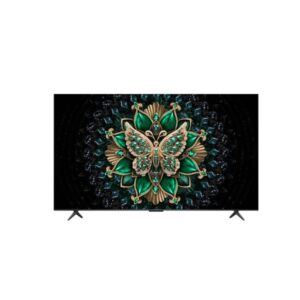
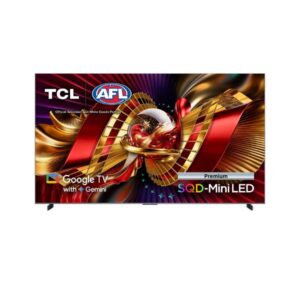
Backlight hardware is where the TCL 55C6K Pro vs TCL 55C8L decision gets interesting, since both are 54.6-inch 4K HVA Mini LED Google TVs with 48-144 Hz refresh, VRR and AMD FreeSync Premium Pro. The 55C8L is the SQD-Mini LED model, listing 1,008 dimming zones, 3,000 cd/m² peak brightness, 100 percent DCI-P3 and two USB ports. The 55C6K Pro lists 93 percent DCI-P3, Dolby Vision IQ and two 10 W Dolby Atmos speakers, with a single USB port. Both offer two HDMI 2.1 inputs and draw 64 W typically with energy class E. The 55C6K Pro weighs 12.8 kg bare, and the 55C8L weighs 13.3 kg.
| Specification | ||
|---|---|---|
| TV Overview | ||
| Rating | 8.2 / 10 | 8.8 / 10 |
| Brand | tcl | tcl |
| Category | TV | TV |
| Television Identity & Market | ||
| Brand | TCL | TCL |
| Series | C6K Pro | C8L / QM8L |
| Model | 55C6K Pro | 55C8L |
| Full Product Name | TCL 55C6K Pro | TCL 55C8L |
| Model Year | 2026 | 2026 |
| TV Category | Mid-Premium Tier | -- |
| Market Position | Mid-Premium QD-Mini LED | -- |
| Primary Use | Home Entertainment & Everyday HDR Viewing | -- |
| Region / Variant | Not specified | -- |
| Launch Status | 2026 model year | -- |
| Available Colors | Black | Black |
| Warranty | 1 year limited warranty | -- |
| Screen Geometry & Format | ||
| Screen Size | 54.6 in | 54.6 in |
| Marketed Screen Size | 54.6 in | 54.6 in |
| Exact Diagonal | 1388 mm / 138.8 cm / 54.6457 in / 4.5538 ft | 1388 mm / 138.8 cm / 54.6457 in / 4.5538 ft |
| Aspect Ratio | 1.778:1 16:9 | 1.778:1 / 16:9 |
| Active Display Width | 1209.6 mm / 120.96 cm / 47.622 in / 3.9685 ft | 1209.6 mm / 120.96 cm / 47.622 in / 3.9685 ft |
| Active Display Height | 680.4 mm / 68.04 cm / 26.7874 in / 2.2323 ft | 680.4 mm / 68.04 cm / 26.7874 in / 2.2323 ft |
| Display Area | -- | 94.55 % |
| Screen-to-Body Ratio | 94.4 % | -- |
| 3D Support | No | No |
| Panel Architecture & Light Control | ||
| Panel Manufacturer | CSOT | CSOT |
| Panel Type? | HVA | HVA |
| Panel Technology | VA | -- |
| Panel Subtype | -- | WHVA 2.0 Pro Panel |
| Quantum Dot | Yes | Yes |
| Quantum Dot Technology | -- | Super Quantum Dot (Super QLED) |
| Backlight Type? | Mini LED | SQD-Mini LED |
| Local Dimming | -- | Yes |
| Local Dimming Zones | -- | 1008 |
| Backlight Controller? | -- | TCL Halo Control System |
| Panel Bit Depth | 10 bits (8 bits + FRC) | 10 bits |
| FRC | Yes | -- |
| Display Colors | 1073741824 colors30 bits | 1073741824 colors / 30 bits |
| Surface Treatment & Viewing Layer | ||
| Screen Coating | Anti-glare / Matte | -- |
| Anti-Reflection Technology | -- | Anti-reflective Zero Border Panel |
| Resolution, Scaling & Signal | ||
| Native Resolution | 3840 x 2160 pixels Ultra HD (UHD) / 4K / 2160p | 3840 x 2160 pixels / Ultra HD (UHD) / 4K / 2160p |
| Pixel Density | 80 ppi | 80 ppi / 31 ppcm |
| Pixel Pitch | 0.315 mm | 0.315 mm / 0.0315 cm / 0.0124 in / 0.001 ft |
| HDCP Support | Yes | -- |
| Native 4K Support | -- | Yes |
| Luminance, Blacks & Contrast | ||
| Peak Brightness | -- | 3000 cd/m² |
| Peak HDR Brightness | -- | 3000 cd/m² |
| Static Contrast | 6000 : 1 | -- |
| Static Contrast Ratio | 6000 : 1 | -- |
| Viewing Angles | 178 ° / 178 ° | 178 ° / 178 ° |
| Horizontal Viewing Angle | 178 ° | 178 ° |
| Vertical Viewing Angle | 178 ° | 178 ° |
| Color Reproduction & Calibration | ||
| DCI-P3 Coverage | 93 % | -- |
| Rec. 2020 Coverage | -- | 100 % |
| Wide Color Gamut | Yes | Yes |
| Quantum Dot Color | -- | Yes |
| HDR Formats & Tone Mapping | ||
| HDR Support? |
|
|
| HDR Formats? |
|
|
| HDR10? | -- | Yes |
| HDR10+? | -- | Yes |
| HDR10+ Gaming? | -- | Yes |
| Dolby Vision | -- | Yes |
| Dolby Vision IQ | -- | Yes |
| HLG | -- | Yes |
| IMAX Enhanced | Yes | Yes |
| Filmmaker Mode | Yes | Yes |
| Motion Processing & Response | ||
| Native Refresh Rate | 48 Hz - 144 Hz | -- |
| Maximum Refresh Rate | 48 Hz - 144 Hz | 48 Hz - 144 Hz |
| Refresh Rate Range | -- | 48 Hz - 144 Hz |
| Vertical Frequency | -- | 48 Hz - 144 Hz |
| Motion Processing | AI Motion MEMC (Motion Estimation Motion Compensation) | MEMC (Motion Estimation Motion Compensation) |
| Motion Estimation | Yes | Yes |
| Console, VRR & Game Tools | ||
| Variable Refresh Rate | Variable Refresh Rate (VRR) | Yes |
| Auto Low Latency Mode | Auto Low Latency Mode (ALLM) | Yes |
| High Frame Rate | Yes | Yes |
| AMD FreeSync? | AMD FreeSync Premium Pro | AMD FreeSync Premium Pro |
| Game Bar | Game Master with Game Bar | AI Gaming with Game Bar |
| Game Accelerator | -- | Game Accelerator 288 |
| Superwide GameView | -- | Yes |
| Picture Intelligence & AI | ||
| AI Upscaling | Yes | Yes |
| AI Contrast | -- | Yes |
| AI Color | -- | Yes |
| AI Clarity | -- | Yes |
| AI HDR Enhancement? | -- | Yes |
| AI Scene Detection | -- | Yes |
| Filmmaker Mode | Yes | -- |
| Ambient Mode | Yes | -- |
| Art Mode | -- | AI Art |
| Broadcast Tuners & Reception | ||
| Built-In TV Tuner | Yes | Yes |
| Tuner Configuration | Analog (NTSC / PAL / SECAM) DVB-T DVB-T2 DVB-C DVB-S DVB-S2 | Analog (NTSC / PAL / SECAM) / DVB-T / DVB-T2 / DVB-C / DVB-S / DVB-S2 |
| Analog Tuner | NTSC / PAL / SECAM | NTSC / PAL / SECAM |
| Digital Terrestrial Tuner | dvb-t | DVB-T |
| Digital Terrestrial Tuner 2 | dvb-t2 | DVB-T2 |
| Digital Cable Tuner | dvb-c | DVB-C |
| Digital Satellite Tuner | dvb-s | DVB-S |
| Digital Satellite Tuner 2 | dvb-s2 | DVB-S2 |
| Satellite Input | 1× F-type | -- |
| Antenna RF Input | Yes | -- |
| Compute, Memory & Storage | ||
| Processor Brand Name | AIPQ Processor | TSR AIPQ Processor |
| System on Chip | -- | Media Tek Pentonic 700 (MT9653) |
| SoC Model | AIPQ Processor | Media Tek Pentonic 700 (MT9653) |
| CPU Architecture | -- | ARM Cortex-A73 |
| CPU Cores | -- | 4 |
| CPU Frequency | -- | 1400 MHz |
| GPU | -- | ARM Mali-G52 MC1 |
| GPU Cores | -- | 1 |
| RAM Capacity | -- | 4 GB |
| Smart Platform & System | ||
| Smart TV | Yes | Yes |
| Operating System | Google TV | Google TV |
| Streaming & Entertainment | ||
| Netflix | Yes | -- |
| Prime Video | Yes | -- |
| Disney+ | Yes | -- |
| Apple TV+ | Yes | -- |
| Art Gallery | -- | Yes |
| Voice Assistants & Search | ||
| Voice Control | Yes | -- |
| Far-Field Voice Control | -- | Yes |
| Amazon Alexa | -- | Yes |
| Google Assistant | Yes | Yes |
| HDMI Signal Interface | ||
| Total HDMI Ports | 4 | 4 |
| HDMI 2.1 Ports |
|
|
| HDMI 2.0 Ports |
|
|
| HDMI CEC | Yes | Yes |
| Audio Return Channel | Yes | Yes |
| Enhanced Audio Return Channel | Yes | Yes |
| Auto Low Latency Mode | Auto Low Latency Mode (ALLM) | Yes |
| High Frame Rate | Yes | Yes |
| Variable Refresh Rate | Variable Refresh Rate (VRR) | Yes |
| HDCP Support | Yes | Yes |
| HDCP Version | -- | 2.3 |
| USB, Audio & Legacy I/O | ||
| Total USB Ports | 1 | 2 |
| USB-A 2.0 Ports | -- |
|
| USB-A 3.0 Ports |
|
|
| Ethernet Port | 1× RJ45 | 1 x RJ45 |
| Optical Audio Output | 1× S/PDIF | 1 x Optical |
| Satellite Input | 1× F-type | 1 x F-type |
| Antenna Input | 1× RF | 1 x RF |
| Common Interface Slot | 1× CI+ | 1 x CI+ 1.4 |
| Wireless, LAN & Casting | ||
| LAN | Yes | Yes |
| Wi-Fi | Wi-Fi 8 | Wi-Fi 6 |
| Wi-Fi Standards | 802.11a | 802.11a / 802.11b / 802.11g / 802.11n / 802.11ac / 802.11ax |
| Bluetooth | Bluetooth 5.4 | Bluetooth 5.4 |
| Wi-Fi Direct | Yes | Yes |
| DLNA | Yes | Yes |
| Apple AirPlay | Yes | Yes |
| Apple HomeKit | Yes | -- |
| Chromecast | Yes | -- |
| Google Cast | Yes | Yes |
| Miracast | Yes | -- |
| Multi-View | -- | Multi View 2.0 |
| Speaker Layout & Output | ||
| Built-In Speakers | 2 x 10 W | Yes |
| Speaker Configuration | -- | 2.2 CH |
| Speaker Channels | -- | 2.2 CH |
| Built-In Subwoofer | 1 x 20 W | -- |
| Audio Brand | -- | Bang & Olufsen |
| Sound Formats & Enhancement | ||
| Dolby Atmos | Yes | Yes |
| Dolby Digital Plus | -- | Yes |
| DTS:X | -- | Yes |
| DTS Virtual:X | DTS Virtual:X | -- |
| Beosonic | -- | Yes |
| Camera & Video Calling | ||
| Built-In Camera | No | No |
| Connected Home & IoT | ||
| Apple HomeKit | Yes | -- |
| Photo File Compatibility | ||
| Image File Formats | -- | JPEG / GIF / PNG |
| JPEG | -- | Yes |
| PNG | -- | Yes |
| GIF | -- | Yes |
| Music Codec Compatibility | ||
| Audio Formats | -- |
|
| AAC | -- | Yes |
| HE-AAC | -- | Yes |
| FLAC | -- | Yes |
| MP3 | -- | Yes |
| M4A | -- | Yes |
| WMA | -- | Yes |
| WAV | -- | Yes |
| Video Container Compatibility | ||
| Video Containers | -- |
|
| 3GPP | -- | Yes |
| AVI | -- | Yes |
| DivX | -- | Yes |
| MKV | -- | Yes |
| MP4 | -- | Yes |
| WMV | -- | Yes |
| Video Codec Compatibility | ||
| Video Codecs | -- |
|
| H.263 | -- | Yes |
| H.264 / AVC | -- | Yes |
| H.265 / HEVC | -- | Yes |
| MPEG-4 | -- | Yes |
| VP9 | -- | Yes |
| Xvid | -- | Yes |
| Panel-Only Size & Mass | ||
| Dimensions Without Stand | 1228 mm x 710 mm x 56 mm (W x H x D) | 1226 x 710 x 55.9 mm |
| Width Without Stand | 1228 mm | 1226 mm / 122.6 cm / 48.2677 in / 4.0223 ft |
| Height Without Stand | 710 mm | 710 mm / 71 cm / 27.9528 in / 2.3294 ft |
| Depth Without Stand | 56 mm | 55.9 mm / 5.59 cm / 2.2008 in / 0.1834 ft |
| Weight Without Stand | 12.8 kg | 13.3 kg / 29.32 lbs |
| Assembled TV Size & Mass | ||
| Dimensions With Stand | 1228 mm x 760 mm x 270 mm (W x H x D) | 1226 x 760 x 270 mm |
| Width With Stand | 1228 mm | 1226 mm / 122.6 cm / 48.2677 in / 4.0223 ft |
| Height With Stand | 760 mm | 760 mm / 76 cm / 29.9213 in / 2.4934 ft |
| Depth With Stand | 270 mm | 270 mm / 27 cm / 10.6299 in / 0.8858 ft |
| Weight With Stand | 14 kg | 14.5 kg / 31.97 lbs |
| Shipping Carton Measurements | ||
| Box Dimensions | 1400 mm x 875 mm x 150 mm (W x H x D) | 1400 x 875 x 150 mm |
| Box Width | 1400 mm | 1400 mm / 140 cm / 55.1181 in / 4.5932 ft |
| Box Height | 875 mm | 875 mm / 87.5 cm / 34.4488 in / 2.8707 ft |
| Box Depth | 150 mm | 150 mm / 15 cm / 5.9055 in / 0.4921 ft |
| Box Weight | 18 kg / 39.68 lbs | 19 kg / 41.89 lbs |
| Exterior Styling & Stand Footprint | ||
| Stand Width | 295 mm / 29.5 cm / 11.6142 in / 0.9678 ft | 315 mm / 31.5 cm / 12.4016 in / 1.0335 ft |
| Stand Depth | -- | 270 mm / 27 cm / 10.6299 in / 0.8858 ft |
| Stand Footprint | -- | 315 mm x 270 mm |
| Chassis Color | Black | Black |
| ZeroBorder Design | -- | Yes |
| Cable Management | -- | Yes |
| Wall Mounting & Installation | ||
| VESA Mount | 300 x 300 mm | 300 x 300 mm |
| VESA Interface | 300 x 300 mm | 300 x 300 mm |
| VESA Size | 300 x 300 mm | 300 x 300 mm |
| Removable Stand | Yes | Yes |
| Height Adjustment | Yes Landscape / portrait pivot: No Left / right swivel: No Forward / backward tilt: No | No |
| Swivel Adjustment | No | No |
| Tilt Adjustment | No | No |
| Pivot Adjustment | No | No |
| Portrait Mode | No | -- |
| Cable Management | -- | Yes |
| Electrical Load & Efficiency | ||
| Power Input | 100 V - 120 V / 220 V - 240 V | 100 V - 120 V / 220 V - 240 V |
| 110V Input Range | -- | 100 V - 120 V |
| 220V Input Range | -- | 220 V - 240 V |
| AC Frequency | 50 Hz - 60 Hz | 50 Hz - 60 Hz |
| Typical Power Consumption | 64 W | 64 W |
| Average Power Consumption | -- | 64 W |
| Maximum Power Consumption | 150 W | 250 W |
| Sleep Consumption | -- | 0.5 W |
| Standby Consumption | 0.5 W | 0.5 W |
| Energy Efficiency Class | E | E |
| Energy-Saving Mode | -- | Yes |
| Ambient Light Sensor | -- | Yes |
| Environmental Operating Limits | ||
| Operating Temperature | 5 °C - 35 °C / 41 °F - 95 °F | 5 °C - 35 °C / 41 °F - 95 °F |
| Operating Humidity | 20 % - 80 % | 20 % - 80 % |
| Storage Temperature | -15 °C - 45 °C / 5 °F - 113 °F | -15 °C - 45 °C / 5 °F - 113 °F |
| Storage Humidity | 10 % - 90 % | 10 % - 90 % |
| Picture Feature Inventory | ||
| Anti-Reflection | -- | Yes |
| Filmmaker Mode | Yes | -- |
| IMAX Enhanced | Yes | -- |
| Gaming Validation & Compatibility | ||
| AMD FreeSync Certification? | Yes | -- |
| Game Bar | Game Master with Game Bar | -- |
| ALLM | Auto Low Latency Mode (ALLM) | Auto Low Latency Mode (ALLM) |
| VRR | -- | Yes |
| Regulatory & Industry Approvals | ||
| CE | Yes | -- |
| FCC | -- | Yes |
| IMAX Enhanced | Yes | -- |
| CI+ Certification | Yes (CI+ 1.4) | -- |
| In-the-Box Components | ||
| Remote Control | Backlit voice remote control | Backlit voice remote control |
| Remote Type | -- | Backlit voice remote control |
| Remote Voice Control | Yes | Yes |
| Screen Size | 54.6 in | 54.6 in |
The 55C8L is the stronger TV, with 1,008 dimming zones, 3,000 nits peak and 100% DCI-P3. The 55C6K Pro still suits compact rooms and gaming desks that want Mini LED, 144 Hz and two HDMI 2.1 ports at a lighter 12.8 kg. The deciding factor is HDR brightness.
- Mini LED with 144 Hz and VRR
- Panel weighs only 12.8 kg
- Matte anti-glare coating for lit rooms
- 1,008 dimming zones for strong contrast
- 3,000 nits peak and 100% DCI-P3
- Two USB ports and two HDMI 2.1
| Use case | Better pick | Why |
|---|---|---|
| Movies & HDR | TCL 55C8L | 1,008 zones and 3,000 nits peak |
| Colour accuracy | TCL 55C8L | 100% against 93% DCI-P3 |
| Console gaming | Tie | Both have two HDMI 2.1 and 144 Hz |
| Wall mounting | TCL 55C6K Pro | 12.8 kg panel versus 13.3 kg |
| Accessories & drives | TCL 55C8L | Two USB ports versus one |
| Power use | Tie | Both draw 64 W typically |
Methodology: The verdict and comparison notes on this page were written and checked by an editor working from the full specification table below. Conclusions are based on manufacturer-listed specifications only - no benchmark testing, measured brightness or hands-on use is claimed unless stated. Missing values are left blank rather than estimated. Report an error.
Updated: October 2026