
GIGABYTE GO27Q24A vs Dell Alienware AW2726DM Comparison
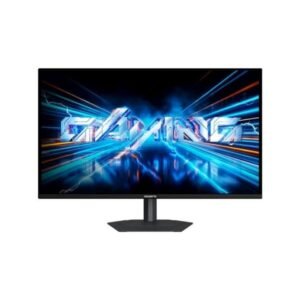
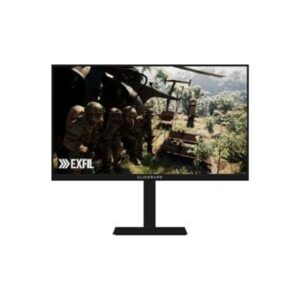
Weight is the quiet shocker in the Gigabyte GO27Q24A vs Dell Alienware AW2726DM pairing: 5.77 kg against 9 kg. Both are 26.5-inch QD-OLED monitors at 2560 x 1440, 48 to 240 Hz, 200 nits typical and 99% DCI-P3. The Alienware adds built-in speakers, a stand with 130 mm of height adjustment and pivot, and 2 x HDMI 2.1 plus DisplayPort 1.4. The Gigabyte offers 6-axis colour control, AI Black Equalizer and AI OLED Care, but no speakers, no USB and no portrait mode. The Alienware also lists a 0.03 ms GtG response, and its 2 x HDMI 2.1 and DisplayPort 1.4 match the Gigabyte's video inputs, so the choice is about desk weight and extras.
| Specification | ||
|---|---|---|
| Overview | ||
| Rating | 7.2 / 10 | 8.6 / 10 |
| Brand | Gigabyte | Dell |
| Category | Monitor | Monitor |
| Model Information | ||
| Brand | Gigabyte | Dell |
| Series | -- | Alienware |
| Model | GO27Q24A | AW2726DM |
| Full Product Name | Gigabyte GO27Q24A | Dell Alienware AW2726DM |
| Model Year | 2026 | 2026 |
| Monitor Type | Gaming Monitor | -- |
| Monitor Category | Gaming Monitor | -- |
| Market Position | Mainstream Gaming, OLED Panel | -- |
| Primary Use | Immersive & Everyday Gaming | -- |
| Region / Variant | Not specified | -- |
| Launch Status | Model year 2026 | -- |
| Available Colors | Black | Black |
| Warranty | 3 years | -- |
| Panel Warranty | 3 years | -- |
| Burn-In Warranty |
|
-- |
| Display & Panel | ||
| Screen Size | 26.5 in (inches) | 26.5-inch |
| Exact Diagonal | 673.1 mm (millimeters) / 67.31 cm (centimeters) / 26.5 in (inches) / 2.2083 ft (feet) | -- |
| Screen Format | 16:9 | -- |
| Aspect Ratio | 1.778:1 / 16:9 | 16:9 |
| Active Display Width | 590.42 mm (millimeters) / 59.042 cm (centimeters) / 23.2449 in (inches) / 1.9371 ft (feet) | -- |
| Active Display Height | 333.72 mm (millimeters) / 33.372 cm (centimeters) / 13.1386 in (inches) / 1.0949 ft (feet) | -- |
| Display Area | 90.78 % (percent) | -- |
| Panel Type? | QD-OLED | QD-OLED |
| Panel Technology | OLED |
|
| Panel Manufacturer | Samsung | -- |
| OLED Technology | QD-OLED | -- |
| Self-Emissive Display | Yes | -- |
| Quantum Dot | Yes | -- |
| 3D Support | No | -- |
| Screen Coating | Anti-glare / Matte / 3rd Gen Edge QD-OLED display / EL Gen 2 (EL 2.0) emissive material | -- |
| Resolution & Pixel Details | ||
| Native Resolution | 2560 x 1440 pixels / Quad HD (QHD) / 1440p | 2560 × 1440 (QHD) |
| Pixel Density | 110 ppi (pixels per inch) / 43 ppcm (pixels per centimeter) | 110 PPI |
| Pixel Pitch | 0.229 mm (millimeters) / 0.0229 cm (centimeters) / 0.009 in (inches) / 0.0008 ft (feet) | 0.233 mm |
| Subpixel Layout | Triangular RGB sub-pixel layout with quadrilateral-shaped sub-pixels | -- |
| Picture Quality & Color | ||
| Panel Bit Depth | 10 bits | 10-bit |
| FRC | No | -- |
| Display Colors | 1073741824 colors / 30 bits | 1.07 Billion |
| Typical Brightness | 200 cd / m² (candela per square meter) | -- |
| Peak Brightness | 400 cd / m² (candela per square meter) | -- |
| Static Contrast Ratio | 1500000 : 1 | -- |
| Horizontal Viewing Angle | 178 ° (degrees) | -- |
| Vertical Viewing Angle | 178 ° (degrees) | -- |
| HDR Support? | HDR10 | -- |
| HDR10? | Yes | -- |
| DCI-P3 Coverage | 99 % (percent) | -- |
| Refresh Rate, Response & Gaming | ||
| Native Refresh Rate | 240 Hz | -- |
| Refresh Rate Range | 48 Hz - 240 Hz (hertz) | 48Hz – 240Hz |
| Minimum Response Time | 0.03 ms (milliseconds) / 0.0000 s (seconds) | -- |
| AMD FreeSync? | Yes | -- |
| NVIDIA G-Sync? | Yes | -- |
| Black Equalizer | Yes | -- |
| Crosshair | Yes | -- |
| Picture-by-Picture | Yes | -- |
| Picture-in-Picture | Yes | -- |
| Ports & Connectivity | ||
| HDMI Ports | 2 |
|
| HDMI Version | 2.1 | HDMI 2.1 |
| DisplayPort Input | 1 | 1× DisplayPort 1.4 |
| DisplayPort Version | 1.4 | DisplayPort 1.4 |
| DisplayPort Bandwidth | HBR3 | -- |
| HDCP Support | Yes | -- |
| Audio Output | 3.5 mm | -- |
| Headphone Output | 3.5 mm Audio Out | -- |
| Audio, Camera, Network & Smart Features | ||
| Built-In Camera | No | No |
| Ergonomics & Stand | ||
| VESA Mount | Yes | 100 × 100 mm |
| VESA Size | 100 x 100 mm | 100 × 100 mm |
| Removable Stand | Yes | Yes |
| Height Adjustment | Yes | 130 mm |
| Height Range | -- | 130 mm |
| Height Adjustment Range | 130 mm (millimeters) / 13 cm (centimeters) / 5.1181 in (inches) / 0.4265 ft (feet) | -- |
| Tilt Adjustment | Yes | -- |
| Forward Tilt | 5 ° (degrees) | -- |
| Backward Tilt | 21 ° (degrees) | -- |
| Swivel Adjustment | Yes | -- |
| Left Swivel | 15 ° (degrees) | -- |
| Right Swivel | 15 ° (degrees) | -- |
| Left Pivot | 0 ° (degrees) | -- |
| Right Pivot | 90 ° (degrees) | -- |
| Portrait Mode | Yes | -- |
| Dimensions, Weight & Design | ||
| Dimensions With Stand |
|
-- |
| Dimensions Without Stand |
|
-- |
| Weight With Stand | 5.77 kg (kilograms) / 12.72 lbs (pounds) | 9 kg |
| Weight Without Stand | 4.27 kg (kilograms) / 9.41 lbs (pounds) | -- |
| Stand Depth | 196.05 mm (millimeters) / 19.605 cm (centimeters) / 7.7185 in (inches) / 0.6432 ft (feet) | -- |
| Power & Operating Conditions | ||
| Power Input | -- | 100–240V |
| 110V Input Range | 100 V - 120 V (volts) | -- |
| 220V Input Range | 220 V - 240 V (volts) | -- |
| AC Frequency | 50 Hz - 60 Hz (hertz) | 50/60Hz |
| Typical Power Consumption | -- | 25W |
| Average Power Consumption | 30 W (watts) / Power board built-in | 25W |
| Maximum Power Consumption | -- | 80W |
| Sleep Consumption | 0.5 W (watts) | 0.3W |
| Off Consumption | 0.3 W (watts) | -- |
| Eye Care, Protection & Additional Features | ||
| Flicker-Free | Yes | -- |
| Low Blue Light | Yes | -- |
| OLED Protection | Yes | -- |
| Burn-In Protection |
|
-- |
| Custom Heatsink | Yes | -- |
| Screen Split | Yes | -- |
| Additional Monitor Features |
|
-- |
| Certifications, Standards & Licenses | ||
| TÜV Low Blue Light | Yes | -- |
| RoHS | -- | Ro HS |
| CE | -- | Yes |
| FCC | -- | FCC |
| Included Accessories | ||
| DisplayPort Cable | DisplayPort cable | -- |
| Packaging Information | ||
| Package Dimensions |
|
-- |
| Package Width | 790 mm (millimeters) / 79 cm (centimeters) / 31.1024 in (inches) / 2.5919 ft (feet) | -- |
| Package Height | 470 mm (millimeters) / 47 cm (centimeters) / 18.5039 in (inches) / 1.542 ft (feet) | -- |
| Package Depth | 148 mm (millimeters) / 14.8 cm (centimeters) / 5.8268 in (inches) / 0.4856 ft (feet) | -- |
| Package Weight | 7.81 kg (kilograms) / 17.22 lbs (pounds) | -- |
The GO27Q24A suits a light, plain desk setup with 6-axis colour control and G-Sync support. The Alienware AW2726DM is better for a single-box setup, with built-in speakers, pivot and 130 mm of height travel. Stand and sound are the deciding factor, though the Dell weighs 9 kg.
- Light 5.77 kg weight eases mounting
- 6-axis colour control and AI OLED Care
- FreeSync and G-Sync both supported
- Built-in speakers for casual sound
- Stand pivots with 130 mm height adjustment
- QD-OLED at 240 Hz and 0.03 ms GtG
| Use case | Better pick | Why |
|---|---|---|
| Built-in sound | Dell Alienware AW2726DM | Speakers built in |
| Portrait setups | Dell Alienware AW2726DM | Pivot with 130 mm height |
| Light desks | GIGABYTE GO27Q24A | 5.77 kg versus 9 kg |
| Colour tuning | GIGABYTE GO27Q24A | 6-axis control, AI Black Equalizer |
| Competitive gaming | Tie | Both 240 Hz, 0.03 ms response |
Methodology: The verdict and comparison notes on this page were written and checked by an editor working from the full specification table below. Conclusions are based on manufacturer-listed specifications only - no benchmark testing, measured brightness or hands-on use is claimed unless stated. Missing values are left blank rather than estimated. Report an error.
Updated: October 2026