🖥 Monitor Comparison

Dell SE2425HM vs Dell SE2426H

🏆 Best Overall
🖥 Full HD💡 IPS⚡ 100Hz
Dell Dell SE2425HM

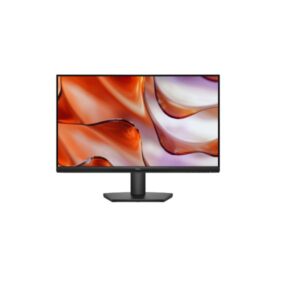
Dell SE2425HM

3.6 /5 ★★★★
24-inchSize Class
IPSPanel Type
1920 x 1080Resolution
92 PPIPixel Density
🎮 Best for Gaming
🖥 Full HD💡 IPS⚡ 144Hz
Dell Dell SE2426H

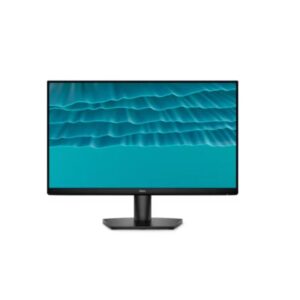
Dell SE2426H

3.3 /5 ★★★
24-inchSize Class
IPSPanel Type
1920 × 1080 (FResolution
92 PPIPixel Density
🖥 Monitor Overview

The clearest split between the Dell SE2425HM and the Dell SE2426H is refresh rate. Dell SE2426H runs at 144Hz versus 100Hz on the Dell SE2425HM. That gap is meaningful in fast-paced games — enemies move more smoothly, tracking feels more responsive, and the transition from 60fps to higher frame rates is clearly visible. For everyday desktop use and productivity, both feel identically fluid.

🎯 Who Should Buy Which?
Dell SE2425HM
Dell SE2425HM
🏆 Best Overall

Buy the Dell SE2425HM if you need Full HD (1080p resolution — sharp everyday display).

  • IPS panel — wide 178°/178° viewing angles with accurate, consistent color reproduction
  • Anti-glare matte coating — effective reflections control for comfortable all-day use
  • Full HD (1920 x 1080) at 92 PP — sharp, clear image for everyday work and entertainment
Skip it if: blacks look grey in dark viewing environments vs VA/OLED
Dell SE2426H
Dell SE2426H
💼 Productivity Pick

Buy the Dell SE2426H if you need Full HD (1080p resolution — sharp everyday display).

  • Ergonomics — No height adjustment height, pivot — adjustable for any desk setup
  • 300 cd/m² — brightness — better visibility in bright office environments
Skip it if: no height adjustment, pivot, or swivel
⚡ Quick Answer -- Who Wins Each Category?
🎮 Best for Gaming Dell SE2426H 144Hz -- smooth competitive gaming · 4ms GtG response · VRR AMD FreeSync
💼 Best for Productivity Dell SE2426H FHD -- fine for everyday tasks · 92 PPI
🖼 Best Display Quality Dell SE2425HM IPS -- accurate colour, wide angles · -
⚡ Best Motion Clarity Dell SE2425HM 5 ms (GtG) response
🔌 Best Connectivity Dell SE2425HM Strongest port selection
Score Summary 16 spec groups analysed
DisplayDell SE2425HM
GamingDell SE2426H
OfficeDell SE2426H
ValueDell SE2426H
Size Class23.8-inch vs 23.8-inch
Panel TypeIPS vs IPS
🏆
Overall WinnerDell SE2426H
⭐ 3.3/5 Dell View Specs →
🔑 Key Differences
Dell SE2425HM
  • Dell SE2425HM -- Refresh Rate: 100Hz (max) -- lower max Hz -- less fluid gameplay
  • Dell SE2425HM -- Response Time: 5 ms (GtG) -- slower GtG response -- more visible blur in fast scenes
  • Dell SE2425HM -- Brightness (Typical): 250 cd/m² -- ⚠️ lower typical brightness -- HDR scenes still benefit from panel contrast, but bright-room visibility is reduced versus higher-nit alternatives
  • Dell SE2425HM -- Adaptive Sync: -
Dell SE2426H
  • Dell SE2426H -- Refresh Rate: 144Hz (max) -- higher max Hz -- smoother motion, competitive advantage
  • Dell SE2426H -- Response Time: 4 ms (GtG) / 1 ms (MPRT) -- faster GtG response -- sharper motion, less ghosting
  • Dell SE2426H -- Brightness (Typical): 300 cd/m² -- brighter -- better HDR impact and bright-room visibility
  • Dell SE2426H -- Adaptive Sync: AMD FreeSync -- broader VRR support
🏆 Best For
🎮 Best for Gaming Dell SE2426H ⚡ 144Hz · 4ms GtG response · VRR: AMD FreeSync
💼 Best for Office Dell SE2426H 🔬 92 PPI
🎨 Best for Design Dell SE2425HM 🖌 IPS
🎬 Best for Movies Dell SE2426H 📺 -
💰 Best Value Dell SE2426H 🏅 Best price-to-perf
⚡ Pros & Cons
Dell SE2425HM ★★★★ 3.6/5
Pros
  • IPS panel — wide 178°/178° viewing angles with accurate, consistent color reproduction
  • Anti-glare matte coating — effective reflections control for comfortable all-day use
  • Full HD (1920 x 1080) at 92 PPI — sharp, clear image for everyday work and entertainment
  • 100Hz refresh rate — standard rate suitable for productivity and media consumption
  • 5.0 ms (GtG) — clean pixel transitions for everyday content and media
  • 250 cd/m² brightness — adequate luminance for typical indoor lighting conditions
  • Calibrated color display with 72% NTSC coverage
  • Flicker-free backlight technology — reduces eye fatigue during extended use sessions
  • 8-bit color panel — accurate standard-gamut color for everyday content consumption
  • VESA 100×100 mm compatible — works with monitor arms and aftermarket mounting solutions
Cons
  • IPS contrast ratio (1000 : 1) — blacks look grey in dark viewing environments vs VA/OLED
  • Full HD only — limits sharpness for detailed productivity work at this screen size
  • Tilt-only stand — no height, swivel or portrait pivot adjustment available
  • No USB-C or Thunderbolt — cannot connect modern laptops with single-cable convenience
  • No integrated speakers — an external audio solution (speakers or headphones) is required
  • 1000:1 static contrast — noticeably limited compared to VA (3000:1) or OLED panels
  • No HDR certification — standard dynamic range only; HDR content will be tone-mapped
  • 100Hz max refresh — not competitive for fast-paced gaming; limits motion smoothness
  • No built-in Ethernet — network hub functionality absent; separate adapter required
  • No DisplayPort — HDMI-only video; may limit resolution/refresh on older GPU outputs
Dell SE2426H ★★★ 3.3/5
Pros
  • 144Hz refresh rate + AMD FreeSync + 1ms MPRT
  • Very low power (13.3W avg, 28W max)
  • Lightweight (2.76 kg without stand)
  • Low annual energy consumption (45 kWh)
  • Affordable entry gaming monitor
Cons
  • No height adjustment, pivot, or swivel — ergonomic positioning is limited to tilt only
  • Only 2×HDMI 1.4 (no DisplayPort) — verify whether this affects your specific use case before purchase
  • No USB hub — verify whether this affects your specific use case before purchase
  • NTSC 72% color gamut — verify whether this affects your specific use case before purchase
  • Full HD only — verify whether this affects your specific use case before purchase
🎯 Use Case Analysis
🎮
Gaming Performance

Dell SE2426H at 144Hz versus 100Hz -- 44Hz more smoothness for fast-paced games. Gaming-ready.

🏆 Dell SE2426H
💼
Office & Productivity

Both displays share FHD resolution, so sharpness is equal. Dell SE2426H wins on ergonomics -- better stand adjustability for all-day comfort.

🏆 Dell SE2426H
🎨
Colour & Design Work

Colour accuracy depends on gamut coverage -- see the specification table for DCI-P3 and sRGB figures. Wide-gamut panels benefit photo editors and video colourists working in HDR workflows. Neither includes a factory calibration cert — colour-critical work may require professional calibration post-purchase.

🏆 Dell SE2425HM
🎬
Multimedia & HDR

Both displays carry - HDR certification. HDR quality beyond the cert depends on peak brightness and local dimming implementation.

🏆 Dell SE2425HM
📊 Full Specification Comparison
Specification
Overview
Rating
7.2/10★★★★
6.6/10★★★
Brand Dell Dell
Category Monitor Monitor
Basic Information
Brand Dell Dell
Model SE2425HM SE2426H
Series - SE
Model Alias - -
Model Year 2025 2026
Display
Size Class 23.8-inch 23.8-inch
💡Panel Type ? IPS IPS
Curvature -- --
🖥️Resolution 1920 x 1080 1920 × 1080 (Full HD)
Aspect Ratio 16:9 16:9
🔬Pixel Density 92 PPI 92 PPI
Pixel Pitch 0.275 mm (millimeters) 0.275 mm
Display Area 89.49 % (percent) 89.47%
Color & HDR
Color Depth 8 bits 8-bit
Colors 16777216 colors 16.7 Million
sRGB - -
DCI-P3 Coverage - -
HDR Support ? - -
Brightness & Contrast
☀️Brightness (Typical) 250 cd/m² 300 cd/m²
☀️Peak Brightness - -
🌗Contrast 1000 : 1 1,000:1
Performance
🎮Refresh Rate 50 Hz - 100 Hz 48Hz – 144Hz
Response Time 5 ms (GtG) 4 ms (GtG) / 1 ms (MPRT)
Adaptive Sync ? - AMD FreeSync
Display Technologies
Advanced Display Technologies Panel Technology: -
Backlight: W-LED
Viewing Angles: 178° / 178° (Horizontal / Vertical)
MPRT Response: -
Dynamic Contrast: -
Input Lag: -
Screen Coating: Anti-glare/Matte (3H)
IPS panel with wide 178°/178° viewing angles
W-LED backlight
72% NTSC color coverage
144Hz refresh rate + 1ms MPRT
Anti-glare/Matte (3H) coating
Flicker-free technology
Low Blue Light
Camera
Camera No No
Audio
🔊Audio - -
Connectivity & Ports
Ports 1 x HDMI 1.4
1 x D-sub
High-bandwidth Digital Content Protection (HDCP) 1.4
2 × HDMI 1.4
HDCP 1.4
Wireless - -
Ergonomics
VESA Mount 100 x 100 mm 100 × 100 mm
Height Adjustment No No height adjustment
Pivot No No pivot
Swivel No No swivel
Tilt -5° to +21° -5° to +21°
Removable Stand Yes Yes
Gaming Features
Gaming Features - AMD FreeSync
144Hz refresh rate
1ms MPRT
Smart & Software Features
Operating System - -
Smart Features Flicker-free technology
Low Blue Light
AMD FreeSync technology
Dell Display Manager with Easy Arrange
Flicker-free technology
Low Blue Light
Power Consumption
Voltage 100–240V 100–240V
Frequency 50/60Hz 50/60Hz
Average Consumption 14.3W 13.3W
Maximum Consumption 28.5W 28W
Standby 0.3W 0.3W
Certificates
Certificates ENERGY STAR 8.0
EPEAT
RoHS
TCO Certified
TÜV Rheinland Eye Comfort - 3 star
TÜV Rheinland Flicker Free Certified
TÜV Rheinland Low Blue Light Certified
ENERGY STAR 8.0
EPEAT
RoHS
TCO Certified
TÜV Rheinland Eye Comfort - 3 star
TÜV Rheinland Flicker Free Certified
TÜV Rheinland Low Blue Light Certified
Design, Build & Dimensions
Without Stand Width 538.73 mm 538.64 mm
Without Stand Height 324.1 mm 412.26 mm
Without Stand Depth 47.75 mm 178.81 mm
⚖️Without Stand Weight 2.8 kg 3.37 kg
With Stand Width 538.73 mm 538.64 mm
With Stand Height 412.24 mm 324.21 mm
With Stand Depth 178.82 mm 47.7 mm
⚖️With Stand Weight 3.47 kg 2.76 kg
Color Black Black
Operating Conditions
Temperature 0°C – 40°C 0°C – 40°C
Humidity 10% – 80% 10% – 80%
🖥 Display Quality Analysis 🏆 Dell SE2425HM

Both displays use IPS panel technology, so panel-level contrast and viewing angles are comparable. The differences come down to calibration, brightness, and HDR tier.

Dell SE2425HM
IPS
1,000:1 contrast
Dell SE2426H
IPS
1,000:1 contrast
Display winner: Dell SE2425HM -- IPS panel · -
🎮 Gaming Performance Analysis 🏆 Dell SE2426H

Refresh rate is the headline gaming spec. Dell SE2426H runs at 144Hz versus 100Hz on Dell SE2425HM -- a 44Hz gap. 144Hz is the entry point for serious gaming. The Dell SE2426H reaches this threshold; the Dell SE2425HM at 100Hz is adequate for casual gaming but not competitive play.On response time: Dell SE2425HM (5 ms (GtG)) versus Dell SE2426H (4 ms (GtG) / 1 ms (MPRT)). VRR (Variable Refresh Rate) eliminates screen tearing by syncing the monitor to your GPU's frame output. Both monitors support adaptive sync: Dell SE2425HM with -, and Dell SE2426H with AMD FreeSync.

Dell SE2425HM
100Hz
5ms GtG · VRR: -
Dell SE2426H
144Hz
4ms GtG · 1ms MPRT · VRR: AMD FreeSync
Gaming pick: Dell SE2426H -- 144Hz · 4ms GtG response · AMD FreeSync
🌟 HDR & OLED Analysis

HDR certification not disclosed for either display. Assume SDR-only output unless confirmed by the manufacturer.

Dell SE2425HM
HDR certification not disclosed
1,000:1 · IPS
Dell SE2426H
HDR certification not disclosed
1,000:1 · IPS
💼 Productivity Analysis 🏆 Dell SE2426H

Both monitors share FHD resolution at 92 PPI, so text sharpness and screen real estate are equivalent. Dell SE2426H has a more adjustable stand (height, pivot) -- important for reducing neck and eye strain during long work sessions. Dell SE2425HM offers more limited positioning.

Dell SE2425HM
Resolution
1920 x 1080
Pixel Density
92 PPI
Panel Type
IPS
Screen Coating
--
Viewing Angle
--
Aspect Ratio
--
Colour Depth
--
sRGB
-
DCI-P3
-
Brightness
250 cd/m²
Eye Care / Certs
Not specified
Stand Adjust
Pivot, Height (No)
VESA Mount
Not specified
USB-C
✗ No USB-C
USB Hub
--
KVM Switch
--
Refresh Rate
50 Hz - 100 Hz
Screen Size
23.8-inch
Productivity Score
50% of max score
Score based on: USB-C PD (20%), Resolution/PPI (20%), KVM (15%), Ergonomic range (15%), Ethernet (10%), Webcam (10%), sRGB accuracy (10%)
Dell SE2426H 🏆
Resolution
1920 × 1080 (Full HD)
Pixel Density
92 PPI
Panel Type
IPS
Screen Coating
--
Viewing Angle
--
Aspect Ratio
--
Colour Depth
--
sRGB
-
DCI-P3
-
Brightness
300 cd/m²
Eye Care / Certs
Not specified
Stand Adjust
Height, Pivot
VESA Mount
Not specified
USB-C
✗ No USB-C
USB Hub
--
KVM Switch
--
Refresh Rate
48Hz – 144Hz
Screen Size
23.8-inch
Productivity Score
100% of max score
Score based on: USB-C PD (20%), Resolution/PPI (20%), KVM (15%), Ergonomic range (15%), Ethernet (10%), Webcam (10%), sRGB accuracy (10%)
🎯 GPU Requirements

Both monitors share FHD (1080p) resolution, but refresh rate targets differ. Pushing Dell SE2426H to 144Hz requires more GPU headroom than 100Hz. Mid-range and budget GPU tiers below reflect the lower 100Hz target; top-tier GPUs unlock the full 144Hz potential.

🖥 Dell SE2425HM
FHD (1080p) 100Hz -
🖥 Dell SE2426H
FHD (1080p) 144Hz AMD FreeSync
🖥
Dell SE2425HM
FHD (1080p) 100Hz -
🏆 Top-Tier Top-Tier -- Max Settings, 100Hz+ Guaranteed FHD 100Hz
NVIDIA GeForce RTX 5060 Ti / RTX 4070
Overkill for 1080p 100Hz -- max settings guaranteed.
AMD Radeon RX 9060 XT / RX 7800 XT
More than enough for 1080p at this refresh rate.
⭐ Mid-Tier · Sweet Spot Mid-Tier -- Up to 100Hz FHD 100–100Hz
NVIDIA GeForce RTX 5060 / RTX 4060
Best value for FHD 100Hz -- max settings with DLSS.
AMD Radeon RX 7600 XT / RX 7600
Excellent budget 1080p pick -- solid frame rates at high settings.
💰 Budget-Tier Budget-Tier -- Medium-High Settings FHD 60–100Hz
NVIDIA GeForce RTX 3060 / GTX 1660 Super
Handles 1080p -- demanding titles may need settings reduction.
AMD Radeon RX 7500 XT / RX 6600
Entry-level 1080p gaming -- good for esports at full refresh.
🖥
Dell SE2426H
FHD (1080p) 144Hz AMD FreeSync
🏆 Top-Tier Top-Tier -- Max Settings, 144Hz+ Guaranteed FHD 144Hz
NVIDIA GeForce RTX 5060 Ti / RTX 4070
Overkill for 1080p 144Hz -- max settings guaranteed.
AMD Radeon RX 9060 XT / RX 7800 XT
More than enough for 1080p at this refresh rate.
⭐ Mid-Tier · Sweet Spot Mid-Tier -- Up to 144Hz FHD 100–144Hz
NVIDIA GeForce RTX 5060 / RTX 4060
Best value for FHD 144Hz -- max settings with DLSS.
AMD Radeon RX 7600 XT / RX 7600
Excellent budget 1080p pick -- solid frame rates at high settings.
💰 Budget-Tier Budget-Tier -- Medium-High Settings FHD 60–144Hz
NVIDIA GeForce RTX 3060 / GTX 1660 Super
Handles 1080p -- demanding titles may need settings reduction.
AMD Radeon RX 7500 XT / RX 6600
Entry-level 1080p gaming -- good for esports at full refresh.
💡 Refresh Rate & Ports: To reach the maximum 144Hz refresh rate on Dell SE2426H, use DisplayPort -- HDMI 2.0 caps at 4K/60Hz and HDMI 2.1 caps at 4K/144Hz for most implementations. Verify your GPU has a DisplayPort output.
💡 DLSS 4 / FSR 4: Modern upscaling significantly reduces GPU load while maintaining visual quality. NVIDIA RTX 50-series cards support DLSS 4 Multi-Frame Generation; AMD RX 9000-series support FSR 4. Both can effectively double or triple frame rates in supported titles at the cost of minor image softening.
🔌 Connectivity & Features 🏆 Dell SE2425HM

Both monitors offer comparable connectivity.

Dell SE2425HM
HDMI
Connectivity score: 1/10
Dell SE2426H
HDMI
Connectivity score: 1/10

Connectivity score methodology: USB-C Power Delivery (2 pts) · USB hub ports (2 pts) · Ethernet (1 pt) · HDMI 2.1 (1 pt) · KVM switch (2 pts) · Thunderbolt (2 pts). Higher score = more complete connectivity package. Ties broken in favour of USB-C power delivery.

💺 Design & Ergonomics 🏆 Dell SE2426H

For all-day use, stand flexibility matters as much as panel quality. Dell SE2426H offers more ergonomic adjustment options, letting you position the screen to reduce neck and shoulder strain. Height adjustment is the most important feature -- it lets you align the screen to eye level without using books or risers. Pivot rotation allows portrait mode, useful for coding or reading long documents. The Dell SE2425HM offers more limited stand adjustment -- a monitor arm can compensate if ergonomics are a priority.

Dell SE2425HM
Basic / VESA
Ergo score: 0/8
Dell SE2426H
Height, Pivot
Ergo score: 5/8
🏆 Final Verdict 2 monitors compared
🎮 Gaming
Dell SE2426H
144Hz · VRR AMD FreeSync · 4ms GtG
🖥 Display Quality
Dell SE2425HM
IPS, -
💼 Office & Work
Dell SE2426H
FHD · full ergonomic stand
🏆
Overall Winner Dell SE2426H 3.3/5 editorial rating · wins 5 of 8 use-case categories 🏆 Best Overall Pick
View Full Specs →

Dell SE2425HM vs Dell SE2426H: What Actually Matters

The headline difference is refresh rate: Dell SE2425HM runs at 50Hz versus 48Hz on Dell SE2426H. That gap matters most in competitive gaming where consistent frame delivery reduces perceived input lag. For everyday desktop use, movies, and productivity work, both feel comparably fluid.

If we had to pick one for most people, the Dell SE2426H earns the recommendation on overall specification strength and a 3.3/5 composite score. That said, the right answer genuinely depends on your GPU, your use case split between gaming and productivity, and whether you spend time in a bright or dark room.

Strengths Worth Knowing

The Dell SE2425HM stands out for ips panel — wide 178°/178° viewing angles with accurate, consistent color reproduction and anti-glare matte coating — effective reflections control for comfortable all-day use. The main compromise: ips contrast ratio (1000 : 1) — blacks look grey in dark viewing environments vs va/oled.

The Dell SE2426H stands out for 144hz refresh rate + amd freesync + 1ms mprt and very low power (13.3w avg, 28w max). The main compromise: no height adjustment, pivot, or swivel.

❓ Frequently Asked Questions

For gaming, the Dell SE2426H has the edge thanks to its 144Hz maximum refresh rate. Higher refresh rates produce smoother motion and reduce perceived input lag -- critical advantages in competitive shooters and action titles. If both share the same Hz, compare response time in the spec table above.

Both the Dell SE2425HM and Dell SE2426H use IPS -- the differences lie in calibration, colour volume, and connectivity rather than panel technology. Check the spec table for DCI-P3 coverage and brightness figures.

For all-day productivity work -- documents, spreadsheets, coding, and content creation -- resolution and panel colour accuracy matter most. The Dell SE2426H is the stronger daily driver based on overall specification score. For long hours, also look for a model with flicker-free backlight and low blue-light mode -- check the spec table above for those details.

The Dell SE2426H is the stronger all-round choice based on its overall score of 3.3/5. That said, if your priority is specifically competitive gaming at the highest possible refresh rate, see the Quick Answer section at the top of this page for use-case-specific recommendations. The Dell SE2425HM is not a bad choice -- it simply trails on overall specification weight, which may not reflect the single spec most important to your setup.

IPS (In-Plane Switching) panels are the most common in quality monitors -- they offer wide viewing angles and accurate colour reproduction, making them ideal for design work, general use, and brightly lit rooms. VA (Vertical Alignment) panels have a higher native contrast ratio, producing deeper blacks, which benefits dark-room gaming and movie watching. OLED panels work differently: each pixel emits its own light, enabling true blacks, near-infinite contrast, and perfect viewing angles -- at the cost of higher price and some burn-in risk with static content.

For non-gaming use -- web browsing, documents, video calls -- 60Hz to 75Hz is completely adequate and you will not feel the difference from a 144Hz or 240Hz panel. Where higher refresh rates genuinely improve the experience beyond gaming is in cursor smoothness during scrolling and desktop navigation, which some users appreciate. In short: the step from 60Hz to 75Hz has minimal benefit; the step from 60Hz to 144Hz is noticeable but not essential for productivity.

🖥
Editorial Display Input -- Monitor & TV Comparison Database Specifications verified from manufacturer data · Updated May 2026 · No sponsored rankings
✓ Verified Specs ✓ No Paid Placements ✓ 16 Spec Groups

Disclaimer: You can write your own disclaimer from APS Settings -> General -> Disclaimer Note.