
GIGABYTE G27Q26 vs ASUS PA278QGV Comparison
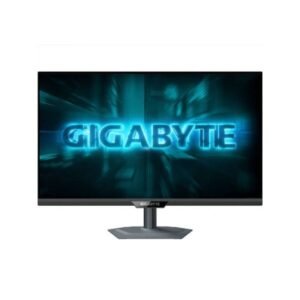
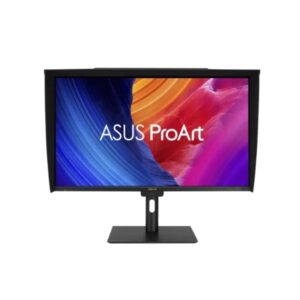
The GIGABYTE G27Q26 is the better choice for gaming, with its 275Hz refresh rate, 1ms response time, HDMI 2.1, FreeSync and G-Sync support. The ASUS ProArt PA278QGV is designed more for creators, offering factory calibration, gamma and color adjustments, four USB-A ports and a wider professional feature set. For image quality, both are 27-inch QHD IPS monitors, but GIGABYTE has higher listed peak brightness while ASUS has the slightly higher static contrast ratio and factory calibration. Choose the G27Q26 for gaming, while the PA278QGV is the better fit for design and color-focused work.
The G27Q26 is far ahead for gaming, with a 275Hz native refresh rate, 48–275Hz range and 1ms response time. It also supports AMD FreeSync, NVIDIA G-Sync, Black Equalizer and Crosshair. The PA278QGV is limited to 100Hz with a 5ms response time, making it much more suited to general desktop and creative work than competitive gaming.
Both monitors use 27-inch 2560 × 1440 IPS panels at 109 PPI. The G27Q26 has higher listed peak brightness at 500 cd/m² and 125% sRGB coverage, while the PA278QGV reaches 350 cd/m² and 100% sRGB. ASUS counters with factory calibration plus gamma and color adjustment controls, which are valuable for color-sensitive creative workflows.
GIGABYTE offers two HDMI 2.1 ports, DisplayPort 1.4 and Display Stream Compression, giving it the stronger gaming-oriented connection setup. ASUS provides one HDMI 2.0 port, one DisplayPort 1.4 and four USB-A ports, so the ProArt model is more useful as a productivity hub even though its display connections are less gaming-focused.
The ASUS PA278QGV is built specifically around content creation, with ProArt presets, ProArt Palette, AsusDisplay Widget Center, color-temperature selection and factory calibration. It also includes built-in 2 × 2W speakers. The G27Q26 instead focuses on gaming features such as Black Equalizer, Crosshair, Tactical Switch 2.0 and four-sided heat dissipation
| Specification | ||
|---|---|---|
| Overview | ||
| Rating | 7.8 / 10 | 7.8 / 10 |
| Brand | Gigabyte | Asus |
| Category | Monitor | Monitor |
| Model Information | ||
| Brand | Gigabyte | ASUS |
| Series | -- | Pro Art |
| Model | G27Q26 | PA278QGV |
| Model Alias | -- | PA278QV Gen2 |
| Full Product Name | Gigabyte G27Q26 | ASUS Pro Art PA278QGV |
| Model Year | 2026 | 2025 |
| Monitor Type | Gaming Monitor | Professional / Creator Monitor |
| Monitor Category | Gaming Monitor | -- |
| Market Position | Mainstream Gaming | Professional / Creator |
| Primary Use | Everyday & Competitive Gaming | Content Creation, Design & Color-Critical Work |
| Region / Variant | Not specified | -- |
| Launch Status | Model year 2026 | 2025 |
| Available Colors | Black | Black |
| Warranty | 3 years | 3 years (36 months) standard limited warranty from date of purchase |
| Burn-In Warranty | Not applicable (non-OLED panel) | Not applicable (non-OLED panel) |
| Display & Panel | ||
| Screen Size | 27 in (inches) | 27 in |
| Exact Diagonal | 684.667 mm (millimeters) / 68.4667 cm (centimeters) / 26.9554 in (inches) / 2.2463 ft (feet) | 685.8 mm (27.00 in) |
| Screen Format | 16:9 | -- |
| Aspect Ratio | 1.778:1 / 16:9 | 16:9 |
| Active Display Width | 596.736 mm (millimeters) / 59.6736 cm (centimeters) / 23.4935 in (inches) / 1.9578 ft (feet) | 596.736 mm (23.49 in) |
| Active Display Height | 335.664 mm (millimeters) / 33.5664 cm (centimeters) / 13.2151 in (inches) / 1.1013 ft (feet) | 335.664 mm (13.22 in) |
| Display Area | 89.19 % (percent) | 90.16 % |
| Panel Type? | IPS | IPS |
| Panel Technology | IPS | -- |
| Backlight Type? | Edge LED | W-LED |
| 3D Support | No | No |
| Screen Coating | Anti-glare/Matte | -- |
| Resolution & Pixel Details | ||
| Native Resolution | 2560 x 1440 pixels / Quad HD (QHD) / 1440p | 2560 x 1440 pixels / Quad HD (QHD) / 1440p |
| Pixel Density | 109 ppi (pixels per inch) / 42 ppcm (pixels per centimeter) | 109 ppi / 42 ppcm |
| Pixel Pitch | 0.233 mm (millimeters) / 0.0233 cm (centimeters) / 0.0092 in (inches) / 0.0008 ft (feet) | 0.233 mm (0.01 in) |
| Picture Quality & Color | ||
| Panel Bit Depth | 10 bits (8 bits + FRC) | 10 bits |
| FRC | Yes | -- |
| Display Colors | 1073741824 colors / 30 bits | 1073741824 colors / 30 bits |
| Typical Brightness | 400 cd/m² (candela per square meter) | 350 cd/m² |
| Peak Brightness | 500 cd/m² (candela per square meter) | 350 cd/m² |
| Static Contrast Ratio | 1300 : 1 | 1500 : 1 |
| Dynamic Contrast Ratio | -- | 100000000 : 1 |
| Horizontal Viewing Angle | 178 ° (degrees) | 178 ° |
| Vertical Viewing Angle | 178 ° (degrees) | 178 ° |
| HDR Support? | HDR10 | HDR10 |
| HDR10? | Yes | Yes |
| sRGB Coverage | 125 % (percent) | 100 % |
| DCI-P3 Coverage | 95 % (percent) | 95 % |
| Factory Calibration | -- | Yes |
| Gamma Adjustment | -- | Yes |
| Color Adjustment | -- | Yes |
| Refresh Rate, Response & Gaming | ||
| Native Refresh Rate | 275 Hz | 100 Hz |
| Refresh Rate Range | 48 Hz - 275 Hz (hertz) / Native - 260 Hz / Overclock - 275 Hz | 48 Hz - 120 Hz |
| Minimum Response Time | 1 ms (milliseconds) / 0.0010 s (seconds) | 5 ms |
| Adaptive-Sync? | -- | Yes |
| AMD FreeSync? | Yes | -- |
| NVIDIA G-Sync? | Yes | -- |
| Black Equalizer | Yes | -- |
| Crosshair | Yes | -- |
| Picture-by-Picture | Yes | Yes |
| Picture-in-Picture | Yes | Yes |
| Ports & Connectivity | ||
| HDMI Ports | 2 | 1 |
| HDMI Version | 2.1 | 2.0 |
| HDMI Bandwidth | 30 k Hz - 470 k Hz (kilohertz) | 30 k Hz - 185 k Hz |
| DisplayPort Input | 1 | 1 |
| DisplayPort Version | 1.4 | 1.4 |
| Display Stream Compression | Yes | -- |
| HDCP Support | -- | Yes |
| USB-A Ports | -- | 4 |
| Audio Output | 3.5 mm | 3.5 mm |
| Headphone Output | 3.5 mm Audio Out | 3.5 mm Audio Out |
| Audio, Camera, Network & Smart Features | ||
| Built-In Speakers | -- | 2 x 2 W |
| Built-In Camera | No | No |
| Ergonomics & Stand | ||
| VESA Mount | Yes | Yes |
| VESA Size | 100 x 100 mm | 100 x 100 mm |
| Removable Stand | Yes | Yes |
| Height Adjustment | Yes | Yes |
| Height Adjustment Range | 130 mm (millimeters) / 13 cm (centimeters) / 5.1181 in (inches) / 0.4265 ft (feet) | 130 mm (5.12 in) |
| Tilt Adjustment | Yes | Yes |
| Forward Tilt | 5 ° (degrees) | 5 ° |
| Backward Tilt | 20 ° (degrees) | 23 ° |
| Swivel Adjustment | Yes | Yes |
| Left Swivel | 160 ° (degrees) | 30 ° |
| Right Swivel | 160 ° (degrees) | 30 ° |
| Left Pivot | 90 ° (degrees) | 90 ° |
| Right Pivot | 90 ° (degrees) | 90 ° |
| Portrait Mode | Yes | Yes |
| Security Lock | Yes | Yes |
| Anti-Theft Lock | Kensington Lock | Kensington Lock |
| Dimensions, Weight & Design | ||
| Dimensions With Stand | 614.1 mm (millimeters) x 367.1 mm (millimeters) x 196 mm (millimeters) (W x H x D) | 612.2 mm x 406.1 mm x 190.4 mm (W x H x D) |
| Dimensions Without Stand | 614.1 mm (millimeters) x 365.7 mm (millimeters) x 60 mm (millimeters) (W x H x D) | 612.2 mm x 362.9 mm x 46.9 mm (W x H x D) |
| Weight With Stand | 5.8 kg (kilograms) / 12.79 lbs (pounds) | 6.4 kg (14.11 lbs) |
| Weight Without Stand | 4.3 kg (kilograms) / 9.48 lbs (pounds) | 4.7 kg (10.36 lbs) |
| Stand Depth | 196 mm (millimeters) / 19.6 cm (centimeters) / 7.7165 in (inches) / 0.643 ft (feet) | 190.4 mm (7.50 in) |
| RGB Lighting | -- | Yes |
| Power & Operating Conditions | ||
| Power Input | -- | 100–240V |
| 110V Input Range | 100 V - 120 V (volts) | 100 V - 120 V |
| 220V Input Range | 220 V - 240 V (volts) | 220 V - 240 V |
| AC Frequency | 50 Hz - 60 Hz (hertz) | 50 Hz - 60 Hz |
| Average Power Consumption | 27 W (watts) / Power board built-in | 16.9 W |
| Sleep Consumption | 0.5 W (watts) | 0.5 W |
| Off Consumption | 0.3 W (watts) | -- |
| Eye Care, Protection & Additional Features | ||
| Flicker-Free | Yes | Yes |
| Low Blue Light | Yes | Yes |
| Ambient Light Sensor | -- | Yes |
| Desktop Control Software | -- | Yes |
| Monitor Management Software | -- | Yes |
| Screen Split | Yes | Yes |
| Multiple HDR Modes? | -- | Yes |
| Anti-Theft Slot | Yes (Kensington lock slot) | Yes (Kensington lock slot) |
| Additional Monitor Features | AMDFreeSync Premium, Black Equalizer, Customized ODFlicker-free technologyFour-sided heat dissipationGame Assist (Crosshair / Timer)HDR ReadyLow Blue Light, NVIDIA G-Sync CompatiblePicture-by-PicturePicture-in-PictureSmart ODSuper Speed IPSTactical Switch 2.0; Anti-theft stand lock slot - Kensington |
AsusDisplay Widget Center; Asus Light Sync with Ambient Light Sensor; AsusPro Art Presets (9 modes); AsusPro Art Palette; Asus Power SyncCal MAN Verified; Color Temperature Selection (6 modes); Factory calibrated to △E |
| Certifications, Standards & Licenses | ||
| Energy Star | -- | Yes |
| EPEAT | -- | Yes |
| TCO Certified | -- | Yes |
| TÜV Flicker-Free | Yes | Yes |
| TÜV Low Blue Light | Yes | Yes |
| RoHS | -- | Yes |
| Included Accessories | ||
| HDMI Cable | -- | HDMI cable |
| DisplayPort Cable | DisplayPort cable | DisplayPort cable |
| USB Upstream Cable | -- | USB Type-B to Type-A cable |
| Packaging Information | ||
| Package Dimensions | 888 mm (millimeters) x 493 mm (millimeters) x 123 mm (millimeters) (W x H x D) | 691 mm x 427 mm x 140 mm (W x H x D) |
| Package Width | 888 mm (millimeters) / 88.8 cm (centimeters) / 34.9606 in (inches) / 2.9134 ft (feet) | 691 mm (27.20 in) |
| Package Height | 493 mm (millimeters) / 49.3 cm (centimeters) / 19.4094 in (inches) / 1.6175 ft (feet) | 427 mm (16.81 in) |
| Package Depth | 123 mm (millimeters) / 12.3 cm (centimeters) / 4.8425 in (inches) / 0.4035 ft (feet) | 140 mm (5.51 in) |
| Package Weight | 7.7 kg (kilograms) / 16.98 lbs (pounds) | 9.3 kg (20.5 lbs) |
Methodology: The verdict and comparison notes on this page are written by an editor after reviewing the full specification table below; they are not generated by an automated scoring formula. Conclusions are based on manufacturer-listed specifications only - no benchmark testing, measured brightness or hands-on use is claimed unless stated. Missing values are left blank rather than estimated. Report an error.
Updated: September 2026
Frequently Asked Questions
The GIGABYTE G27Q26 is clearly better for gaming because it offers 275Hz, 1ms response time, FreeSync, G-Sync, Black Equalizer and Crosshair support.
Yes. The PA278QGV is designed as a professional creator monitor and includes factory calibration, gamma adjustment, color adjustment and multiple ProArt color-management features.
The G27Q26 has the higher listed peak brightness at 500 cd/m², compared with 350 cd/m² on the PA278QGV.
Yes. The G27Q26 has two HDMI 2.1 ports, while the PA278QGV has one HDMI 2.0 port.
The ASUS PA278QGV has four USB-A ports, compared with no listed USB-A ports on the G27Q26, making ASUS more convenient for peripherals and a creator-focused workstation.