
GIGABYTE G27Q3 vs MSI MAG 275QPF E21 Comparison
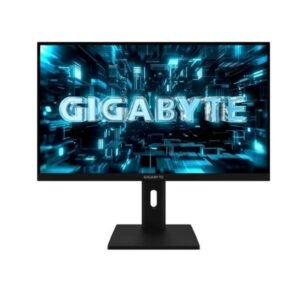
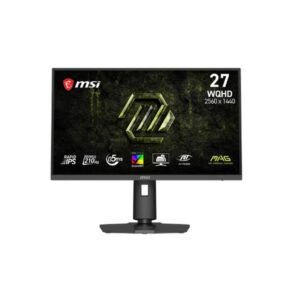
The MSI MAG 275QPF E21 is the better choice for high-refresh gaming, offering a 210Hz refresh rate compared with 144Hz on the GIGABYTE G27Q3, along with Adaptive-Sync, AI gaming features and Console Mode. The GIGABYTE G27Q3 is stronger for picture quality, with 140% sRGB, 98% DCI-P3, slightly higher static contrast and HDR10 support, while also offering FreeSync and G-Sync compatibility. Both are 27-inch QHD IPS monitors with 300 cd/m² typical brightness and 1ms-class response performance. For competitive gaming, choose the MSI MAG 275QPF E21; for wider color coverage and balanced everyday use, the G27Q3 is the better fit.
The MSI MAG 275QPF E21 has a clear refresh-rate advantage at 210Hz, compared with 144Hz on the G27Q3. MSI also lists Adaptive-Sync, AI Gaming Features and Console Mode, while both monitors support FreeSync, Crosshair, Picture-by-Picture and Picture-in-Picture. GIGABYTE adds NVIDIA G-Sync compatibility, giving it an advantage for compatible NVIDIA graphics setups.
Both monitors use 27-inch QHD IPS panels, but the G27Q3 has broader listed color coverage at 140% sRGB and 98% DCI-P3, compared with 121% sRGB and 95% DCI-P3 on the MSI. GIGABYTE also lists 10-bit color without FRC, while MSI uses 10-bit output with 8-bit + FRC.
The G27Q3 has a slightly higher static contrast ratio of 1300:1 versus 1200:1 on the MAG 275QPF E21, while both list DisplayHDR 400 support. GIGABYTE also explicitly supports HDR10. Neither model has an OLED-style contrast advantage, as both use IPS panels with LED backlighting.
Both monitors provide two HDMI ports, DisplayPort 1.4 and a 3.5mm audio output. The G27Q3 uses HDMI 2.0 and adds Display Stream Compression, while the MSI also uses HDMI 2.0 with HBR3 DisplayPort bandwidth. Both have VESA 100 × 100mm mounting and 130mm height adjustment, but GIGABYTE lists swivel and portrait-mode support as
| Specification | ||
|---|---|---|
| Overview | ||
| Rating | 7.8 / 10 | 7.2 / 10 |
| Brand | Gigabyte | MSI |
| Category | Monitor | Monitor |
| Model Information | ||
| Brand | Gigabyte | MSI |
| Series | -- | MAG |
| Model | G27Q3 | MAG 275QPF E21 |
| Model Alias | -- | MAG275QPF E21 / MAG275QPFE21 |
| Full Product Name | Gigabyte G27Q3 | MSI MAG 275QPF E21 |
| Model Year | 2026 | 2026 |
| Monitor Type | Gaming Monitor | Gaming Monitor |
| Monitor Category | Gaming Monitor | Gaming Monitor |
| Market Position | Mainstream Gaming | Mainstream Gaming |
| Primary Use | Everyday & Competitive Gaming | Competitive & Immersive Gaming |
| Region / Variant | Not specified | Global (regional SKU suffixes may vary, e.g. US/EU/APAC) |
| Launch Status | Model year 2026 | Announced 2026 (per manufacturer model-year data) |
| Available Colors | Black | Black |
| Warranty | 3 years | 3 years standard limited warranty (MSI global policy; exact term/region may vary by country - see msi.com/page/warranty) |
| Burn-In Warranty | Not applicable (non-OLED panel) | Not applicable (non-OLED panel) |
| Display & Panel | ||
| Screen Size | 27 in (inches) | 27 in |
| Exact Diagonal | 684.667 mm (millimeters) / 68.4667 cm (centimeters) / 26.9554 in (inches) / 2.2463 ft (feet) | 685.8 mm (27.00 in) |
| Screen Format | 16:9 | 16:9 |
| Aspect Ratio | 1.778:1 / 16:9 | 16:9 |
| Active Display Width | 595.968 mm (millimeters) / 59.5968 cm (centimeters) / 23.4633 in (inches) / 1.9553 ft (feet) | 596.736 mm (23.49 in) |
| Active Display Height | 335.232 mm (millimeters) / 33.5232 cm (centimeters) / 13.1981 in (inches) / 1.0998 ft (feet) | 335.664 mm (13.22 in) |
| Display Area | 88.96 % (percent) | 90.07 % |
| Panel Type? | IPS | IPS |
| Panel Technology | IPS | IPS |
| Backlight Type? | Edge LED | W-LED |
| 3D Support | No | No |
| Screen Coating | Anti-glare/Matte | Anti-glare/Matte / Response time - 0.5 ms (MPRT - Motion Picture Response Time) |
| Resolution & Pixel Details | ||
| Native Resolution | 2560 x 1440 pixels / Quad HD (QHD) / 1440p | 2560 x 1440 pixels / Quad HD (QHD) / 1440p |
| Pixel Density | 109 ppi (pixels per inch) / 42 ppcm (pixels per centimeter) | 109 ppi / 42 ppcm |
| Pixel Pitch | 0.233 mm (millimeters) / 0.0233 cm (centimeters) / 0.0092 in (inches) / 0.0008 ft (feet) | 0.233 mm (0.01 in) |
| Picture Quality & Color | ||
| Panel Bit Depth | 10 bits | 10 bits (8 bits + FRC) |
| FRC | -- | Yes |
| Display Colors | 1073741824 colors / 30 bits | 1073741824 colors / 30 bits |
| Typical Brightness | 300 cd/m² (candela per square meter) | 300 cd/m² |
| Static Contrast Ratio | 1300 : 1 | 1200 : 1 |
| Dynamic Contrast Ratio | -- | 100000000 : 1 |
| Horizontal Viewing Angle | 178 ° (degrees) | 178 ° |
| Vertical Viewing Angle | 178 ° (degrees) | 178 ° |
| HDR Support? | HDR10 /DisplayHDR 400 |
DisplayHDR 400 |
| HDR10? | Yes | -- |
| sRGB Coverage | 140 % (percent) | 121 % |
| DCI-P3 Coverage | 98 % (percent) | 95 % |
| Adobe RGB Coverage | -- | 94 % |
| Refresh Rate, Response & Gaming | ||
| Native Refresh Rate | 144 Hz | 210 Hz |
| Refresh Rate Range | 48 Hz - 320 Hz (hertz) / DisplayPort - 470 k Hz - 470 k Hz; 48 Hz - 320 Hz / HDMI - 30 k Hz - 215 k Hz; 60 Hz - 144 Hz | 48 Hz - 210 Hz / Overclock - 210 |
| Minimum Response Time | 1 ms (milliseconds) / 0.0010 s (seconds) | -- |
| MPRT Response Time | 1 ms (MPRT) | -- |
| Adaptive-Sync? | -- | Yes |
| AMD FreeSync? | Yes | -- |
| Black Equalizer | Yes | -- |
| Crosshair | Yes | Yes |
| AI Gaming Features | -- | Yes |
| Console Mode | -- | Yes |
| Picture-by-Picture | Yes | Yes |
| Picture-in-Picture | Yes | Yes |
| Ports & Connectivity | ||
| HDMI Ports | 2 | 2 |
| HDMI Version | 2.0 | 2.0 |
| HDMI Bandwidth | 30 k Hz - 470 k Hz (kilohertz) | -- |
| DisplayPort Input | 1 | 1 |
| DisplayPort Version | 1.4 | 1.4 |
| DisplayPort Bandwidth | -- | HBR3 |
| Display Stream Compression | Yes | -- |
| Audio Output | 3.5 mm | 3.5 mm |
| Headphone Output | 3.5 mm Audio Out | 3.5 mm Audio Out |
| Audio, Camera, Network & Smart Features | ||
| Built-In Camera | No | No |
| Ergonomics & Stand | ||
| VESA Mount | Yes | Yes |
| VESA Size | 100 x 100 mm | 100 x 100 mm |
| Removable Stand | Yes | Yes |
| Height Adjustment | Yes | Yes |
| Height Adjustment Range | 130 mm (millimeters) / 13 cm (centimeters) / 5.1181 in (inches) / 0.4265 ft (feet) | 130 mm (5.12 in) |
| Tilt Adjustment | Yes | Yes |
| Forward Tilt | 5 ° (degrees) | 5 ° |
| Backward Tilt | 21 ° (degrees) | 20 ° |
| Swivel Adjustment | Yes | Yes |
| Left Swivel | 160 ° (degrees) | 30 ° |
| Right Swivel | 160 ° (degrees) | 30 ° |
| Left Pivot | 90 ° (degrees) | 90 ° |
| Right Pivot | 90 ° (degrees) | 90 ° |
| Portrait Mode | Yes | Yes |
| Security Lock | Yes | Yes |
| Anti-Theft Lock | Kensington Lock | Kensington Lock |
| Dimensions, Weight & Design | ||
| Dimensions With Stand | 614.1 mm (millimeters) x 400.5 mm (millimeters) x 225.1 mm (millimeters) (W x H x D) | 613.5 mm x 405 mm x 227.9 mm |
| Dimensions Without Stand | 614.1 mm (millimeters) x 365.7 mm (millimeters) x 60 mm (millimeters) (W x H x D) | 613.5 mm x 362.5 mm x 62 mm |
| Weight With Stand | 6.88 kg (kilograms) / 15.17 lbs (pounds) | 6.9 kg (15.21 lbs) |
| Weight Without Stand | 5.02 kg (kilograms) / 11.07 lbs (pounds) | 4.4 kg (9.7 lbs) |
| Stand Depth | 225.1 mm (millimeters) / 22.51 cm (centimeters) / 8.8622 in (inches) / 0.7385 ft (feet) | 227.9 mm (8.97 in) |
| Power & Operating Conditions | ||
| 110V Input Range | 100 V - 120 V (volts) | 100 V - 120 V |
| 220V Input Range | 220 V - 240 V (volts) | 220 V - 240 V |
| AC Frequency | 50 Hz - 60 Hz (hertz) | 50 Hz - 60 Hz |
| Average Power Consumption | 28 W (watts) | -- |
| Maximum Power Consumption | 43 W (watts) / Power board built-in | -- |
| Sleep Consumption | 0.5 W (watts) | 0.5 W |
| Off Consumption | 0.3 W (watts) | 0.3 W |
| Operating Temperature | -- | 0 °C - 40 °C / 32 °F - 104 °F |
| Operating Humidity | -- | 20 % - 90 % |
| Operating Altitude | -- | 5000 m / 16404.2 ft |
| Storage Temperature | -- | -20 °C - 60 °C / -4 °F - 140 °F |
| Storage Humidity | -- | 10 % - 90 % |
| Eye Care, Protection & Additional Features | ||
| Flicker-Free | Yes | Yes |
| Low Blue Light | Yes | Yes |
| OSD Software | -- | Yes |
| On-Screen Display | -- | Yes |
| Screen Split | Yes | Yes |
| AI Visual | -- | Yes |
| Anti-Theft Slot | Yes (Kensington lock slot) | Yes (Kensington lock slot) |
| Additional Monitor Features | AMDFreeSync Premium, Black EqualizerFlicker-free technologyFour-sided heat dissipationGame Assist (Crosshair / Timer)HDR ReadyLow Blue LightPicture-by-PicturePicture-in-Picture, Smart OD, Super Speed IPS; Anti-theft stand lock slot - Kensington |
5-way Navi Key; AI Navigator; AI Vision; Frameless Design; Game AssistanceGame Mode; HDR Ready; Rapid IPSWide Color Gamut |
| Certifications, Standards & Licenses | ||
| TÜV Flicker-Free | Yes | -- |
| TÜV Low Blue Light | Yes | -- |
| VESA DisplayHDR? | DisplayHDR 400 | DisplayHDR 400 |
| Included Accessories | ||
| DisplayPort Cable | DisplayPort cable | DisplayPort cable |
| Packaging Information | ||
| Package Dimensions | 893 mm (millimeters) x 498 mm (millimeters) x 128 mm (millimeters) (W x H x D) | -- |
| Package Width | 893 mm (millimeters) / 89.3 cm (centimeters) / 35.1575 in (inches) / 2.9298 ft (feet) | -- |
| Package Height | 498 mm (millimeters) / 49.8 cm (centimeters) / 19.6063 in (inches) / 1.6339 ft (feet) | -- |
| Package Depth | 128 mm (millimeters) / 12.8 cm (centimeters) / 5.0394 in (inches) / 0.4199 ft (feet) | -- |
| Package Weight | 8.6 kg (kilograms) / 18.96 lbs (pounds) | 9.4 kg (20.72 lbs) |
Methodology: The verdict and comparison notes on this page are written by an editor after reviewing the full specification table below; they are not generated by an automated scoring formula. Conclusions are based on manufacturer-listed specifications only - no benchmark testing, measured brightness or hands-on use is claimed unless stated. Missing values are left blank rather than estimated. Report an error.
Updated: September 2026
Frequently Asked Questions
The MSI MAG 275QPF E21 is better for high-refresh gaming because it offers 210Hz, compared with 144Hz on the G27Q3, along with Adaptive-Sync and additional gaming features.
The GIGABYTE G27Q3 has the wider listed color coverage, with 140% sRGB and 98% DCI-P3 versus 121% sRGB and 95% DCI-P3 on the MSI.
Yes. The G27Q3 lists NVIDIA G-Sync support, while the MSI MAG 275QPF E21 does not list G-Sync in the supplied specifications.
Both support DisplayHDR 400, but the G27Q3 also explicitly lists HDR10 and has a slightly higher 1300:1 static contrast ratio compared with 1200:1 on the MSI.
Yes. The MSI specification sheet specifically lists Console Mode, making it the more console-oriented option of the two.