
LG 24G411A vs LG 24GM77-B Comparison
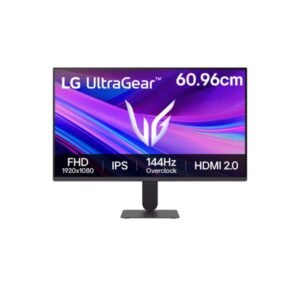
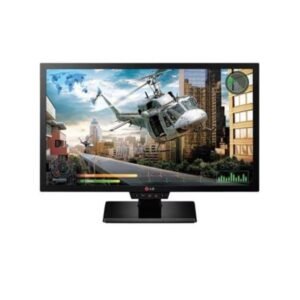
The LG 24G411A and LG 24GM77-B both reach 144Hz, but they suit very different buyers. The newer 24G411A delivers better colour coverage, wider viewing angles, HDR10 and modern adaptive-sync support, making it the more balanced option for gaming and everyday use. The 24GM77-B still has strengths, including higher brightness, a fully adjustable stand and a built-in USB hub. Its older TN panel and lack of VRR support, however, make it harder to recommend unless ergonomics or legacy connections are especially important.
The LG 24G411A uses an IPS panel with 99% sRGB coverage, wider 178-degree viewing angles and native 8-bit colour. This makes images, games and desktop content look more consistent when viewed off-centre. The 24GM77-B uses an older TN panel with narrower viewing angles and 6-bit plus FRC colour, although its rated 1ms minimum response time may still appeal to users focused mainly on fast motion.
Both monitors support a maximum refresh rate of 144Hz, so neither has an advantage in raw refresh-rate numbers. The practical difference is variable refresh support: the 24G411A includes Adaptive-Sync, AMD FreeSync and NVIDIA G-SYNC compatibility, helping reduce tearing and stutter when frame rates fluctuate. The 24GM77-B lacks listed VRR support, making it more dependent on maintaining a stable frame rate or using traditional V-Sync.
The older 24GM77-B is rated at 350 nits, giving it a clear brightness advantage in strongly lit rooms. The 24G411A is dimmer at 250 nits but adds HDR10 support, stronger rated contrast and broader colour coverage. Its HDR capability should still be viewed as basic rather than premium, yet the IPS panel and 1500:1 contrast make it the more versatile display for mixed gaming and media use.
The 24GM77-B is considerably more flexible on a desk, with height, swivel, pivot and tilt adjustments, while the 24G411A only tilts. It also includes a USB 3.0 hub, DVI-D and VGA alongside HDMI and DisplayPort. The 24G411A uses newer HDMI 2.0 and DisplayPort 1.4 connections, but users who need better positioning may need to add a VESA monitor arm.
| Specification | ||
|---|---|---|
| Overview | ||
| Rating | 6.8 / 10 | 7.0 / 10 |
| Brand | LG | LG |
| Category | Monitor | Monitor |
| Model Information | ||
| Brand | LG | LG |
| Series | Ultra Gear | -- |
| Model | 24G411A | 24GM77-B |
| Model Alias | Ultra Gear 24G411A 24G411A-B | -- |
| Full Product Name | LG Ultra Gear 24G411A | LG 24GM77-B |
| Model Year | 2025 | 2014 |
| Monitor Type | Gaming Monitor | -- |
| Available Colors | Black | Black |
| Display & Panel | ||
| Screen Size | 23.8 in | 24 in |
| Exact Diagonal | 23.807 in (604.698 mm) | -- |
| Aspect Ratio | 16:9 (1.778:1) | 16:9 |
| Active Display Width | 527.04 mm | -- |
| Active Display Height | 296.46 mm | -- |
| Display Area | 91.39% | 79.06% |
| Panel Type? | IPS | TN |
| Panel Technology | IPS | TN |
| Backlight Type? | W-LED | W-LED |
| 3D Support | No | -- |
| Screen Coating | Anti-glare/Matte (3H) | Anti-glare/Matte (3H) |
| Coating Hardness | 3H | -- |
| Resolution & Pixel Details | ||
| Native Resolution | 1920 × 1080 pixels | 1920 × 1080 pixels (Full HD / 1080p) |
| Resolution Name | Full HD / 1080p | -- |
| Aspect Ratio Resolution | 16:9 | -- |
| Pixel Density | 92 ppi (36 ppcm) | 91 PPI |
| Pixel Pitch | 0.275 mm | 0.277 mm |
| Picture Quality & Color | ||
| Panel Bit Depth | 8 bits | 8 bits (6 bits + FRC) |
| FRC | -- | Yes |
| Display Colors | 16,777,216 colors | 16777216 colors (24-bit) |
| Total Color Bits | 24 bits | -- |
| Typical Brightness | 250 cd/m² | -- |
| Static Contrast Ratio | 1500:1 | -- |
| Horizontal Viewing Angle | 178° | -- |
| Vertical Viewing Angle | 178° | -- |
| HDR Support? | HDR10 | -- |
| HDR Formats? | HDR10 | -- |
| HDR10? | Yes | -- |
| sRGB Coverage | 99% | -- |
| Factory Calibration | Yes | -- |
| Refresh Rate, Response & Gaming | ||
| Native Refresh Rate | 120 Hz | -- |
| Refresh Rate Range | 48–144 Hz | 56 Hz - 144 Hz |
| Overclocked Refresh Rate | 144 Hz | -- |
| Minimum Response Time | 5 ms | -- |
| MPRT Response Time | 1 ms | -- |
| Variable Refresh Rate | Yes | -- |
| Adaptive-Sync? | Adaptive-Sync technology | -- |
| AMD FreeSync? | AMD FreeSync technology | -- |
| NVIDIA G-Sync? | NVIDIA G-Sync Compatible | -- |
| Motion Blur Reduction | Motion Blur Reduction | -- |
| Black Stabilizer | Yes | -- |
| Crosshair | Yes | -- |
| FPS Counter | Yes | -- |
| Dynamic Action Sync | Yes | -- |
| Ports & Connectivity | ||
| HDMI Ports | 1 ×HDMI 2.0 |
2×HDMI 1.4 |
| HDMI Version | HDMI 2.0 | HDMI 1.4 |
| DisplayPort Input | 1 × DisplayPort 1.4 | 1× DisplayPort 1.2 |
| DisplayPort Version | DisplayPort 1.4 | DisplayPort 1.2 |
| HDCP Support | Yes | -- |
| Audio Output | 1 × 3.5 mm Audio Out (3-pole) | -- |
| Headphone Output | Yes | -- |
| Audio, Camera, Network & Smart Features | ||
| Built-In Speakers | No | -- |
| Built-In Camera | No | No |
| Ergonomics & Stand | ||
| VESA Mount | Yes | 100 × 100 mm |
| VESA Size | 100 × 100 mm | 100 × 100 mm |
| Removable Stand | Yes | Yes |
| Height Adjustment | No | Yes |
| Tilt Adjustment | Yes | -- |
| Forward Tilt | 5° | -- |
| Backward Tilt | 21° | -- |
| Swivel Adjustment | No | -- |
| Pivot Adjustment | No | -- |
| Portrait Mode | No | -- |
| Security Lock | Kensington anti-theft stand lock slot | -- |
| Dimensions, Weight & Design | ||
| Dimensions With Stand | 538.5 × 411.5 × 221 mm | -- |
| Dimensions Without Stand | 538.5 × 317.5 × 38.1 mm | -- |
| Weight With Stand | 3.81 kg | 5.43 kg |
| Weight Without Stand | 2.4 kg | 3.84 kg |
| Stand Depth | 221 mm | -- |
| Chassis Color | Black | -- |
| Power & Operating Conditions | ||
| Power Input | 100–240 V AC | 100 V - 120 V (110V) / 220 V - 240 V (220V) |
| 110V Input Range | 100–120 V | -- |
| 220V Input Range | 220–240 V | -- |
| AC Frequency | 50–60 Hz | 47 Hz - 63 Hz |
| Electric Current | 1.5 A | -- |
| Typical Power Consumption | -- | 18 W |
| Average Power Consumption | 24.47 W | 18 W |
| Maximum Power Consumption | -- | 27 W |
| Sleep Consumption | 0.5 W | 0.3 W |
| Off Consumption | 0.3 W | -- |
| Operating Temperature | 5–35 °C | -- |
| Operating Humidity | 10–80% | -- |
| Storage Temperature | -20–60 °C | -- |
| Storage Humidity | 5–85% | -- |
| Eye Care, Protection & Additional Features | ||
| Flicker-Free | Yes | -- |
| Low Blue Light | Yes | -- |
| Reader Mode | Yes | -- |
| Monitor Management Software | LG Switch | -- |
| Auto Input Switching | Yes | -- |
| Smart Energy Saving | Yes | -- |
| Additional Monitor Features | Color Weakness Mode Deep Black HDR Effect | -- |
| Certifications, Standards & Licenses | ||
| Energy Star | Energy Star | ENERGY STAR |
| RoHS | Ro HS | -- |
| CE | CE | Yes |
| FCC | -- | FCC Class B |
| ErP | Er P | -- |
| PSE | PSE | -- |
| UL | -- | UL |
| WEEE | WEEE | -- |
| VCCI | VCCI-B | -- |
| TÜV Type Approval | TÜV-Bauart | -- |
| Included Accessories | ||
| HDMI Cable | HDMI cable | -- |
| Packaging Information | ||
| Package Dimensions | 620 × 386 × 134.6 mm | -- |
| Package Width | 620 mm | -- |
| Package Height | 386 mm | -- |
| Package Depth | 134.6 mm | -- |
| Package Weight | 4.58 kg | -- |
Methodology: The verdict and comparison notes on this page are written by an editor after reviewing the full specification table below; they are not generated by an automated scoring formula. Conclusions are based on manufacturer-listed specifications only - no benchmark testing, measured brightness or hands-on use is claimed unless stated. Missing values are left blank rather than estimated. Report an error.
Updated: July 2026
Frequently Asked Questions
The LG 24G411A is the better overall choice because its IPS panel, adaptive sync, HDR10 and wider colour coverage make it more suitable for modern gaming and general use.
Yes. Both models can run at up to 144Hz, but the 24G411A also supports FreeSync and G-SYNC compatibility for smoother performance when frame rates vary.
The LG 24G411A has better colour capability thanks to its IPS panel, native 8-bit colour and 99% sRGB coverage.
It can still make sense at a low price when its adjustable stand, USB hub or legacy ports are required, but its TN panel and lack of adaptive sync make it less future-ready.
The 24GM77-B offers better stand adjustment, while the 24G411A provides more consistent viewing angles. For long-term flexibility, either model can also be mounted using a 100 × 100 mm VESA arm.