
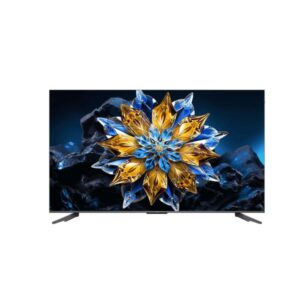
97.5″ TCL 98C655 Pro – Full Specifications
98C655-Pro by TCL combines a 97.5-inch 4K screen with a VA panel lit by Direct LED (Full Array Local Dimming).
Overview
98C655-Pro by TCL combines a 97.5-inch 4K screen with a VA panel lit by Direct LED (Full Array Local Dimming). Quantum Dot colour is supported by a listed gamut of 95 %, strengthening HDR colour beyond a basic LED LCD. Gaming reaches 48 Hz - 144 Hz with AMD FreeSync, making the TV suitable for current consoles and many gaming PCs. HDR support includes Dolby Vision IQ, HDR10+, HLG, and peak brightness is listed at 1400 cd/m², giving buyers a useful hardware reference. Google TV provides the app interface, while AIPQ Pro with AI handles picture processing and navigation. Installation planning should account for the 600 x 500 mm VESA pattern and 54 kg / 119.05 lbs panel weight. Buy it if you want QLED colour and high-refresh gaming on a 97.5-inch screen; skip it if you need a stand with meaningful positioning adjustment.
Key Highlights
- 97.5-inch 4K screen gives the model a clear size-and-detail position for its intended room.
- Quantum Dot colour expands the colour specification beyond a basic LED LCD panel.
- HDR support covers Dolby Vision IQ, HDR10+, HLG.
- 48 Hz - 144 Hz with AMD FreeSync sets the motion and gaming ceiling.
- Google TV provides apps, while AIPQ Pro with AI handles picture processing.
Who Should Buy the tcl 98C655 Pro
Display Performance
Gaming Performance
HDR & Brightness Reality
TCL 98C655 Pro accepts Dolby Vision IQ, HDR10+, HLG, giving it broad compatibility with current streaming, disc and broadcast sources. The listed Direct LED (Full Array Local Dimming) system adds local dimming, although its zone count and blooming control are not quantified here. Peak brightness is listed at 1400 cd/m², with typical brightness at 550 cd/m², which provides a useful ceiling but is not a substitute for measured real-scene performance.
Connectivity & Ports
Real-World Use Cases
Pros & Cons
- 97.5-inch 4K panel provides a clear big-screen base for streaming, television and films.
- Quantum Dot colour strengthens the colour specification beyond a basic LED LCD model.
- HDR support includes Dolby Vision IQ, HDR10+, HLG, covering the main formats used by streaming services and discs.
- 48 Hz 144 Hz with variable-refresh support gives the TV meaningful gaming capability.
- 2 × HDMI 2.0 + 2 × HDMI 2.1 plus the listed network and audio connections provide a practical device setup.
- Conventional LCD backlighting cannot match OLED black levels or premium Mini LED dimming precision.
- The supplied stand offers little positioning freedom beyond basic placement.
- Input lag is not published, leaving competitive gaming responsiveness unverified.
- Independent measurements are still needed for uniformity, blooming and real-scene brightness.
Score & Ratings
| Specification | Value |
|---|---|
| Brand | TCL |
| Series | C655 Pro |
| Model | 98C655 Pro |
| Model Alias | 98C655Pro98C655 Pro X198C655Pro X198C72B98C71B98QLED810 |
| Full Product Name | TCL 98C655 Pro |
| Model Year | 2024 |
| TV Category | Entry/Budget Tier |
| Market Position | Budget QLED, Enhanced |
| Primary Use | Budget-Conscious Everyday Viewing |
| Region / Variant | Not specified |
| Launch Status | Model year 2024 |
| Available Colors | Black |
| Warranty | 1 year standard limited warranty |
| Specification | Value |
|---|---|
| Screen Size | 97.5 in |
| Marketed Screen Size | 97.5 in |
| Exact Diagonal | 2489 mm (millimeters) / 248.9 cm (centimeters) / 97.9921 in (inches) / 8.166 ft (feet) |
| Aspect Ratio | 16:9 |
| Active Display Width | 2169.35 mm (millimeters) / 216.935 cm (centimeters) / 85.4075 in (inches) / 7.1173 ft (feet) |
| Active Display Height | 1220.26 mm (millimeters) / 122.026 cm (centimeters) / 48.0417 in (inches) / 4.0035 ft (feet) |
| Screen-to-Body Ratio | 97.42 % |
| 3D Support | No |
| Specification | Value | What It Means |
|---|---|---|
| Panel Manufacturer | CSOT | |
| Panel Type | VA | VA shapes contrast and viewing-angle behaviour, which matters when seats are spread across the room. |
| Panel Technology | VA | |
| Quantum Dot | Yes | |
| Backlight Type | Direct LED (Full Array Local Dimming) | |
| Panel Bit Depth | 10 bits (8 bits + FRC) | |
| FRC | Yes | |
| Display Colors | 1.07 billion colors30 bits |
| Specification | Value |
|---|---|
| Screen Coating | Anti-glare/Matte |
| Specification | Value |
|---|---|
| Native Resolution | 3840 x 2160 pixels |
| Pixel Density | 45 ppi / 17 ppcm |
| Pixel Pitch | 0.565 mm / 0.0222 in |
| Specification | Value | What It Means |
|---|---|---|
| Typical Brightness | 550 cd/m² | |
| Peak Brightness | 1400 cd/m² | 1400 cd/m² sets the listed ceiling for brief HDR highlights. |
| Static Contrast | Static contrast: 6000 : 1 | |
| Static Contrast Ratio | Static contrast: 6000 : 1 | |
| Viewing Angles | 178° / 178° | |
| Horizontal Viewing Angle | 178 ° (degrees) | |
| Vertical Viewing Angle | 178 ° (degrees) |
| Specification | Value | What It Means |
|---|---|---|
| DCI-P3 Coverage | 95 % | 95 % indicates how much wide HDR colour the panel can reproduce. |
| Wide Color Gamut | Yes |
| Specification | Value | What It Means |
|---|---|---|
| HDR Support | Dolby Vision IQDolby VisionHDR10+HDR10HLG |
HDR10 / HDR10+ / Dolby Vision / HLG (Hybrid Log Gamma) / Dolby Vision IQ determines which HDR formats can play without falling back to SDR. |
| HDR Formats | Dolby Vision IQDolby VisionHDR10+HDR10HLG |
|
| HDR10 | HDR10 |
|
| HDR10+ | Yes | |
| Dolby Vision | Yes | |
| Dolby Vision IQ | Yes | |
| HLG | HLG (Hybrid Log Gamma) |
| Specification | Value |
|---|---|
| Native Refresh Rate | 48 Hz - 144 Hz (hertz) / Native - 120 Hz |
| Maximum Refresh Rate | 48 Hz - 144 Hz |
| Motion Processing | Picture Performance Index 3400 PPI |
| Specification | Value |
|---|---|
| Variable Refresh Rate | Yes |
| AMD FreeSync | AMD FreeSync |
| Game Mode | Yes |
| Specification | Value |
|---|---|
| AI Picture Engine | AI features supported |
| AI Upscaling | Yes |
| Specification | Value |
|---|---|
| Built-In TV Tuner | Yes |
| Tuner Configuration | Analog (NTSC/PAL/SECAM)DVB-TDVB-T2DVB-CDVB-SDVB-S2 |
| Analog Tuner | NTSC / PAL / SECAM |
| Digital Terrestrial Tuner | dvb-t |
| Digital Terrestrial Tuner 2 | dvb-t2 |
| Digital Cable Tuner | dvb-c |
| Digital Satellite Tuner | dvb-s |
| Digital Satellite Tuner 2 | dvb-s2 |
| Satellite Input | 1× F-type |
| Antenna RF Input | Yes |
| Specification | Value |
|---|---|
| Processor Brand Name | AIPQ Pro with AI |
| System on Chip | MediaTek Pentonic 700 (MT9653) |
| SoC Model | MediaTek Pentonic 700 (MT9653) |
| CPU Architecture | Cores: 4 |
| CPU Cores | 4 |
| GPU | ARM Mali-G31 MP2 |
| RAM Capacity | 3 GB (gigabytes) |
| Internal Storage | 64 GB (gigabytes) / eMMC 5.1 |
| Specification | Value |
|---|---|
| Smart TV | Yes |
| Operating System | Google TV |
| Specification | Value |
|---|---|
| Netflix | Yes |
| YouTube | Yes |
| Prime Video | Yes |
| Disney+ | Yes |
| Apple TV+ | Yes |
| Specification | Value |
|---|---|
| Voice Control | Yes |
| Google Assistant | Yes |
| Specification | Value |
|---|---|
| Total HDMI Ports | 4 |
| HDMI 2.1 Ports | 2× HDMI 2.1 |
| HDMI 2.0 Ports | 2× HDMI 2.0 |
| HDMI CEC | Yes |
| eARC Port | Yes |
| Specification | Value |
|---|---|
| Total USB Ports | 2 |
| USB-A 2.0 Ports | 1× USB 2.0 |
| USB-A 3.0 Ports | 1× USB 3.0 |
| Ethernet Port | 1× RJ45 |
| Optical Audio Output | 1× S/PDIF |
| 3.5 mm Audio Output | 1× 3.5 mm |
| Headphone Output | Yes |
| Satellite Input | 1× F-type |
| Antenna Input | 1× RF |
| Common Interface Slot | 1× CI+ |
| Composite Input | Yes |
| Specification | Value |
|---|---|
| LAN | Yes |
| Wi-Fi | Wi-Fi 8 |
| Wi-Fi Standards | 802.11a |
| Bluetooth | Bluetooth 5.0 |
| Wi-Fi Direct | Yes |
| DLNA | Yes |
| Apple AirPlay | Yes |
| Apple HomeKit | Yes |
| Chromecast | Yes |
| Google Cast | Yes |
| Miracast | Yes |
| Specification | Value |
|---|---|
| Built-In Speakers | Yes |
| Speaker Configuration | 2 x 20 W |
| Speaker Channels | 2 x 20 W |
| Built-In Subwoofer | Yes |
| Subwoofer Configuration | 1 x 20 W (watts) |
| Total Audio Output | 60 W (watts) |
| Total Speaker Output | 60 W (watts) |
| Specification | Value |
|---|---|
| Built-In Camera | No |
| Specification | Value |
|---|---|
| Apple HomeKit | Yes |
| Specification | Value |
|---|---|
| Dimensions Without Stand | 2179 mm (millimeters) x 1247 mm (millimeters) x 71.3 mm (millimeters) (W x H x D) |
| Width Without Stand | 2179 mm / 85.7874 in |
| Height Without Stand | 1247 mm / 49.0945 in |
| Depth Without Stand | 71.3 mm / 2.8071 in |
| Weight Without Stand | 54 kg / 119.05 lbs |
| Specification | Value |
|---|---|
| Dimensions With Stand | 2179 mm (millimeters) x 1288 mm (millimeters) x 420 mm (millimeters) (W x H x D) |
| Width With Stand | 2179 mm / 85.7874 in |
| Height With Stand | 1288 mm / 50.7087 in |
| Depth With Stand | 420 mm / 16.5354 in |
| Weight With Stand | 56 kg / 123.46 lbs |
| Specification | Value |
|---|---|
| Box Dimensions | 2384 mm (millimeters) x 1430 mm (millimeters) x 245 mm (millimeters) (W x H x D) |
| Box Width | 2384 mm (millimeters) |
| Box Height | 1430 mm (millimeters) |
| Box Depth | 245 mm (millimeters) |
| Box Weight | 79 kg (kilograms) / 174.17 lbs (pounds) |
| Specification | Value |
|---|---|
| Stand Width | 1740 mm (millimeters) / 174 cm (centimeters) / 68.5039 in (inches) / 5.7087 ft (feet) |
| Chassis Color | Black |
| Specification | Value |
|---|---|
| VESA Mount | 600 x 500 mm |
| VESA Interface | 600 x 500 mm |
| VESA Size | 600 x 500 mm |
| Removable Stand | Yes |
| Height Adjustment | No |
| Swivel Adjustment | No |
| Tilt Adjustment | No |
| Pivot Adjustment | No |
| Portrait Mode | No |
| Specification | Value |
|---|---|
| Power Input | 100 V - 120 V (volts)220 V - 240 V (volts) |
| AC Frequency | 50 Hz - 60 Hz (hertz) |
| Typical Power Consumption | 198 W |
| Average Power Consumption | 198 W |
| Maximum Power Consumption | 389 W |
| Standby Consumption | 0.5 W |
| Energy Efficiency Class | G |
| Specification | Value |
|---|---|
| Operating Temperature | 5 °C - 35 °C (degrees Celsius) / 41 °F - 95 °F (degrees Fahrenheit) |
| Operating Humidity | 20 % - 80 % (percent) |
| Storage Temperature | -15 °C - 45 °C (degrees Celsius) / 5 °F - 113 °F (degrees Fahrenheit) |
| Storage Humidity | 10 % - 90 % (percent) |
| Specification | Value |
|---|---|
| ALLM | Yes |
| Specification | Value |
|---|---|
| CE | Yes |
| TÜV Flicker-Free | Yes |
| TÜV Low Blue Light | Yes |
| CI+ Certification | Yes (CI+ 1.4) |
| Specification | Value |
|---|---|
| Remote Control | Voice remote control - RC833 |
| Remote Voice Control | Yes |
| Screen Size | 97.5 in |