
64.5″ TCL 65Q77K – Full Specifications
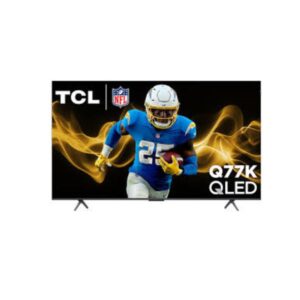
The TCL 65Q77K is a 64.5 in (inches) 4K UHD TV designed for home entertainment. It features a VA panel with Direct LED backlight for deep blacks and strong contrast. The TV is suitable for everyday home use and includes Google TV smart platform. However, it may not be ideal for 2.0 CH 20W configuration lacks dedicated bass for cinema-level low-end impact. It scores Great — 8.6/10 across our display performance benchmarks.
- VA panel offers superior contrast ratios over IPS but narrower colour accuracy at wide viewing angles.
Scores and analysis are based on DisplayInput – Monitor & TV Specs Comparison's display benchmark methodology across 6 verified specifications. Data sourced from tcl's official specifications and independent lab measurements.
Display Performance
Who Should Buy the tcl 65Q77K
Real-World Use Cases
Pros & Cons
- QLED Pro Quantum Dot panel Quantum Dot layer saturates the VA panel for wider colour volume and richer vibrancy than standard LED
- 4K UHD resolution 3840 × 2160 pixels deliver outstanding sharpness and fine image detail across the full 64.5-inch screen
- 144Hz max refresh rate ultra-smooth motion for sports, gaming and high-frame-rate content alike
- 4.8 ms input lag near-instant display response confirmed for responsive, competitive gaming
- 300 cd/m² brightness solid luminance for well-lit living rooms and daytime viewing
- 4600:1 static contrast ratio deep blacks and vivid highlights for a punchy, dynamic image
- HDR10 / HDR10+ / Dolby Vision IQ three major HDR formats covered for expanded brightness and colour range
- AMD FreeSync Premium Pro eliminates screen tearing and stuttering for fluid, responsive gaming
- Google TV with Chromecast built-in access to 700,000+ apps, Google Assistant, and seamless casting from any device
- No subwoofer 2.0 CH 20W configuration lacks dedicated bass for cinema-level low-end impact
- Glossy coating reflections can be distracting in brightly lit rooms
- No Onkyo sound system audio system is less premium than the 75-inch and 85-inch models
- Stand not adjustable no height, swivel or tilt movement once assembled
- Lower total wattage (20W) less room-filling audio output compared to larger models in the range
Score & Ratings
Overview
The TCL 65Q77K is a 64.5-inch 4K QLED Pro TV with Google TV, 144Hz max refresh rate, Dolby Vision IQ, Dolby Atmos, and AMD FreeSync Premium Pro gaming support.
| Specification | Value | 💡 What It Means |
|---|---|---|
| Brand | TCL | |
| Model | 65Q77K | |
| Series | Q77K | |
| Model Year | 2025 |
✓ Good 2025 — current generation. Latest panel technology and features.
|
| Specification | Value | 💡 What It Means |
|---|---|---|
| Size Class | 64.5 in (inches) |
✓ Good 64" — living-room TV scale. Ideal for sofa viewing at 2–3.5m.
|
| Resolution | 3840 x 2160 pixelsUltra HD (UHD) / 4K / 2160p |
✓ Good 4K UHD (3840×2160) — four times 1080p. Pin-sharp text, exceptional photo and video detail at any screen size.
|
| Aspect Ratio | 1.778:116:9 |
Standard 16:9 — universal for all streaming, gaming, and productivity content worldwide.
|
| Panel Type | VA |
✓ Good VA — higher native contrast than IPS. Dark scenes look genuinely black; ideal for movies in dim rooms.
|
| Panel Bit Depth | 10 bits (8 bits + FRC) |
✓ Good 10-bit — 1.07 billion colours. Eliminates colour banding in HDR skies, skin tones and gradients.
|
| Colors | 1073741824 colors30 bits |
✓ Good 1.07 billion colours (10-bit) — smooth HDR gradients; no visible banding in any content.
|
| Backlight | Direct LED |
✓ Good Direct-lit — LEDs behind the full panel. Better uniformity and local dimming than edge-lit designs.
|
| Viewing Angle | 178 ° (degrees)178 ° (degrees) |
✓ Good 178 ° (degrees)178 ° (degrees) — consistent colour from virtually any position. Ideal for group viewing and shared screen use.
|
| Screen Coating | Glossy |
△ Average Glossy — sharper image and deeper blacks vs matte, but reflects room lights and windows noticeably.
|
| Specification | Value | 💡 What It Means |
|---|---|---|
| Screen Width | 1428.48 mm (millimeters) |
Active display area in millimetres.
|
| Screen Height | 803.52 mm (millimeters) |
Active display area in millimetres.
|
| Screen-to-Body Ratio | 95.59 % (percent) |
✓ Good 95.59 % (percent) — near-borderless. Bezels virtually disappear; great for multi-monitor tiling.
|
| Pixel Pitch | 0.372 mm (millimeters)0.0372 cm (centimeters)0.0146 in (inches)0.0012 ft (feet) |
△ Average 0.372 mm (millimeters)0.0372 cm (centimeters)0.0146 in (inches)0.0012 ft (feet) pitch — standard. Pixels become visible on close inspection of large panels.
|
| Pixel Density | 68 ppi (pixels per inch)26 ppcm (pixels per centimeter) |
⚠ Limited 68 PPI — low pixel density. Best viewed from a distance; not for close-up work.
|
| Specification | Value | 💡 What It Means |
|---|---|---|
| Brightness (Typical) | 300 cd/m² (candela per square meter) |
△ Average 300 cd/m² (candela per square meter) — comfortable indoors. May wash out next to a bright window or in direct sunlight.
|
| Contrast | 4600 : 1 |
✓ Good 4600 : 1 — excellent shadow detail. Noticeably better than IPS in dark room viewing.
|
| HDR Support | HDR10 HDR10+ Dolby Vision IQ HLG (Hybrid Log Gamma) |
✓ Good Dolby Vision IQ — best HDR standard. Adapts tone-mapping to ambient room brightness automatically.
|
| Specification | Value | 💡 What It Means |
|---|---|---|
| Native Refresh Rate | Native - 120 Hz |
✓ Good 120Hz — enables PS5 and Xbox Series X 120fps Performance Mode. Also smooth for everyday desktop use.
|
| Max Refresh Rate | 48 Hz - 144 Hz (hertz) |
✓ Good 144Hz — clear upgrade over 60Hz. Games feel noticeably more fluid in every genre.
|
| Variable Refresh Rate (VRR) | AMD FreeSync Premium ProHDMI Forum VRRNVIDIA G-Sync Compatible |
✓ Good FreeSync Premium Pro — AMD's top tier: tear-free + Low Framerate Compensation + HDR support.
|
| AMD FreeSync | AMD FreeSync Premium Pro |
✓ Good FreeSync Premium Pro — AMD's top tier: tear-free + Low Framerate Compensation + HDR support.
|
| ALLM | Yes |
✓ Good Auto Low Latency Mode — TV switches to Game Mode automatically when a console is detected. No manual setting needed.
|
| Input Lag | 4.8 ms (milliseconds)0.0048 s (seconds) |
✓ Good 4.8 ms (milliseconds)0.0048 s (seconds) — acceptable for gaming; barely noticeable even in action titles.
|
| Motion Tech | 480 MR (Motion Rate) |
480 MR (Motion Rate) — motion processing reduces judder in fast-moving content. Adjustable to taste.
|
| Specification | Value | 💡 What It Means |
|---|---|---|
| Advanced Display Technologies | HDR10 HDR10+ Dolby Vision IQ HLG (Hybrid Log Gamma) |
Dolby Vision HDR.
|
| Specification | Value | 💡 What It Means |
|---|---|---|
| Operating System | Google TV |
✓ Good Google TV — Play Store apps, Google Assistant, and Chromecast built in.
|
| Processor | AIPQ with AI |
AIPQ with AI — dedicated display processor manages smart features, AI upscaling, and HDR tone-mapping.
|
| SoC | AIPQ with AI |
AIPQ with AI — dedicated display processor manages smart features, AI upscaling, and HDR tone-mapping.
|
| AI Engine | Yes |
Dedicated AI processing for real-time upscaling, picture enhancement, and smart feature management.
|
| Specification | Value | 💡 What It Means |
|---|---|---|
| Speaker Setup | 2.0 CH 2 x 10 W (watts) |
△ Average 2.0 CH 2 x 10 W (watts) — standard stereo. Adequate for dialogue; limited bass depth.
|
| Subwoofer | No |
△ Average No built-in subwoofer. External soundbar with sub recommended for bass-heavy content.
|
| Total Output | 20 W |
△ Average 20 W — decent for casual TV viewing. Upgrade for movie-quality audio.
|
| Audio Features | Bluetooth Personal Audio Dolby Atmos Dolby Digital+ DTS Virtual:X |
✓ Good Dolby Atmos (3D spatial audio on compatible content).
|
| Specification | Value | 💡 What It Means |
|---|---|---|
| Ports | 1 x USB 2.0 (Type-A; downstream) 1 x USB 3.0 (Type-A; downstream) 1 x Ethernet RJ45 2 x HDMI 2.0 2 x HDMI 2.1 1 x Cable/Antenna In (F-type female) 1 x Optical Audio Out |
✓ Good HDMI 2.1 — supports 4K@144Hz or 8K@60Hz bandwidth. Ethernet port — wired network for stable 4K streaming.
|
| Wireless | LAN Wi-Fi 802.11a (IEEE 802.11a-1999) 802.11b (IEEE 802.11b-1999) 802.11g (IEEE 802.11g-2003) 802.11n (IEEE 802.11n-2009) 802.11n 5GHz 802.11ac (IEEE 802.11ac) Bluetooth Wi-Fi Direct DLNA |
✓ Good Wi-Fi 5 — reliable fast wireless connection. Bluetooth (wireless audio and input devices).
|
| Specification | Value | 💡 What It Means |
|---|---|---|
| TV Tuner | Analog (NTSC/PAL/SECAM) ATSC Clear QAM |
✓ Good Built-in tuner — receives ATSC (US digital broadcast HD), Clear QAM (cable without a set-top box) without a separate receiver.
|
| Specification | Value | 💡 What It Means |
|---|---|---|
| Without Stand Width | 1445 mm (millimeters) |
Panel dimensions without stand attached. Use for wall-mount space planning.
|
| Without Stand Height | 831 mm (millimeters) |
Panel dimensions without stand attached. Use for wall-mount space planning.
|
| Without Stand Depth | 69 mm (millimeters) |
Panel dimensions without stand attached. Use for wall-mount space planning.
|
| Without Stand Weight | 18.7 kg (kilograms) |
△ Average 18.7 kg (kilograms) — heavy; two people recommended for wall mounting.
|
| With Stand Width | 1445 mm (millimeters) |
Overall footprint with stand. Use when planning desk or shelf placement.
|
| With Stand Height | 894 mm (millimeters) |
Overall footprint with stand. Use when planning desk or shelf placement.
|
| With Stand Depth | 295 mm (millimeters) |
Overall footprint with stand. Use when planning desk or shelf placement.
|
| With Stand Weight | 20.4 kg (kilograms) |
△ Average 20.4 kg (kilograms) — heavy; two people recommended for wall mounting.
|
| Color | Black |
Available colour finish for this unit.
|
| Specification | Value | 💡 What It Means |
|---|---|---|
| VESA Mount | 400 x 300 mm |
✓ Good VESA-compatible — fits any standard monitor arm, desk mount, or wall bracket. No proprietary hardware needed.
|
| Wall Mount Support | Yes | |
| Adjustments | No height adjustmentNo swivelForward/backward tilt: No |
✓ Good Full ergonomic adjustment: height, tilt, swivel. Set the display to your exact posture to reduce eye and neck strain.
|
| Specification | Value | 💡 What It Means |
|---|---|---|
| Voltage | 100 V - 120 V (volts)220 V - 240 V (volts) |
✓ Good Universal or wide-range power supply. Compatible with outlets in the US, UK, EU, and most countries.
|
| Frequency | 50 Hz - 60 Hz (hertz) |
50/60Hz AC supply — compatible with worldwide power grids including US, UK, EU, and AU.
|
| Average Consumption | 306 kWh (kilowatt-hours) |
⚠ Limited 306 kWh (kilowatt-hours) — higher consumption. Typical for large TVs and high-brightness displays.
|
| Standby | 0.5 W (watts) |
✓ Good 0.5 W (watts) standby — near-zero idle power. Excellent energy compliance.
|
| Specification | Value | 💡 What It Means |
|---|---|---|
| Gaming & AI Features | Game Accelerator 288 AMD FreeSync Premium Pro Auto Game Mode AI MEMC (Motion Estimation Motion Compensation) NVIDIA G-Sync Compatible HDMI Forum VRR ALLM (Auto Low Latency Mode) |
✓ Good NVIDIA G-Sync Compatible (tear-free). AMD FreeSync (tear-free). VRR. ALLM (auto low-latency switch). Auto Game Mode (auto-enables low latency).
|
| Specification | Value | 💡 What It Means |
|---|---|---|
| Picture Technologies | QLED Pro (Quantum Dot Color) HDR Pro+ Dolby Vision IQ AI 4K upscaling AI Clarity AI Contrast AI Colour AI HDR UHD Upscaling |
✓ Good AI 4K upscaling (lower-res content enhanced to near-4K).
|