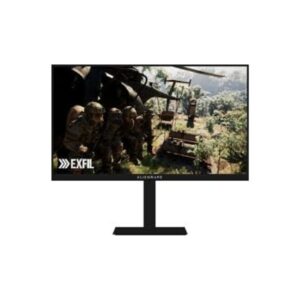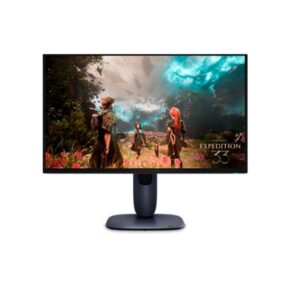
Dell Alienware AW2726DM vs Dell Alienware AW2725Q
Both the Dell Alienware AW2726DM and Dell Alienware AW2725Q use the same panel technology, so the most meaningful difference is resolution. Dell Alienware AW2725Q at 4K gives you sharper detail and more room to work — you'll notice it most in fine text, photo editing, and games with detailed environments. The QHD alternative asks less of your GPU and is easier to run at max settings.
Buy the Dell Alienware AW2726DM if you need QD-OLED (panel technology).
- Ultra-fast 240Hz + 0.03 ms performance
- QD-OLED panel with deep blacks & high contrast
- Excellent color (99% DCI-P3, true 10-bit)
- Strong gaming features (FreeSync, AdaptiveSync, AlienFX)
Buy the Dell Alienware AW2725Q if you need USB-C (USB-C — single-cable connection for modern laptops).
- 4K UHD — sharp, high-density display for detailed productivity work
- QD-OLED (Samsung) — panel technology
- Ergonomics — 110 mm height, pivot — adjustable for any desk setup
Dell Alienware AW2726DM
- Dell Alienware AW2726DM -- Brightness (Typical): 200 cd/m² -- ⚠️ lower typical brightness (200 cd/m²) -- OLED panels compensate with infinite contrast and perfect blacks; bright-room HDR highlights may appear less punchy than a high-nit IPS or Mini-LED
- Dell Alienware AW2726DM -- Pixel Density: 110 PPI -- lower pixel density -- softer at close viewing distances
- 💡 Dell Alienware AW2726DM: QD-OLED -- quantum-dot OLED, best colour + contrast
- Dell Alienware AW2726DM -- Adaptive Sync: AMD FreeSync Premium VESA AdaptiveSync
- Dell Alienware AW2726DM -- HDR: HDR10, DisplayHDR 400 True Bla -- HDR supported
Dell Alienware AW2725Q
- Dell Alienware AW2725Q -- Brightness (Typical): 250 cd/m² -- brighter -- better HDR impact and bright-room visibility
- Dell Alienware AW2725Q -- Pixel Density: 165 PPI -- sharper image -- more pixels per inch
- 💡 Dell Alienware AW2725Q: QD-OLED -- quantum-dot OLED, best colour + contrast
- Dell Alienware AW2725Q -- Adaptive Sync: AMD FreeSync Premium Pro NVIDIA G-Sync -- broader VRR support
- Dell Alienware AW2725Q -- HDR: DisplayHDR 400 True Black HDR -- HDR supported
- Ultra-fast 240Hz + 0.03 ms performance
- QD-OLED panel with deep blacks & high contrast
- Excellent color (99% DCI-P3, true 10-bit)
- Strong gaming features (FreeSync, AdaptiveSync, AlienFX)
- Low brightness (200 nits typical) — HDR highlights may appear less punchy in bright rooms
- No USB hub or USB-C connectivity — verify whether this affects your specific use case before purchase
- QHD only (not 4K) — verify whether this affects your specific use case before purchase
- Premium price for OLED tech — verify whether this affects your specific use case before purchase
- QD-OLED panel — self-lit pixels deliver near-infinite contrast with pure blacks
- DisplayHDR True Black certification — exceptional shadow detail and true-black HDR performance
- 4K UHD resolution (3840 x 2160) at 165 PPI — razor-sharp detail for productivity and content
- 240Hz high refresh rate — ultra-smooth motion for fast-paced gaming scenarios
- 0.03 ms GtG — virtually zero motion blur for the fastest gaming scenarios
- 1000 cd/m² peak brightness — stunning HDR highlights visible in bright rooms
- 99% DCI-P3 — cinema-grade color fidelity ideal for content creation and media
- Variable refresh (AMD FreeSync Premium Pro + NVIDIA G-Sync Compatible + VESA AdaptiveSync) — eliminates tearing and stutter for smooth gaming
- 10-bit color (1.07 billion colors) — smooth, banding-free gradients for professional work
- Full ergonomic stand (height adjustment, portrait pivot, swivel, tilt) — adaptable for long multi-hour work sessions
- Low typical brightness (250 cd/m²) — inherent OLED limitation; best in dim-lit environments
- OLED susceptibility to image retention — prolonged static content risks permanent burn-in
- No Thunderbolt 4 — USB-C available but lacks 40 Gbps speed and high-wattage charging
- No integrated speakers — an external audio solution (speakers or headphones) is required
- Peak power consumption (190W) — above average; factor into long-term energy budget
- No built-in Ethernet — network hub functionality absent; separate adapter required
- Premium price point — QD-OLED technology commands a significant cost over equivalent IPS/VA
- USB-C data only (no power delivery) — cannot charge a laptop through this port
- On-screen display menus can require several button presses to navigate basic settings — verify whether this affects your specific use case before purchase
- Matte coating slightly reduces perceived colour vibrancy compared to glossy alternatives — verify whether this affects your specific use case before purchase
Both displays run at 240Hz -- gaming smoothness is equivalent. Response time (0.03 ms (GtG)) becomes the deciding factor.
🏆 Dell Alienware AW2726DMDell Alienware AW2725Q at 4K offers noticeably sharper text and more screen real estate than QHD -- a real advantage for long coding or document sessions.
🏆 Dell Alienware AW2725QColour accuracy depends on gamut coverage -- see the specification table for DCI-P3 and sRGB figures. Wide-gamut panels benefit photo editors and video colourists working in HDR workflows. Neither includes a factory calibration cert — colour-critical work may require professional calibration post-purchase.
🏆 Dell Alienware AW2725QHDR support differs: Dell Alienware AW2726DM (HDR10, DisplayHDR 400 True Black) versus DisplayHDR 400 True Black HDR10 Dolby Vision. For HDR movie content and gaming, the higher-tier HDR certification translates to more dynamic highlight detail.
🏆 Dell Alienware AW2726DM| Specification | ||
|---|---|---|
| Overview | ||
| Rating | 9.0/10★★★★★ |
9.0/10★★★★★ |
| Brand | Dell | Dell |
| Category | Monitor | Monitor |
| Basic Information | ||
| Brand | Dell | Dell |
| Model | AW2726DM | Alienware AW2725Q |
| Series | Alienware | - |
| Model Alias | - | - |
| Model Year | 2026 | 2025 |
| Display | ||
| Size Class | 26.5-inch | 26.5-inch |
| Panel Type ? | QD-OLED | QD-OLED (Samsung) |
| Curvature | -- | -- |
| Resolution | 2560 × 1440 (QHD) | 3840 x 2160 |
| Aspect Ratio | 16:9 | 16:9 |
| Pixel Density | 110 PPI | 165 PPI |
| Pixel Pitch | 0.233 mm | 0.155 mm (millimeters) |
| Display Area | - | 90.53 % (percent) |
| Color & HDR | ||
| Color Depth | 10-bit | 10 bits |
| Colors | 1.07 Billion | 1073741824 colors |
| sRGB | - | 100% |
| DCI-P3 Coverage | 99% | 99% |
| HDR Support ? | HDR10, DisplayHDR 400 True Black | DisplayHDR 400 True Black HDR10 Dolby Vision |
| Brightness & Contrast | ||
| Brightness (Typical) | 200 cd/m² | 250 cd/m² |
| Peak Brightness | - | 1000 cd/m² |
| Contrast | 1,500,000:1 | 1500000 : 1 |
| Performance | ||
| Refresh Rate | 48Hz – 240Hz | 48 Hz - 240 Hz |
| Response Time | 0.03 ms (GtG) | 0.03 ms (GtG) |
| Adaptive Sync ? | AMD FreeSync Premium VESA AdaptiveSync Display 240AMD FreeSync Premium VESA AdaptiveSync Display 240 |
AMD FreeSync Premium Pro NVIDIA G-Sync Compatible VESA AdaptiveSync |
| Display Technologies | ||
| Advanced Display Technologies | QD-OLED panel (deep blacks + rich colors) DisplayHDR 400 True Black 240Hz AdaptiveSync + FreeSync 0.03 ms ultra-fast response 10-bit color (1.07B colors) Anti-glare coating + Low Blue Light |
Panel Technology: - Backlight: Self-emissive (no backlight — OLED) Viewing Angles: 178° / 178° (Horizontal / Vertical) MPRT Response: - Dynamic Contrast: - Input Lag: 2.8 ms Screen Coating: Glossy |
| Camera | ||
| Camera | No | No |
| Audio | ||
| Audio | - | - |
| Connectivity & Ports | ||
| Ports | 2 x HDMI 2.1 (TMDS) 1 x DisplayPort 1.4 1 x 3.5 mm Audio Out |
1 x USB 3.2 (Type-C; Gen 1; 5 Gbps; downstream; 15W) 1 x USB 3.2 (Type-B; Gen 1; 5 Gbps; upstream) 3 x USB 3.2 (Type-A; Gen 1; 5 Gbps; downstream) 2 x HDMI 2.1 (eARC; HFR) 1 x DisplayPort 1.4 HDCP 2.2 |
| Wireless | - | - |
| Ergonomics | ||
| VESA Mount | 100 × 100 mm | 100 x 100 mm |
| Height Adjustment | 130 mm | 110 mm |
| Pivot | ±90° | ±90° |
| Swivel | ±20° | ±20° |
| Tilt | -5° to +21° | -5° to +21° |
| Removable Stand | Yes | Yes |
| Gaming Features | ||
| Gaming Features | HDR gaming (DisplayHDR True Black) AlienFX RGB lighting Game modes + low input lag |
360-degree ventilation AlienFX lighting with new AW30 glyph iconography Alienware Command Center 6.6 AMD FreeSync Premium Pro NVIDIA G-Sync Compatible Picture-by-Picture Picture-in-Picture |
| Smart & Software Features | ||
| Operating System | - | - |
| Smart Features | Picture-in-Picture (PiP) & Picture-by-Picture (PbP) AlienFX RGB lighting control Alienware Command Center (custom settings) Game modes & on-screen display controls ComfortView Plus (low blue light) |
AI-regulated electrical current per pixel ComfortView Plus Creator Mode Flicker-free technology Graphite film heatsink KVM Switch Low Blue Light Pixel Refresh / Pixel Shift / Panel Refresh Quantum Dot Color |
| Power Consumption | ||
| Voltage | 100–240V | 100–240V |
| Frequency | 50/60Hz | 50/60Hz |
| Average Consumption | 25W | 39.4W |
| Maximum Consumption | 80W | 190W |
| Standby | 0.3W | 0.3W |
| Certificates | ||
| Certificates | CE FCC RoHS TÜV Rheinland Eye Comfort - 3-star |
TÜV Rheinland Flicker-free TÜV Rheinland Low Blue Light (Hardware Solution) |
| Design, Build & Dimensions | ||
| Without Stand Width | - | 609.51 mm |
| Without Stand Height | - | 355.97 mm |
| Without Stand Depth | - | 72.63 mm |
| Without Stand Weight | - | 4.3 kg |
| With Stand Width | 609.31 mm | 609.51 mm |
| With Stand Height | 393.32 mm | 406.01 mm |
| With Stand Depth | 233.4 mm | 210 mm |
| With Stand Weight | 9 kg | 6.79 kg |
| Color | Black | Black |
| Operating Conditions | ||
| Temperature | 0°C – 40°C | 0°C – 40°C |
| Humidity | 10% – 80% | 10% – 80% |
Panel technology is the biggest difference here. Dell Alienware AW2726DM uses OLED, while Dell Alienware AW2725Q uses OLED. Both panels are OLED -- contrast levels are comparable. Key differences are peak brightness, colour volume, and tone mapping implementation.
Both monitors run at 240Hz -- gaming smoothness is equivalent. Response time and VRR support become the key differentiators. Both display the same response time spec (0.03 ms (GtG)). VRR (Variable Refresh Rate) eliminates screen tearing by syncing the monitor to your GPU's frame output. Both monitors support adaptive sync: Dell Alienware AW2726DM with AMD FreeSync Premium VESA AdaptiveSync Display 240AMD FreeSync Premium VESA AdaptiveSync Display 240, and Dell Alienware AW2725Q with AMD FreeSync Premium Pro NVIDIA G-Sync Compatible VESA AdaptiveSync.
Dell Alienware AW2726DM, Dell Alienware AW2725Q uses OLED -- each of the millions of pixels produces its own light and can switch off completely for true blacks. This means infinite contrast ratio and HDR highlights that pop against a genuinely dark background, which is impossible on any LED-backlit panel. Burn-in risk: OLED monitors can develop permanent image retention from static content (taskbars, HUD elements, desktop icons) over thousands of hours. Modern OLED monitors include pixel-shift and refresh features to reduce risk -- avoid leaving static images on-screen for extended periods.
Dell Alienware AW2725Q at 4K gives noticeably sharper text than QHD -- more pixels per inch means finer fonts and crisper UI at close desk distances. Neither monitor offers full ergonomic adjustment. A VESA monitor arm is recommended for proper positioning if you spend long hours at your desk.
These two monitors have different resolution targets, so GPU requirements differ. Dell Alienware AW2726DM at QHD (1440p) and 240Hz demands more GPU headroom than Dell Alienware AW2725Q at 4K and 240Hz. GPU tiers below cover both monitors.
Dell Alienware AW2725Q has a significantly richer connectivity package. Key advantages: USB-C -- single-cable video and data from compatible laptops; HDMI 2.1 -- supports PS5/Xbox Series X at 4K 120Hz natively. The Dell Alienware AW2726DM covers standard display inputs but lacks these hub and convenience features -- if you work at a desk and connect a laptop daily, this gap matters considerably.
Connectivity score methodology: USB-C Power Delivery (2 pts) · USB hub ports (2 pts) · Ethernet (1 pt) · HDMI 2.1 (1 pt) · KVM switch (2 pts) · Thunderbolt (2 pts). Higher score = more complete connectivity package. Ties broken in favour of USB-C power delivery.
Both monitors have basic stand adjustment. If you need precise positioning, a VESA-compatible monitor arm is recommended -- check the spec table for VESA mount support (typically 75×75mm or 100×100mm).
Use our free screen size comparison tool, PPI calculator, and power consumption calculator to go deeper than spec numbers alone. These display comparison tools help you accurately compare monitors and TVs beyond what a spec table shows -- from physical dimensions to real-world electricity costs.
Bottom line: For most buyers, the Dell Alienware AW2726DM is the stronger choice, leading on full height and tilt adjustment, QHD resolution. The Dell Alienware AW2725Q is worth considering if cost is the deciding factor or if its specific connectivity or form factor better matches your desk setup. Check the use-case categories above to see which display wins for your primary activity.
Dell Alienware AW2726DM vs Dell Alienware AW2725Q: What Actually Matters
The most fundamental difference here is panel technology. The Dell Alienware AW2726DM uses OLED while the Dell Alienware AW2725Q uses OLED. In practice that means both panels are OLED -- contrast and black levels are comparable between the two displays.
On the sharpness question: 4K resolution on the Dell Alienware AW2725Q renders noticeably crisper text and finer detail than QHD -- particularly visible on a 27-inch panel where pixel density directly affects how clean fonts and fine UI elements look at normal viewing distances. The trade-off is GPU demand; pushing 4K at high refresh rates requires meaningfully more graphics horsepower.
Strengths Worth Knowing
The Dell Alienware AW2726DM stands out for ultra-fast 240hz + 0.03 ms performance and qd-oled panel with deep blacks & high contrast. The main compromise: low brightness (200 nits typical).
The Dell Alienware AW2725Q stands out for qd-oled panel — self-lit pixels deliver near-infinite contrast with pure blacks and displayhdr true black certification — exceptional shadow detail and true-black hdr performance. The main compromise: low typical brightness (250 cd/m²) — inherent oled limitation; best in dim-lit environments.
❓ Frequently Asked Questions
For gaming, the Dell Alienware AW2726DM has the edge thanks to its 240Hz maximum refresh rate. Higher refresh rates produce smoother motion and reduce perceived input lag -- critical advantages in competitive shooters and action titles. If both share the same Hz, compare response time in the spec table above.
Both the Dell Alienware AW2726DM and Dell Alienware AW2725Q use OLED -- the differences lie in resolution: QHD versus 4K. Resolution affects pixel sharpness, screen real estate, and the GPU horsepower needed to run games at full Hz.
The Dell Alienware AW2725Q runs at 4K versus QHD on the other. 4K resolution means more pixels per inch -- sharper detail in games and more screen real estate for multitasking. The trade-off is that 4K gaming requires more GPU or console horsepower to maintain high frame rates. If you are on a mid-range setup, QHD will achieve higher, smoother frame rates more easily.
For all-day productivity work -- documents, spreadsheets, coding, and content creation -- resolution and panel colour accuracy matter most. The Dell Alienware AW2726DM is the stronger daily driver based on overall specification score. For long hours, also look for a model with flicker-free backlight and low blue-light mode -- check the spec table above for those details.
The Dell Alienware AW2726DM is the stronger all-round choice based on its overall score of 4.5/5. That said, if your priority is specifically display image quality and colour accuracy, see the Quick Answer section at the top of this page for use-case-specific recommendations. The Dell Alienware AW2725Q is not a bad choice -- it simply trails on overall specification weight, which may not reflect the single spec most important to your setup.
IPS (In-Plane Switching) panels are the most common in quality monitors -- they offer wide viewing angles and accurate colour reproduction, making them ideal for design work, general use, and brightly lit rooms. VA (Vertical Alignment) panels have a higher native contrast ratio, producing deeper blacks, which benefits dark-room gaming and movie watching. OLED panels work differently: each pixel emits its own light, enabling true blacks, near-infinite contrast, and perfect viewing angles -- at the cost of higher price and some burn-in risk with static content.
For non-gaming use -- web browsing, documents, video calls -- 60Hz to 75Hz is completely adequate and you will not feel the difference from a 144Hz or 240Hz panel. Where higher refresh rates genuinely improve the experience beyond gaming is in cursor smoothness during scrolling and desktop navigation, which some users appreciate. In short: the step from 60Hz to 75Hz has minimal benefit; the step from 60Hz to 144Hz is noticeable but not essential for productivity.
Disclaimer: You can write your own disclaimer from APS Settings -> General -> Disclaimer Note.