
Skip to content
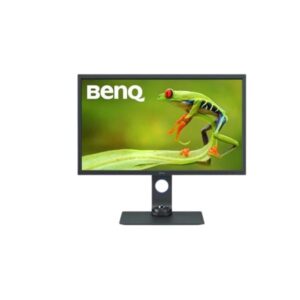
Benq BenQ SW321C – Specs & Features Monitor
RATED
Great
8/10

32″ BenQ SW321C – Specs & Features

The BenQ SW321C is a 32-inch 4K photo-editing monitor from the PhotoVue line, and it makes no attempt to be anything else.

32″ · 16:9 · MODEL YEAR 2019
BenqMonitor
Benq Monitor
Display
32-inch, AHVA IPS, 3840 x 2160
32
Refresh Rate
24 Hz - 76 Hz
24 Hz
Brightness
250 cd/m² (peak 400 cd/m²)
250 cd
Contrast Ratio
1000 : 1 / Dynamic 20000000 : 1
1000

Overview

The BenQ SW321C is a 32-inch 4K photo-editing monitor from the PhotoVue line, and it makes no attempt to be anything else. The AHVA IPS panel covers 100% sRGB and 95% DCI-P3 at 137 PPI, and the extras are all aimed at print work: a hotkey puck, ePaper mode for reading documents, Paper Colour Sync and a shading hood mount. What it deliberately skips is speed - the panel tops out at 76 Hz with a 5 ms response, and the 250 cd/m2 typical brightness with 1000:1 contrast makes its HDR10 badge a compatibility feature rather than a real HDR experience. A 60 W USB-C port keeps a thin laptop charged over one cable. Best for photographers and print-focused editors who care about colour consistency; a poor fit if you also want this to be your gaming screen.

BrandBenQPanel TypeAHVA IPSResolution3840 x 2160Refresh Rate24-76 Hz

Key Highlights

  • 100% sRGB and 95% DCI-P3 coverage - built around colour consistency, not peak speed
  • 137 PPI at 32 inches - fine detail without needing heavy desktop scaling
  • Hotkey Puck G2 plus ePaper and Paper Colour Sync modes for print-matching work
  • USB-C with 60 W power delivery - one cable for a thin-and-light laptop
  • treVolo 2.1 speakers with a subwoofer, which is rare on a creator monitor

Who Should Buy the Benq SW321C

+ Best For
Photographers
100% sRGB with 95% DCI-P3 and a hardware calibration workflow
Print and prepress editors
Paper Colour Sync and ePaper mode target paper output
Laptop-based creatives
60 W USB-C carries video, data and charging on one cable
Detail-heavy retouching
32 inches of 4K at 137 PPI leaves room for panels and palettes
× Not Ideal For
Gamers
76 Hz and 5 ms are far behind any modern gaming panel
HDR grading
250 nits typical and 1000:1 contrast cannot deliver real HDR
Portrait workflows
the stand does not pivot, so code and long documents stay landscape

Display Performance

Refresh Rate 24-76 Hz enough for editing and video review, not for gaming
Response Time 5 ms (GtG) fine for static work; motion blur shows in fast content
Brightness 250 cd/m2 typical / 400 peak tuned for a controlled studio, not a sunlit room
Contrast 1000:1 standard IPS contrast; blacks lift in a dark room
Colour Gamut 100% sRGB, 95% DCI-P3 the reason to buy this monitor
HDR HDR10 / HLG accepts the signal, but brightness limits the effect

Gaming Performance

Refresh Rate76 Hza small step over 60 Hz; not a gaming panel
Response Time5 ms (GtG)visible blur behind fast motion
VRR / Adaptive SyncAMD FreeSyncsmooths frame pacing within a narrow range
GPU Requirementalmost any modern GPU - the panel, not the card, is the limit

HDR & Brightness Reality

Treat the HDR10 support here as a compatibility box, not a feature. At 250 cd/m2 typical, 400 cd/m2 peak and 1000:1 contrast, this panel has neither the brightness nor the contrast range that HDR needs - there is no DisplayHDR certification and no local dimming. HDR files will open and display, which matters if clients send you HLG or HDR10 footage to check, but do not judge an HDR grade on it. The colour accuracy in SDR is the real story on this monitor.

Connectivity & Ports

HDMI2 x HDMI 2.04K60 from a second machine or a camera
DisplayPort1 x DisplayPort 1.4the port to use for full 4K at 76 Hz
USB-C1 x USB-C with 60 Wvideo, data and charging for a thin laptop over one cable
USB Hub1 x upstream + 2 x USB 3.1 downstreamcard readers and calibration hardware
Audio Out3.5 mmplus built-in treVolo 2.1 speakers (15 W total)

Desk Fit & Ergonomics

Size / Footprint32-inch 16:9, 759 mm wideneeds a deep desk, especially with the hood
StandIncluded, removable11.8 kg with the stand attached
VESA Mount100 x 100 mmstandard arms fit
Tilt-5 to +20 degreeseasy to angle down for print comparison
Height Adjust150 mmgenerous range for eye-level setup
Swivel / PivotSwivel +/-45 degrees, no pivotturns to show a client, but stays landscape

Real-World Use Cases

Photo Editing
100% sRGB with a hardware calibration workflow keeps edits predictable across sessions
Print Preparation
Paper Colour Sync and ePaper mode help the screen match what comes off the printer
Laptop Studio
one 60 W USB-C cable handles picture, peripherals and charging
Client Review
+/-45 degree swivel turns the screen without moving the stand

Pros & Cons

Pros
  • 100% sRGB and 95% DCI-P3 coverage with a hardware calibration workflow
  • 137 PPI 4K at 32 inches lots of usable canvas for editing tools
  • 60 W USB-C for single-cable laptop use
  • Print-focused extras: Hotkey Puck, ePaper mode, Paper Colour Sync
  • treVolo 2.1 audio with subwoofer, 15 W total
Cons
  • 76 Hz and 5 ms make it unsuitable for gaming
  • 250 cd/m2 typical brightness and 1000:1 contrast mean HDR10 is nominal only
  • No pivot, so no portrait orientation
  • 2019 panel HDMI 2.0 rather than 2.1

Score & Ratings

8/10 Great
Design
8
Display
9
Color Performance
7
Performance
6
Connectivity
8
Model Information 7
Specification Value
Brand BenQ
Series SW
Model SW321C
Model Alias SW321C-B
Full Product Name BenQ SW321C
Model Year 2019
Available Colors Gray
Display & Panel 5
Specification Value What It Means
Screen Size 32-inch
Aspect Ratio 16:9
Display Area 82.96 % (percent)
Panel Type AHVA IPS (AU Optronics) AHVA IPS - AU Optronics' IPS variant, chosen for stable colour and wide viewing angles.
Backlight Type W-LED
Resolution & Pixel Details 3
Specification Value
Native Resolution 3840 × 2160
Pixel Density 137 PPI
Pixel Pitch 0.185 mm (millimeters)
Picture Quality & Color 3
Specification Value
Panel Bit Depth 10 bits (8 bits + FRC) (FRC: Yes)
FRC Yes
Display Colors 1073741824 colors
Refresh Rate, Response & Gaming 1
Specification Value
Refresh Rate Range 24 Hz - 76 Hz
Ports & Connectivity 6
Specification Value
HDMI Ports
2× HDMI 2.0
HDMI Version HDMI 2.0
DisplayPort Input 1× DisplayPort 1.4
DisplayPort Version DisplayPort 1.4
USB-C Video Input 1× USB-C
HDCP Support Yes
Audio, Camera, Network & Smart Features 1
Specification Value
Built-In Camera No
Ergonomics & Stand 5
Specification Value What It Means
VESA Mount 100 × 100 mm
VESA Size 100 × 100 mm
Removable Stand Yes
Height Adjustment 150 mm 150 mm - a wide range, useful when you switch between sitting and standing.
Height Range 150 mm
Dimensions, Weight & Design 2
Specification Value
Weight With Stand 11.8 kg
Weight Without Stand 9.1 kg
Power & Operating Conditions 6
Specification Value
Power Input 100–240V
AC Frequency 50/60Hz
Typical Power Consumption 52W
Average Power Consumption 52W
Maximum Power Consumption 170W
Sleep Consumption 0.5W
Certifications, Standards & Licenses 1
Specification Value
Energy Star ENERGY STAR 7.0

Frequently Asked Questions

01 Is the BenQ SW321C good for gaming? +
Not really. It runs at 76 Hz with a 5 ms response, so it feels smoother than 60 Hz but nowhere near a 144 Hz or 240 Hz gaming panel. FreeSync is present, but this monitor was designed for colour work.
02 Will the 60 W USB-C run my editing laptop? +
✓ Yes, up to 60 W. That is enough for most thin-and-light laptops, though a power-hungry workstation laptop will charge slowly or need its own adapter.
03 Is the HDR any good? +
No. There is no DisplayHDR certification, brightness peaks at 400 cd/m2 and contrast is 1000:1. HDR10 and HLG files will display for checking, but the effect is minimal.
04 Does the screen rotate to portrait? +
No. It tilts and swivels +/-45 degrees and adjusts 150 mm in height, but there is no pivot, so it stays in landscape.
05 Why does a photo monitor have a subwoofer? +
It is a BenQ quirk, and a welcome one. The SW321C carries a treVolo 2.1 system - two 5 W drivers plus a 5 W subwoofer, 15 W in total. Most creator monitors ship with nothing, so being able to review a video edit with actual bass, without desk speakers, is genuinely useful.

Reviews

NO REVIEWS YET Own this display? Your rating helps calibrate the score for everyone.
DISPLAYINPUT · INDEPENDENT · SPEC-BASED · NO SPONSORED PLACEMENT SHEET № SW321C