
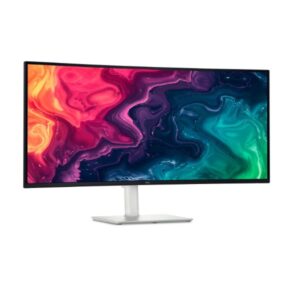
34″ Dell S3425DW – Specs & Features
The Dell S3425DW is a 34-inch UWQHD Monitor designed for gaming and multimedia. It features a VA panel for deep blacks and strong contrast. The Monitor is suitable for gaming and creative work and includes 48 Hz - 120 Hz refresh rate and DisplayPort/USB-C connectivity. However, it may not be ideal for noticeable ghosting in very fast-paced content. It scores Great — 7.8/10 across our display performance benchmarks.
- VA panel offers superior contrast ratios over IPS but narrower colour accuracy at wide viewing angles.
Scores and analysis are based on DisplayInput – Monitor & TV Specs Comparison's display benchmark methodology across 6 verified specifications. Data sourced from Dell's official specifications and independent lab measurements.
Display Performance
Who Should Buy the Dell S3425DW
Real-World Use Cases
Pros & Cons
- VA panel superior native contrast (3000 : 1) for deep blacks and punchy colors
- HDR support (HDR10) expanded brightness range for lifelike imagery
- QHD resolution (3440 x 1440) 78% more pixels than FHD for crisp, detailed visuals
- 120Hz refresh rate smooth, comfortable scrolling and video playback
- 1.0 ms (GtG) fast pixel transitions with minimal ghosting in games
- 300 cd/m² brightness adequate luminance for typical indoor lighting conditions
- 95% DCI-P3 professional-level wide-gamut color reproduction
- Variable refresh (AMD FreeSync Premium) eliminates tearing and stutter for smooth gaming
- 10-bit color (1.07 billion colors) smooth, banding-free gradients for professional work
- Height-adjustable stand with tilt comfortable positioning for different desk setups
- VA pixel response is slower than IPS noticeable ghosting in very fast-paced content
- QHD on 34.0" ultrawide pixel density (109 PPI) lower than equivalent 27" QHD panels
- No left/right swivel requires physically moving the monitor to adjust side angle
- No Thunderbolt 4 USB-C available but lacks 40 Gbps speed and high-wattage charging
- Peak power consumption (175W) above average; factor into long-term energy budget
- No built-in Ethernet network hub functionality absent; separate adapter required
- No DisplayPort HDMI-only video; may limit resolution/refresh on older GPU outputs
- VA black smearing fast dark-to-dark transitions exhibit trailing in high-contrast fast content
- Large 34.0" footprint requires wide desk with substantial depth clearance for the stand
- On-screen display menus can require several button presses to navigate basic settings
Score & Ratings
| Specification | Value | 💡 What It Means |
|---|---|---|
| Brand | Dell | |
| Model | S3425DW | |
| Series | - | |
| Model Alias | - | |
| Model Year | 2025 |
✓ Good 2025 — current generation. Latest panel technology and features.
|
| Specification | Value | 💡 What It Means |
|---|---|---|
| Size Class | 34-inch |
✓ Good 34" — popular desktop size. Enough space for multitasking without head movement.
|
| Panel Type | VA |
✓ Good VA — higher native contrast than IPS. Dark scenes look genuinely black; ideal for movies in dim rooms.
|
| Curvature | 1800 mm (millimeters) |
△ Average 1800 mm (millimeters) curve — subtle. Mostly cosmetic; minimal immersive benefit.
|
| Resolution | 3440 x 1440 |
✓ Good QHD (2560×1440) — noticeably sharper than 1080p on 27"+ screens. Sweet spot for productivity and gaming.
|
| Aspect Ratio | - | |
| Pixel Density | 109 PPI |
△ Average 109 PPI — adequate sharpness for monitor use. Comfortable for text and media at 50–80cm.
|
| Pixel Pitch | 0.232 mm (millimeters) |
✓ Good 0.232 mm (millimeters) pitch — fine. Comfortable sharpness at desk viewing distances.
|
| Display Area | 92.63 % (percent) |
| Specification | Value | 💡 What It Means |
|---|---|---|
| Color Depth | 10 bits (8 bits + FRC) (FRC: Yes) |
✓ Good 10-bit — 1.07 billion colours. Eliminates colour banding in HDR skies, skin tones and gradients.
|
| Colors | 1073741824 colors |
✓ Good 1.07 billion colours (10-bit) — smooth HDR gradients; no visible banding in any content.
|
| sRGB | 99% |
✓ Good 99% sRGB — virtually complete coverage. Colour output matches what clients and printers receive exactly.
|
| DCI-P3 Coverage | 95% |
✓ Good 95% DCI-P3 — excellent for professional work. Reliable for photo editing and video colour grading.
|
| HDR Support | HDR10 |
△ Average HDR10 — universal HDR baseline. Supported by all streaming services, games, and HDR discs.
|
| Specification | Value | 💡 What It Means |
|---|---|---|
| Brightness (Typical) | 300 cd/m² |
△ Average 300 cd/m² — comfortable indoors. May wash out next to a bright window or in direct sunlight.
|
| Peak Brightness | - |
OLED brightness varies per pixel and scene. Manufacturers often omit a fixed nit figure; contrast quality exceeds most LED panels anyway.
|
| Contrast | 3000 : 1 |
✓ Good 3000 : 1 — excellent shadow detail. Noticeably better than IPS in dark room viewing.
|
| Specification | Value | 💡 What It Means |
|---|---|---|
| Refresh Rate | 48 Hz - 120 Hz |
✓ Good 120Hz — enables PS5 and Xbox Series X 120fps Performance Mode. Also smooth for everyday desktop use.
|
| Response Time | 1 ms (GtG) |
✓ Good 1 ms (GtG) GtG — near-instant pixel transitions. Ghosting is invisible even in fast esports.
|
| Adaptive Sync | AMD FreeSync Premium |
✓ Good FreeSync Premium — tear-free gaming with LFC (prevents judder below minimum Hz). Works on AMD and NVIDIA GPUs.
|
| Specification | Value | 💡 What It Means |
|---|---|---|
| Advanced Display Technologies | Panel Technology: - Backlight: W-LED Viewing Angles: 178° / 178° (Horizontal / Vertical) MPRT Response: - Dynamic Contrast: - Input Lag: - Screen Coating: Anti-glare/Matte (3H) |
Anti-glare matte coating. 178° wide viewing angles.
|
| Specification | Value | 💡 What It Means |
|---|---|---|
| Camera | No |
⚠ Limited No built-in camera. An external webcam is needed for video calls.
|
| Specification | Value | 💡 What It Means |
|---|---|---|
| Audio | 2 x 5 W (watts) |
| Specification | Value | 💡 What It Means |
|---|---|---|
| Ports | 1 x USB 3.2 (Type-C; Gen 1; 5 Gbps; upstream; 65W; DP Alt Mode) 1 x USB 3.2 (Type-C; Gen 1; 5 Gbps; downstream; 15W) 2 x USB 3.2 (Type-A; Gen 1; 5 Gbps; downstream; 10W) 2 x HDMI 2.1 High-bandwidth Digital Content Protection (HDCP) 2.2 |
✓ Good USB-C (single-cable display + data, charging if PD supported). HDMI 2.1 — supports 4K@144Hz or 8K@60Hz bandwidth.
|
| Wireless | - |
| Specification | Value | 💡 What It Means |
|---|---|---|
| VESA Mount | 100 x 100 mm |
✓ Good VESA-compatible — fits any standard monitor arm, desk mount, or wall bracket. No proprietary hardware needed.
|
| Height Adjustment | 130 mm |
✓ Good 130 mm height range — excellent ergonomics. Adapts to any chair height or desk setup.
|
| Pivot | No |
⚠ Limited No pivot — cannot rotate to portrait orientation.
|
| Swivel | No |
⚠ Limited No swivel — stand cannot rotate left/right. Adjust by moving the whole monitor.
|
| Tilt | -5° to +21° |
✓ Good Tilt ±5° — adjustable screen angle reduces neck strain and matches your eye level.
|
| Removable Stand | Yes |
✓ Good Stand detaches cleanly from the panel — mount on any VESA arm or wall bracket without a leftover collar.
|
| Specification | Value | 💡 What It Means |
|---|---|---|
| Gaming Features | AMD FreeSync Premium Picture-by-Picture Picture-in-Picture |
✓ Good AMD FreeSync (tear-free).
|
| Specification | Value | 💡 What It Means |
|---|---|---|
| Operating System | - |
No smart OS — this is a PC monitor. All input comes from connected computers or consoles.
|
| Smart Features | ComfortView Plus Dell Easy Arrange Flicker-free technology KVM Switch Low Blue Light |
✓ Good ComfortView Plus
Dell Easy Arrange
Flicker-free technology
KVM Switch
Low Blue Light — software features including OSD controls and display calibration tools.
|
| Specification | Value | 💡 What It Means |
|---|---|---|
| Voltage | 100–240V |
✓ Good Universal or wide-range power supply. Compatible with outlets in the US, UK, EU, and most countries.
|
| Frequency | 50/60Hz |
50/60Hz AC supply — compatible with worldwide power grids including US, UK, EU, and AU.
|
| Average Consumption | 31W |
✓ Good 31W — efficient for a display of this size and capability.
|
| Maximum Consumption | 175W | |
| Standby | 0.3W |
✓ Good 0.3W standby — near-zero idle power. Excellent energy compliance.
|
| Specification | Value | 💡 What It Means |
|---|---|---|
| Certificates | Energy Star RoHS TÜV Rheinland Eye Comfort 3.0 - 4-star |
✓ Good ENERGY STAR — US energy efficiency standard. RoHS — EU hazardous substances compliant.
|
| Specification | Value | 💡 What It Means |
|---|---|---|
| Without Stand Width | 807.32 mm |
Panel dimensions without stand attached. Use for wall-mount space planning.
|
| Without Stand Height | 355.77 mm |
Panel dimensions without stand attached. Use for wall-mount space planning.
|
| Without Stand Depth | 116.89 mm |
Panel dimensions without stand attached. Use for wall-mount space planning.
|
| Without Stand Weight | 6.91 kg |
△ Average 6.91 kg — standard weight for this panel size.
|
| With Stand Width | 807.32 mm |
Overall footprint with stand. Use when planning desk or shelf placement.
|
| With Stand Height | 411.53 mm |
Overall footprint with stand. Use when planning desk or shelf placement.
|
| With Stand Depth | 221.85 mm |
Overall footprint with stand. Use when planning desk or shelf placement.
|
| With Stand Weight | 9.38 kg |
△ Average 9.38 kg — standard weight for this panel size.
|
| Color | Black |
Available colour finish for this unit.
|
| Specification | Value | 💡 What It Means |
|---|---|---|
| Temperature | 0°C – 40°C |
Operating environment range. Keep within these limits for reliable long-term performance.
|
| Humidity | 10% – 80% |
Operating environment range. Keep within these limits for reliable long-term performance.
|