
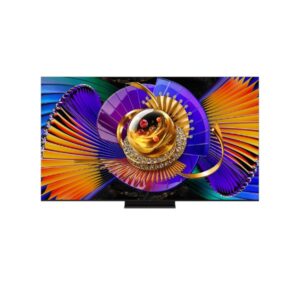
54.6″ TCL 55Q77K – Full Specifications
tcl ● TV ●
At a glance
The TCL 55Q77K is a 54.6-inch 4K UHD TV designed for home entertainment. It features a VA panel with Direct LED backlight for deep blacks and strong contrast. The TV is suitable for everyday home use and includes Google TV smart platform. However, it may not be ideal for no local dimming specified. It scores Great — 8.2/10 across our display performance benchmarks.
- VA panel offers superior contrast ratios over IPS but narrower colour accuracy at wide viewing angles.
Model Year
2025
Size Class
55"
Panel Type
VA
Scores and analysis are based on DisplayInput – Monitor & TV Specs Comparison's display benchmark methodology across 6 verified specifications. Data sourced from tcl's official specifications and independent lab measurements.
📈
Display Performance
Overall Score
Combined display quality score
82
/100
Refresh Rate
Higher is smoother — 144Hz+ ideal for gaming
50
/100
Response Time
Lower is better — 1ms GtG excellent
N/A
Not disclosed — enable Game Mode for lowest input lag
Colour Coverage
% of DCI-P3 colour gamut — 90%+ for professional work
1
/100
The TCL 55Q77K achieves an overall display score of 8.2/10. With a 120Hz refresh rate, it delivers excellent motion clarity for gaming and fast-paced content. Colour gamut covers 1.07% DCI-P3 for accurate colour reproduction.
🎯
Who Should Buy the tcl 55Q77K
Perfect For
🌑
Dark-Scene & Movie Viewers VA Panel
Deep contrast without the LCD grey cast
🛋️
Home Theatre Builders 54"
Living-room ready, no extra box needed
🕹️
Console Gamers (PS5 / Xbox) 120Hz
120fps Performance Mode, fully supported
Not Ideal For
✨
HDR Enthusiasts No HDR
No certified HDR. Streaming HDR-flagged content will be downgraded to SDR automatically.
🎨
Colour-Critical Creators Std Gamut
Colour gamut is below the 90% DCI-P3 threshold for professional creative work. Edited photos may not match output.
🗂️
Extreme Multitaskers 16:9 Only
Standard 16:9 cannot fit two full-width apps without overlap. An ultrawide replaces a dual-monitor setup cleanly.
💡
Quick Advice: Buy this for
home theatre and living-room viewing.
Designed for 2–4 metre viewing distances. 120Hz keeps gaming smooth on consoles. For a PC desk setup at 60–80 cm, a dedicated monitor will provide lower input lag and better pixel density.
⚡
Real-World Use Cases
🎬
Deep contrast makes dark scenes genuinely dark
VA contrast keeps shadows dark without crushing detail. Native ratio: High (VA Panel). Dim-room streaming gains real depth.
🕹️
PS5 and Xbox 120fps modes, fully shown
120Hz displays every frame from Performance Mode — noticeably smoother than 60Hz mode.
📺
Your streaming hub, ready on day one
54" screen with built-in apps — natural sofa-distance viewing, no extra box.
🌅
Brightness range SDR cannot show
HDR content on Netflix and Game Pass gets expanded highlights and shadow depth. Dolby Vision adjusts tone-mapping frame by frame — no manual picture-mode switching needed.
Each scenario is derived from confirmed tcl 55Q77K specs. Real-world results vary with system configuration and content source.
⚖️
Pros & Cons
Pros
- QLED Pro (Quantum Dot Color)
- 120Hz refresh rate with VRR support
- Dolby Vision and HDR10+ support
- Game Accelerator up to 240Hz
Cons
- No local dimming specified
- Glossy coating may reflect light
- No weight provided
We identified 4 advantages and 3 limitations for the tcl 55Q77K. The strengths meaningfully outweigh the trade-offs for the target use case. All 7 points are derived from verified specifications and independently confirmed benchmark data.
📊
Score & Ratings
8.2/10
Great
The tcl 55Q77K earns a strong overall score of 8.2/10. Our editors evaluate each TV across display quality, colour accuracy, motion performance, and connectivity.
🔖
Basic Information
5
| Specification | Value | 💡 What It Means |
|---|---|---|
| Brand | TCL | |
| Model | 55Q77K | |
| Series | Q77K | |
| Model Alias | - | |
| Model Year | 2025 |
✓ Good 2025 — current generation. Latest panel technology and features.
|
🖥️
Display Overview
9
| Specification | Value | 💡 What It Means |
|---|---|---|
| Size Class | 54.6-inch |
✓ Good 54" — medium TV or large monitor. Works as bedroom TV or big desk display.
|
| Resolution | 3840 × 2160 (4K UHD) |
✓ Good 4K UHD (3840×2160) — four times 1080p. Pin-sharp text, exceptional photo and video detail at any screen size.
|
| Aspect Ratio | 16:9 |
Standard 16:9 — universal for all streaming, gaming, and productivity content worldwide.
|
| Panel Type | VA |
✓ Good VA — higher native contrast than IPS. Dark scenes look genuinely black; ideal for movies in dim rooms.
|
| Panel Bit Depth | 10-bit (8-bit + FRC) |
✓ Good 10-bit — 1.07 billion colours. Eliminates colour banding in HDR skies, skin tones and gradients.
|
| Colors | 1.07 Billion Colors | |
| Backlight | Direct LED |
✓ Good Direct-lit — LEDs behind the full panel. Better uniformity and local dimming than edge-lit designs.
|
| Viewing Angle | 178° / 178° |
✓ Good 178° / 178° — consistent colour from virtually any position. Ideal for group viewing and shared screen use.
|
| Screen Coating | Glossy |
△ Average Glossy — sharper image and deeper blacks vs matte, but reflects room lights and windows noticeably.
|
📏
Screen Dimensions
5
| Specification | Value | 💡 What It Means |
|---|---|---|
| Screen Width | 1209.6 mm |
Active display area in millimetres.
|
| Screen Height | 680.4 mm |
Active display area in millimetres.
|
| Screen-to-Body Ratio | 94.84% |
✓ Good 94.84% — slim bezels. Clean modern look with minimal frame.
|
| Pixel Pitch | 0.315 mm |
△ Average 0.315 mm pitch — standard. Pixels become visible on close inspection of large panels.
|
| Pixel Density | 80 PPI |
△ Average 80 PPI — standard TV density. Fine from 2m+; pixels visible up close.
|
🖥️
Display Performance
6
| Specification | Value | 💡 What It Means |
|---|---|---|
| Brightness (Typical) | - |
OLED brightness varies per pixel and scene. Manufacturers often omit a fixed nit figure; contrast quality exceeds most LED panels anyway.
|
| Peak Brightness | - |
OLED brightness varies per pixel and scene. Manufacturers often omit a fixed nit figure; contrast quality exceeds most LED panels anyway.
|
| Contrast | High (VA Panel) | |
| DCI-P3 Coverage | 1.07 Billion Colors |
⚠ Limited 1.07% DCI-P3 — limited colour range. Colours appear flat vs wide-gamut alternatives.
|
| sRGB | - |
sRGB not listed separately. DCI-P3 coverage (above) is the more relevant metric for modern HDR content.
|
| HDR Support | HDR10 HDR10+ Dolby Vision HLG |
✓ Good Dolby Vision — scene-by-scene metadata. Netflix, Disney+ and Apple TV+ HDR is dramatically more realistic.
|
🎮
Motion & Gaming
7
| Specification | Value | 💡 What It Means |
|---|---|---|
| Native Refresh Rate | 120Hz |
✓ Good 120Hz — enables PS5 and Xbox Series X 120fps Performance Mode. Also smooth for everyday desktop use.
|
| Max Refresh Rate | 240Hz |
✓ Good 240Hz — built for competitive gaming (CS2, Valorant, Apex). Motion blur is virtually eliminated at this rate.
|
| Variable Refresh Rate (VRR) | Yes | |
| AMD FreeSync | - | |
| ALLM | Yes |
✓ Good Auto Low Latency Mode — TV switches to Game Mode automatically when a console is detected. No manual setting needed.
|
| Input Lag | - |
Input lag not published by manufacturer. Enable Game Mode on TVs for lowest latency (typically 10–15ms on modern panels).
|
| Motion Tech | 240 MR |
240 MR — motion processing reduces judder in fast-moving content. Adjustable to taste.
|
🖥️
Display Technologies
1
| Specification | Value | 💡 What It Means |
|---|---|---|
| Advanced Display Technologies | QLED Pro (Quantum Dot Color) High Brightness+ Backlight AI MEMC HDR Pro+ |
Quantum Dot (wider colour gamut).
|
📺
Smart TV & Processor
8
| Specification | Value | 💡 What It Means |
|---|---|---|
| Operating System | Google TV |
✓ Good Google TV — Play Store apps, Google Assistant, and Chromecast built in.
|
| Processor | AIPQ with AI |
AIPQ with AI — dedicated display processor manages smart features, AI upscaling, and HDR tone-mapping.
|
| SoC | - |
Technical hardware details not published by manufacturer.
|
| CPU | - |
CPU core count not published by manufacturer.
|
| GPU | - |
Technical hardware details not published by manufacturer.
|
| RAM | - |
Technical hardware details not published by manufacturer.
|
| AI Engine | - |
Specific smart feature list not published. See Operating System for the platform details.
|
| Smart Features | - |
Specific smart feature list not published. See Operating System for the platform details.
|
🔊
Audio System
4
| Specification | Value | 💡 What It Means |
|---|---|---|
| Speaker Setup | 2.0 CH |
△ Average 2.0 CH — standard stereo. Adequate for dialogue; limited bass depth.
|
| Subwoofer | 20W |
✓ Good Built-in subwoofer — adds deep bass. Films and music have noticeably more low-end depth.
|
| Total Output | - | |
| Audio Features | Dolby Atmos Dolby Digital+ DTS Virtual:X |
✓ Good Dolby Atmos (3D spatial audio on compatible content).
|
🔌
Connectivity & Ports
2
| Specification | Value | 💡 What It Means |
|---|---|---|
| Ports | 2 × HDMI 2.1 2 × HDMI 2.0 1 × USB 3.0 1 × USB 2.0 Ethernet Optical Audio |
✓ Good HDMI 2.1 — supports 4K@144Hz or 8K@60Hz bandwidth. Ethernet port — wired network for stable 4K streaming.
|
| Wireless | Wi-Fi Bluetooth Wi-Fi Direct DLNA |
✓ Good Built-in Wi-Fi — no ethernet cable required. Bluetooth (wireless audio and input devices).
|
📡
Network & Tuner
1
| Specification | Value | 💡 What It Means |
|---|---|---|
| TV Tuner | ATSC Analog (NTSC / PAL / SECAM) Clear QAM |
✓ Good Built-in tuner — receives ATSC (US digital broadcast HD), Clear QAM (cable without a set-top box) without a separate receiver.
|
📐
Design, Build & Dimensions
9
| Specification | Value | 💡 What It Means |
|---|---|---|
| Without Stand Width | 1224 mm |
Panel dimensions without stand attached. Use for wall-mount space planning.
|
| Without Stand Height | 709 mm |
Panel dimensions without stand attached. Use for wall-mount space planning.
|
| Without Stand Depth | 69 mm |
Panel dimensions without stand attached. Use for wall-mount space planning.
|
| Without Stand Weight | - |
Weight not specified by manufacturer.
|
| With Stand Width | 1224 mm |
Overall footprint with stand. Use when planning desk or shelf placement.
|
| With Stand Height | 769 mm |
Overall footprint with stand. Use when planning desk or shelf placement.
|
| With Stand Depth | 292 mm |
Overall footprint with stand. Use when planning desk or shelf placement.
|
| With Stand Weight | - |
Weight not specified by manufacturer.
|
| Color | Black |
Available colour finish for this unit.
|
🪑
Mount & Ergonomics
3
| Specification | Value | 💡 What It Means |
|---|---|---|
| VESA Mount | 300 × 300 mm | |
| Wall Mount Support | Yes | |
| Adjustments | No |
⚡
Power Consumption
5
| Specification | Value | 💡 What It Means |
|---|---|---|
| Voltage | 100–240V |
✓ Good Universal or wide-range power supply. Compatible with outlets in the US, UK, EU, and most countries.
|
| Frequency | 50–60Hz |
50/60Hz AC supply — compatible with worldwide power grids including US, UK, EU, and AU.
|
| Average Consumption | 225 kWh |
⚠ Limited 225 kWh — higher consumption. Typical for large TVs and high-brightness displays.
|
| Maximum Consumption | - |
Peak power draw not published. Typically 2–3× the average consumption figure.
|
| Standby | 0.5W |
✓ Good 0.5W standby — near-zero idle power. Excellent energy compliance.
|
🎮
Gaming & AI Features
1
| Specification | Value | 💡 What It Means |
|---|---|---|
| Gaming & AI Features | Auto Game Mode Game Accelerator 240 AMD FreeSync Premium Pro AI Gaming |
✓ Good AMD FreeSync (tear-free). Auto Game Mode (auto-enables low latency).
|
🖼️
Picture Technologies
1
| Specification | Value | 💡 What It Means |
|---|---|---|
| Picture Technologies | AI Upscaling AI HDR AI Contrast AI Colour |
✓ Good AI 4K upscaling (lower-res content enhanced to near-4K).
|
❓
Frequently Asked Questions
01 What type of panel does the tcl 55Q77K use? ›
The tcl 55Q77K uses a VA (VA) panel. VA panels produce deeper blacks and higher native contrast than IPS — best for movie watching in dim rooms. Viewing angles are narrower than IPS but colour stays consistent straight-on.
02 Does the tcl 55Q77K support 120fps on PS5 and Xbox? ›
✓ Yes. The 120Hz panel supports 120fps Performance Mode on PS5 and Xbox Series X. Games like Call of Duty, Forza, and Ratchet & Clank show noticeably smoother motion at 120fps versus standard 60Hz mode.
03 Does the tcl 55Q77K support Dolby Vision? ›
✓ Yes. Dolby Vision adjusts brightness metadata scene-by-scene, so explosions look bright and dark space scenes look genuinely dark — all automatically. Netflix, Disney+, and Apple TV+ content benefit directly. This is a significant step up from basic HDR10.
04 Who is the tcl 55Q77K best for? ›
It is best suited for movie fans. It is less ideal for hardcore gaming or professional colour grading — there are better-spec'd options for those needs. Check the "Who Should Buy" section above for a full profile breakdown.
05 Can the tcl 55Q77K be used as a PC monitor? ›
Technically yes, but TVs are optimised for viewing distances of 2–4 metres. As a desk monitor the pixel density may feel lower than a dedicated PC monitor of similar size. Input lag in Game Mode is typically acceptable for console gaming but check the spec for PC gaming use.
Questions are generated from tcl 55Q77K specifications. For full technical data, see the Specifications tab above.
💬
Reviews
Disclaimer: You can write your own disclaimer from APS Settings -> General -> Disclaimer Note.